Are you a team member in a veterinary practice?
Are you a pet parent planning a trip with your furry pal?
Validation Document Template for Pet Travel
The email arrives just after the morning consult: endorsement denied, flight in 48 hours, and a four-legged patient suddenly grounded. The certificate may be signed, the rabies record may be attached, and the owner may have paid for expedited handling, yet one outdated rule or mismatched microchip number can stop the journey.
A useful validation document template prevents that scramble by treating pet travel as a controlled workflow, not a printable form. Each requirement should be connected to evidence, checked against dates and identity details, reviewed by the right person, and blocked from moving forward when a prerequisite is missing.
Why Pet Travel Certificates Get Rejected
Most rejected pet travel packages don't fail because someone found an obscure rule at the last minute. They fail because the practice couldn't show that a basic requirement had been checked against the correct evidence.
Common gaps include:
Outdated destination rules: The team uses a familiar form even though the destination, route, or travel category requires something different.
Missing supporting documents: The signed certificate is present, but the laboratory report, vaccination record, import permit, payment, or return shipping label isn't.
Expired or mistimed preventive care: A vaccination or treatment exists, but it falls outside the destination's accepted window.
Inconsistent identity details: The microchip number differs between the certificate, vaccination record, laboratory result, or permit.
Missed endorsement deadlines: The veterinarian completes the form, but the authority endorsement isn't submitted or completed in time.
The U.S. Food and Drug Administration's 21 CFR Part 11 became effective on August 20, 1997, establishing a widely influential model for trustworthy electronic records and signatures. Its control areas include system validation, access controls, audit trails, record-retention protections, user training, and safeguards for authenticity and integrity. The regulation itself also requires unique electronic signatures that aren't reused or reassigned, with identity verification before authorization.
That framework translates well to veterinary travel paperwork. Your template should show what was checked, who checked it, when the action occurred, what the approval means, and how the record is protected from unexplained changes.
Practical rule: A veterinarian's signature should open the next gate, not close the entire case.
A gate-based workflow makes the difference. Intake comes first. Then destination rules, evidence collection, clinical verification, identity matching, authority submission, endorsement, and final travel review. If the import permit is missing, the endorsement gate stays closed. If the certificate version is uncertain, the case doesn't drift toward the airport.
The Core Fields Every Validation Document Template Needs
A generic health certificate records clinical findings. A real validation tool records whether the entire decision can be checked later. That means the template needs document control, evidence tracking, approval history, and status logic in one place.
Document identity and rule control
Start with the case identity:
Destination country and customs-entry country
Species and travel purpose
Route and planned arrival date
Certificate type
Template version
Regulatory effective date
Rule-source URL and retrieval date
These fields answer a question that a blank form can't: which rule set did the practice use for this specific trip? They also make it easier to identify open cases if an authority changes its form or instructions.
Requirement and evidence mapping
Give every requirement its own row or record. Include a requirement ID, rule source, evidence type, evidence status, expiry date, responsible party, reviewer, exception reason, and final disposition.
Evidence may include a vaccination record, laboratory report, treatment record, import permit, certificate, or veterinarian attestation. The template should also connect each item to the correct pet and itinerary, rather than storing attachments as an unstructured pile.
The FDA's electronic-record guidance gives a useful standard here. Under 21 CFR Part 11, a signed electronic record must include the signer's printed name, the date and time of signing, and the meaning of the signature, such as review, approval, responsibility, or authorship. FDA's guidance also emphasizes validation for accuracy, reliability, intended performance, and the ability to identify invalid or altered records.

Approval and history
A trustworthy record preserves the who, what, when, and why of every meaningful action. Add named reviewers, timestamps, approval meaning, audit-trail references, exception notes, corrective actions, and final status.
Many printable templates fall short in this regard. A tick in a box may show that someone marked an item complete, but it doesn't show which document they reviewed, whether the document was current, or why they accepted an exception. The fields should support a readable history without forcing the next team member to reconstruct it from email threads.
For practices handling EU cases, a destination-specific resource such as this European Union pet health certificate form guide can help staff understand the form context. It shouldn't replace the source rule record inside your workflow. The template still needs to preserve the exact version, evidence, reviewer, and approval trail for each case.
Customizing the Template by Destination and Route
There isn't one universal health certificate that works for every country, species, and journey. APHIS explains that requirements vary by country and animal type, so a destination-specific gate is safer than copying yesterday's checklist.
Start with the trip, not the form
Record the destination country, species, travel purpose, route, customs-entry country, and planned arrival date. A dog travelling from the United States to the EU for a non-commercial move may need a different evidence path from a dog entering the United States after recent travel through a high-risk rabies country.
Next, retrieve the current official import requirements. Record the source URL, retrieval date, effective date, and rule version. Don't rely on a saved PDF with no date or a client's description of what another clinic accepted.
Map each rule to proof
Turn each rule into a requirement ID and attach a verifiable evidence field. For example:
Identity gate: Match the microchip number and pet description across the certificate, vaccination record, laboratory result, and permit.
Clinical gate: Record the vaccination, test, or treatment date, evidence file, expiry date, and veterinarian review.
Permit gate: Record whether an import permit is required, received, current, and linked to the same itinerary.
Prerequisite gate: Prevent certificate issuance until required vaccinations, tests, and treatments are complete.
Submission gate: Confirm the certificate type, authorized signature, supporting attachments, payment, and authority submission.
Endorsement gate: Track the required authority review and the version of the document that was sent.
APHIS explicitly states that the pet must meet import requirements before certificate issuance. That makes prerequisite logic more than a helpful reminder. It stops the workflow from treating an incomplete clinical or documentary package as ready.

For a route with unusual destination rules, keep the client message simple:
“We'll confirm the current requirements for your route, match each requirement to supporting evidence, and tell you what must be completed before the certificate can move to endorsement.”
That wording sets a clear expectation without promising that a signed form alone guarantees acceptance. A focused resource such as this health certificate for export to China guide can support client education, but your case record should always point to the current official rule source.
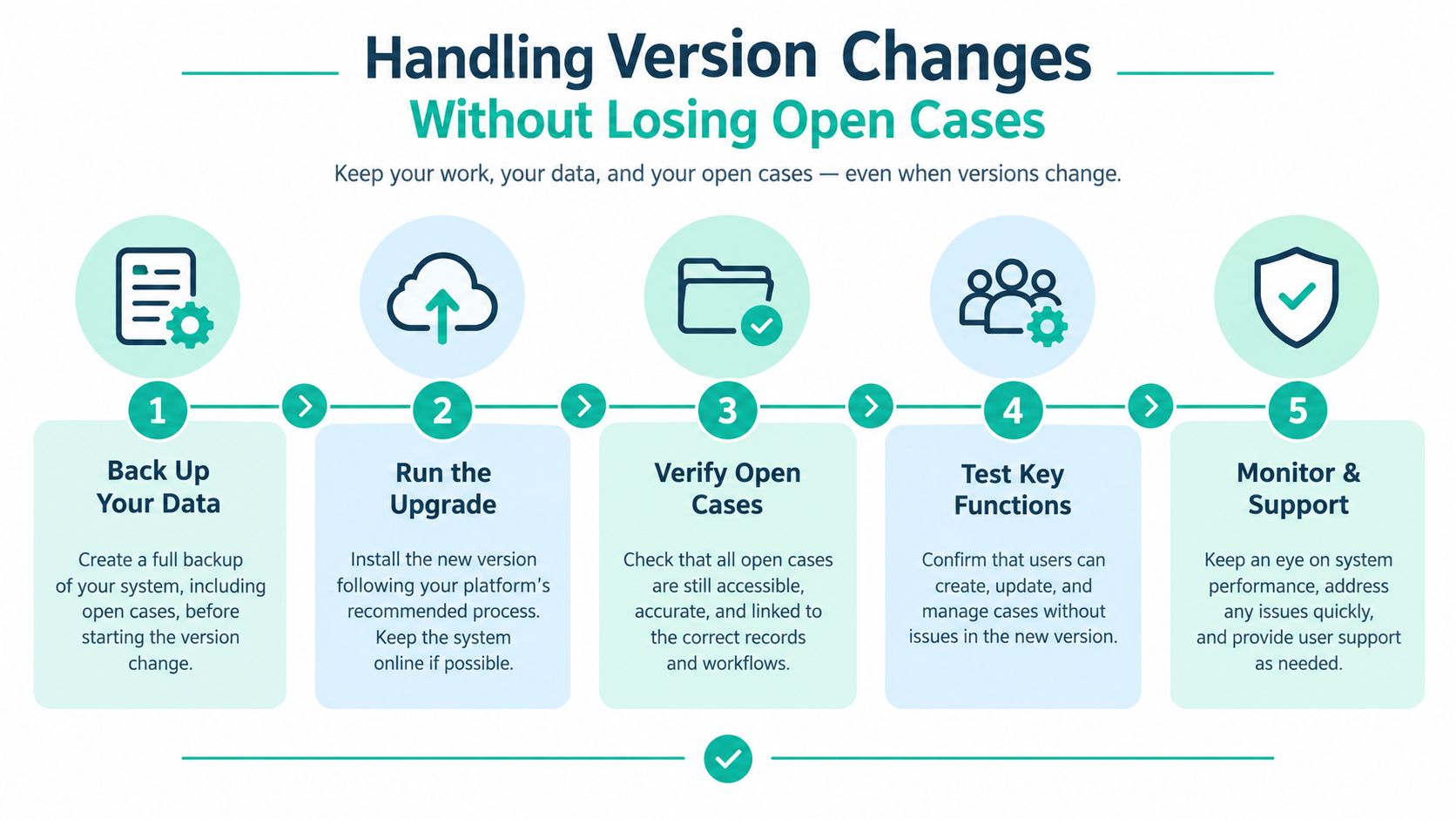
Handling Version Changes Without Losing Open Cases
Version changes are where a static validation document template becomes dangerous. A case may begin under one form, remain open while the destination updates its requirements, and reach endorsement after the transition has started.
The EU animal health certificate change provides a useful example. The UK government states that the EU introduced a new template on April 22, 2026, allowed the old version during a transition period, and required the new version from October 1, 2026. USDA also noted that certificates already in process could be endorsed under the prior rules through September 30, 2026. The published carrier guidance shows why a practice needs more than a field labelled “current form.”
Give every open case a version record
For each case, store:
Template version used
Regulatory effective date
Date the rule was retrieved
Issued-by deadline
Endorsed-by deadline
Destination-country confirmation
Migration status for open cases
Person who approved the version decision
The migration status might read “not assessed,” “old version permitted,” “move to new version,” or “ready under confirmed transition rule.” The exact labels matter less than making the decision visible and reviewable.
Suppose a veterinarian has started a certificate before a new template becomes mandatory. The practice shouldn't overwrite the original document or rely on memory. It should record the departure date, signing date, endorsement timing, applicable transition rule, and confirmation of which version governs.
Treat change control as part of client care
A form change can create rework, extra owner communication, and a risk that a completed package no longer fits the intended route. Staff need a controlled way to identify affected open cases, notify the responsible person, and preserve the earlier version rather than deleting it.
The practical question is straightforward: if requirements change after the veterinarian starts the document but before the pet travels, which version governs, and what evidence proves the correct version was used? A first-class version field gives your team a place to answer it.
The Status Workflow from Intake to Travel-Ready
A good workflow lets the whole practice contribute without giving everyone the same responsibility. Support staff can collect records and chase missing information. Veterinarians can focus on clinical review and certification. A designated reviewer can manage authority submission and final document checks.
Use clear statuses with a defined trigger for each move.
Status | What's required | Owner | Next gate |
|---|---|---|---|
Not started | Trip details and destination route recorded | Client service or travel coordinator | Evidence received |
Evidence received | Required records uploaded and linked to the pet | Support staff | Veterinarian verified |
Veterinarian verified | Clinical findings, dates, identity, and certificate fields reviewed | Veterinarian | Authority submitted |
Authority submitted | Complete package sent through the required channel | Travel coordinator or authorized staff | Endorsed |
Endorsed | Endorsed document received and checked against the case | Designated reviewer | Travel-ready |
Travel-ready | Final package, deadlines, and physical or digital document requirements confirmed | Practice team and owner | Travel |
The handoff should include a visible reason, not just a status change. “Evidence received” means the file is present and linked. “Veterinarian verified” means the clinician checked the relevant facts. “Authority submitted” means the package left the practice, not merely that someone intended to send it.
Every requirement also needs temporal logic. Track at least four dates:
Vaccination or test date
Certificate-signature date
Endorsement deadline
Arrival-date deadline
APHIS notes that some certificates may have a limited period, such as 30 days, for endorsement and travel after signing. For EU travel from the United States, non-commercial certificates must be endorsed within 10 days of arrival, while certain commercial certificates have a 48-hour endorsement window after veterinarian issuance. These windows are documented in the APHIS pet travel process overview.
A practice can use a simple document status types reference to standardize labels across staff. The important point is that a status should reflect evidence and action, not optimism.
Validating the Whole Evidence Package
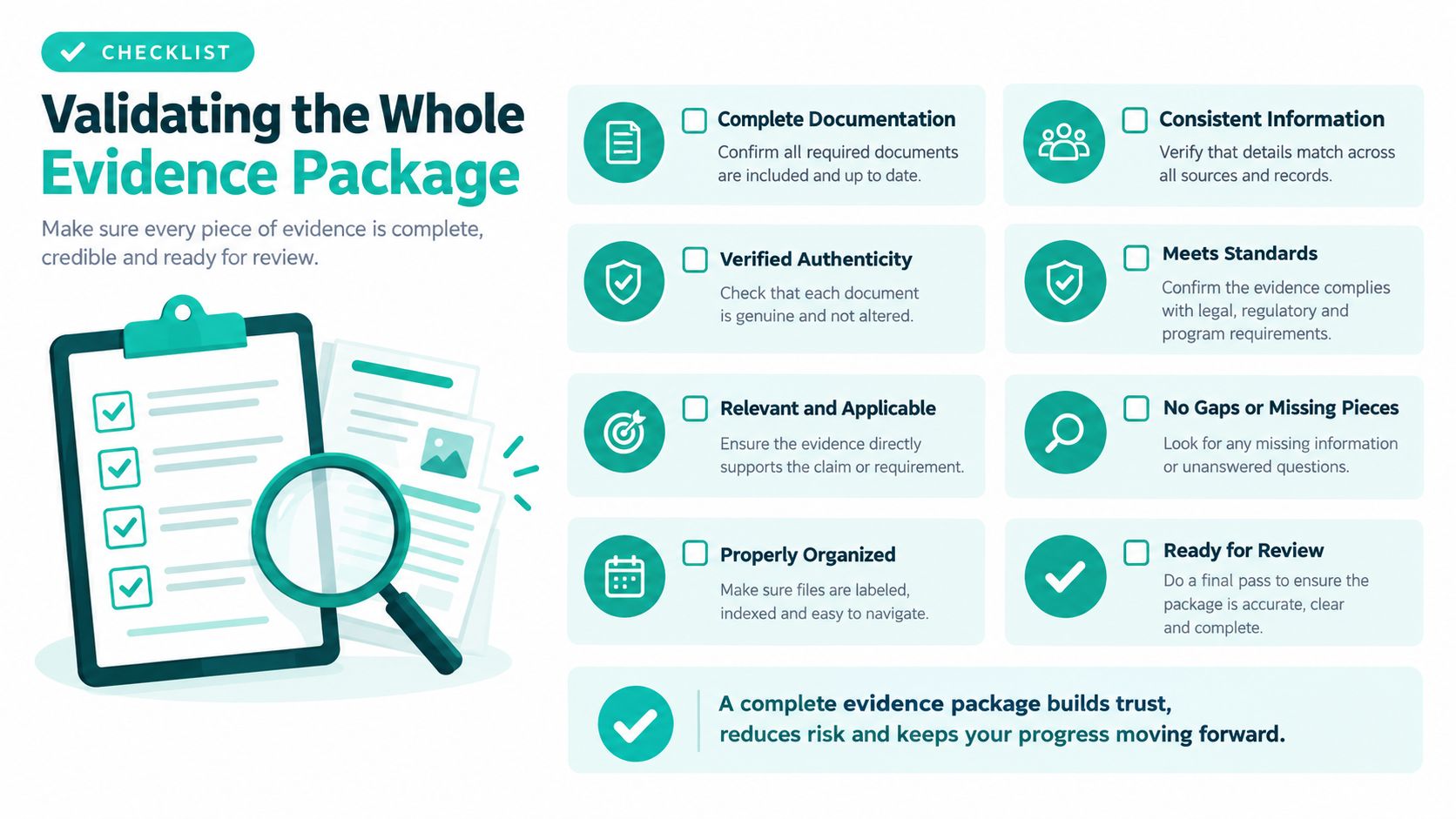
At 5 p.m., the certificate is signed, the owner thinks the case is done, and the endorsement packet still gets kicked back because one attachment belongs to a different pet, the lab report is missing, or the permit details do not match the route. That is why a validation document template has to govern the whole evidence package, not just the certificate itself.
USDA lists the pieces that may be required in one submission: the signed health certificate, vaccination and testing records, an import permit when needed, payment, and a return shipping label. USDA also notes that EU animal health certificates for pets entering from outside the EU may be issued no more than 10 days before arrival. USDA's common-problems guidance shows how easily a technically correct certificate fails when the package around it is incomplete.
Build a document manifest
Use the template as a live manifest with gate checks, version history, and file-level accountability. Each expected item needs its own line, its own status, and its own link to the case record:
Signed health certificate
Vaccination records
Laboratory reports
Import permit, where applicable
Payment confirmation
Return shipping label
Destination-specific attachments
Endorsement record
Final owner copy
For each file, record the pet's microchip number, case ID, route, requirement ID, issue date, expiry date, reviewer, and any discrepancy. I also recommend tracking file version and replacement history. Open cases rarely fail because nobody cared. They fail because an older upload stayed in the packet after a newer correction arrived.
A defined document validation process guide helps staff review the packet in the same order every time. If your team also handles owner approvals or signature records, the consent documentation guide is a useful model for organizing evidence, signatures, and record history.
Separate hard stops from soft warnings
The template should block progression for hard stops such as an expired rabies vaccination, a missing laboratory report, an absent import permit, an unsigned required field, an inconsistent pet identifier, or a destination rule the team has not confirmed.
Soft warnings belong on a different track. Use them for a deadline that is approaching, a third-party review still pending, or owner information that needs confirmation. That distinction matters in practice. A missing permit stops the packet. A pending review may not, if the remaining dates still line up.
This is also where the four-date logic matters: treatment or test date, certificate-signature date, endorsement deadline, and arrival date. For dogs entering Great Britain, tapeworm treatment must be given no less than 24 hours and no more than 5 days before arrival, and the same rule set ties microchip timing to rabies vaccination timing, as noted in the Great Britain travel checklist. A template that checks those dates against the planned route catches the problem before the owner reaches the airport.
Turning the Template into a Practice Growth Tool
Friday afternoon is when weak templates show up. A client is ready to book, the vet is between consults, and someone is digging through email threads to confirm which certificate version applies and whether the lab report still matches the pet ID. A good validation document template stops that scramble because it assigns work clearly. The practice manager sees which gate is blocking travel, support staff know which evidence is missing, and veterinarians spend less time rechecking attachments by hand.
Used properly, the template also creates better clinical planning. Travel prep often exposes work that would otherwise be left too late, such as a vaccination review, laboratory testing, microchip confirmation, or treatment booked inside a narrow window. The gain is not just compliance. It is fewer rushed appointments, cleaner handoffs, and fewer calls to reopen a case that looked complete last week but is no longer complete under a newer version.
That only works if the template behaves like a control system with version control and date logic built in. Track the rule set used on the case, lock the evidence package that was validated against it, and check the four dates that drive travel timing. Treatment or test date, certificate-signature date, endorsement deadline, and arrival date. Run one live destination through intake to Travel-ready, then adjust the gates where your team still has to guess.
Passpaw helps veterinary practices manage international pet-travel requirements, validate uploaded documents against pet information, and assemble submission packets when the required evidence is complete. Visit Passpaw to see how its workflow can support your validation document template and reduce last-minute document chasing.

More articles
From regulatory changes to best practices for veterinarians and pet owners, our resources keep you ahead of the curve.