Are you a team member in a veterinary practice?
Are you a pet parent planning a trip with your furry pal?
How to Documentation That Actually Gets Used
You're in the middle of a busy day, someone pings the team with a deadline question, and the answer should be in the docs. Instead, it's buried in a chat thread, a half-finished spreadsheet, and one person's memory. That's usually the moment a team realizes documentation isn't about filling a folder, it's about keeping work from slipping through the cracks.
Good how to documentation gives people four things at once, faster onboarding, fewer repeat questions, smoother handoffs, and records you can trust later. That matters because documentation has a real cost when it's messy, knowledge workers spend about 50% of their time creating and preparing documents, and 25% of documents can be lost without a strong document-management strategy, according to a widely cited business documentation review at UseWhale. For teams handling pet travel, that same pattern shows up fast when forms, health certificates, and destination rules live in scattered notes instead of one clear process.
If you want a useful companion while you build, the training content creation playbook from VideoLearningAI is a solid reference for turning process knowledge into something people can use. And if you're trying to connect this to onboarding in a client-facing workflow, the Passpaw client onboarding best practices article lines up well with the same idea, clear steps reduce confusion before it starts.
Why Most How-to Documentation Falls Flat
Most bad docs fail in the same boring way. A person opens the page in a hurry, sees a wall of text, and closes it before the answer appears. The writer knew the process, but didn't make it easy for someone else to follow under pressure.
The real problem is buried context
A strong doc doesn't just list steps. It tells the reader what matters, what can change, and what to do when the usual path breaks. That's why the historical shift toward structured documentation matters so much, government and academic guidance on writing about statistics emphasizes source, results, tables or figures, and clear notes, because information only helps when it can be traced and checked writing about statistics.
Practical rule: if a teammate can't use the document while juggling calls, emails, and a live client question, it's not finished yet.
In pet travel, this shows up in small but expensive ways. A health certificate step gets missed, a destination rule is misunderstood, or a handoff happens without the latest change. The result isn't just extra work, it's rework, delays, and awkward follow-up with a client who expected the process to be straightforward.
A better document creates momentum. It helps new staff ramp up, cuts repetitive questions, and gives managers a paper trail that makes decisions easier to explain later. It also keeps the team from relying on memory, which is a shaky place to keep anything important.
For teams that want to compare their own process to a more client-facing version, the Passpaw approach to travel workflows is a useful example of how structured steps reduce confusion without making the work feel heavy.
Planning the Document Before You Write
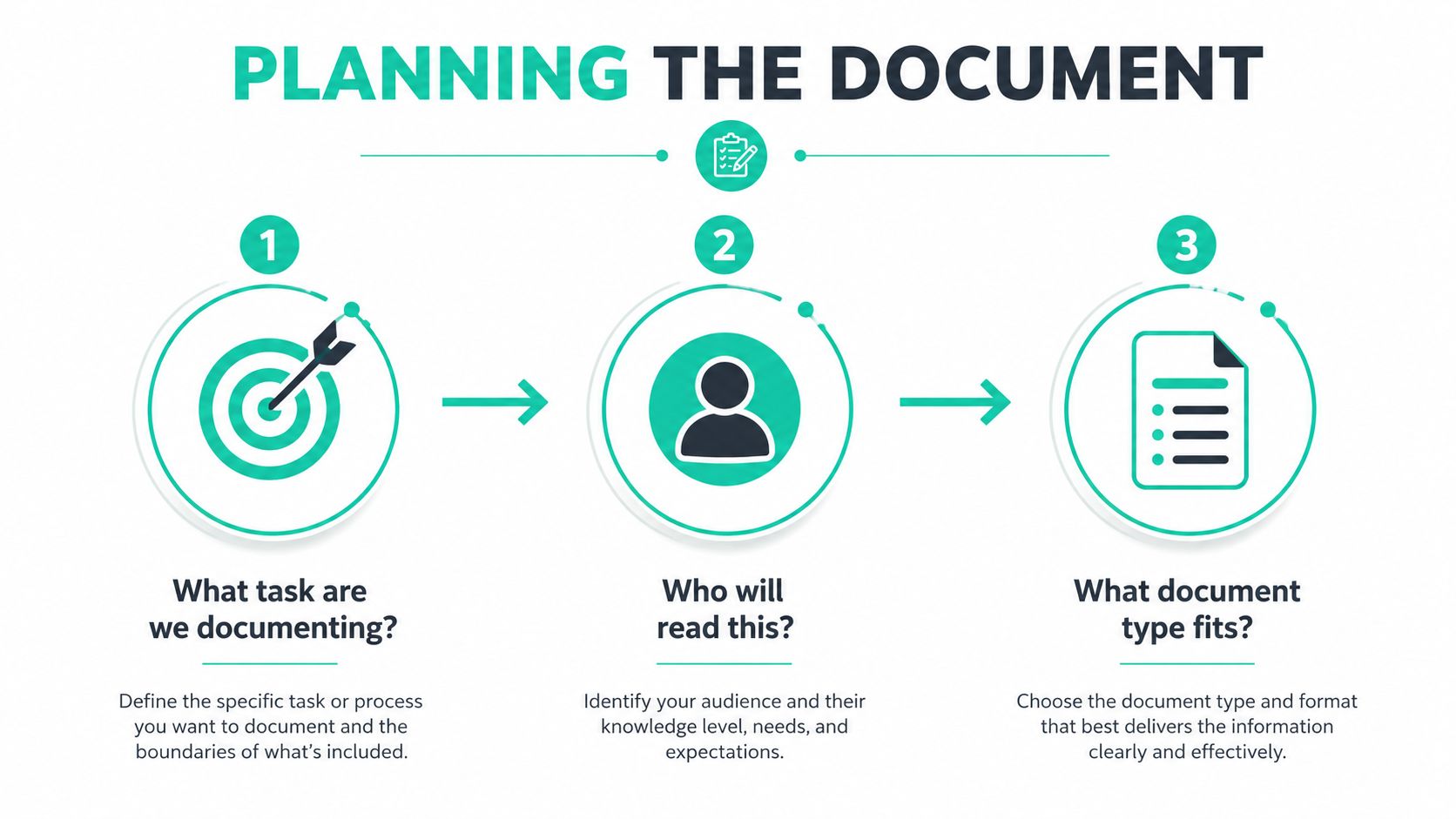
Before you write a single step, decide what the document is for. That sounds simple, but it's where many drafts go off track. A page built for a rushed support rep should not read like a training manual, and a page for a veterinarian shouldn't look like a client handout.
Start with one sentence that names the task
Write a short purpose statement first. Keep it plain, such as, “This document shows how to prepare a pet travel health certificate for review.” That gives you a boundary, which means you won't wander into background stories, policy debates, or unrelated troubleshooting.
Then map the audience. For a Passpaw client health certificate workflow, the primary reader might be a veterinary coordinator who needs to move quickly. Secondary readers might include a veterinarian, a front desk teammate, or a client who only needs the next action in plain language. The same task can need three layers of explanation, and each layer should have a job.
Pick the format that matches the pressure
Use an SOP when the work is repeatable and the process matters. Use a checklist when the main risk is missed steps. Use a job aid when someone only needs a quick memory prompt. Use a workflow diagram when handoffs and decision points are the tricky part.
Ownership matters too. Brown University's data-management guidance recommends keeping both project-level and file-level records, documenting consistently throughout the project, and using a single source of truth with templates to reduce drift and ambiguity Brown documentation guidance. That's the part many teams skip, then wonder why the process drifts three weeks later.
Simple test: if nobody owns the page, somebody will eventually trust the wrong version.
For a planning worksheet, keep these fields in view: task, audience, document type, owner, and review cycle. If one of those boxes is blank, the draft usually needs more thinking before it needs more writing.
If you need help gathering the starting details from staff or clients, Passpaw's pet travel survey tool is a practical example of how intake can feed the document instead of living outside it.
Building a Structure Readers Can Scan
A reader should be able to glance at the page and know where to start. If they have to hunt for prerequisites, skip back and forth for a missing detail, or guess whether they're in the right place, the structure is working against them. Clear structure makes the document feel calm.
A simple skeleton works across most processes
Use this shape:
Title. Say exactly what the page covers.
Who this is for. Name the reader so they know if the page fits their role.
Prerequisites. List what must be ready before starting.
Numbered steps. Keep the order obvious.
Expected outcome. State what “done” looks like.
If something breaks. Point to the next move.
That structure fits an SOP, a checklist, or a quick-start guide. It also keeps people from guessing what comes next. The UK Home Office documentation guidance recommends front-loading sentences, using active voice and present tense, spelling out acronyms on first use, and breaking up long paragraphs, because scan-friendly writing reduces friction for the reader Home Office documentation patterns.
For a pet travel example, imagine a country that requires a rabies titer result before the travel file can move forward. The document should name that requirement once, show where to record the result, and list what happens if the test date is too close to departure. That keeps the logic in one place instead of spreading it across five messages.
Templates keep the team from drifting
A consistent template saves more than time. It creates a habit. When every process page uses the same headings, the same numbering, and the same way of naming fields, teammates can trust the shape before they read the detail.
Keep the structure boring and the content useful.
A small glossary can help too, especially when your team uses destination terms, medical terms, and client-facing language on the same page. Define the tricky words once, then reuse them. That lowers the mental load for everyone who comes after you.
Before publishing, check for these structural basics, a clear title, a stated audience, prerequisites, numbered steps, an outcome, and a fallback section. If all six are present, the document is usually readable enough to improve in review instead of during a fire drill.
Writing in Plain Language That Lands
Good documentation sounds like a steady coworker explaining the job out loud. It doesn't sound stiff, formal, or defensive. The point is to make the next action obvious, not to impress anyone with polish.
Tight sentences beat clever ones
Use active voice. Say who does the thing, not just what happens. Write in present tense unless the timing really needs to be different. Spell out acronyms the first time, then use the short version only after the reader has the meaning.
A dense version might say, “The certificate should be reviewed following completion of the intake process, after which the client will be notified regarding any outstanding issues.” A cleaner version says, “Review the certificate after intake. Then tell the client what's missing.” The second one is easier to scan, and it puts the action first.
For a client-facing example, the difference matters in veterinary communication too. If your team needs a refresher on tone and clarity with clients, the veterinary client communication article from Passpaw aligns with the same principle, short, direct language keeps the work moving.
Friendly doesn't mean sloppy
A warm tone helps, especially when the reader is stressed or short on time. Light wording can keep a process page human, but it should never hide the action. A little pet-related wordplay can be fine, but too much and the page starts to feel like a joke when people need answers.
Use these self-check questions before handing the draft off:
Can the reader find the main action in the first sentence?
Are any long sentences hiding two or three steps at once?
Did I define each acronym the first time it appears?
Would a new teammate know what to do without asking for translation?
The best test is simple. Read the page out loud. If you run out of breath, the reader probably will too.
Adding Screenshots and Annotated Examples
Screenshots help when the reader needs to match words to a real screen. They don't help when they're just decoration. If the image doesn't remove confusion, leave it out and write the step more clearly instead.
Choose the visual that does the least damage
Use a screenshot when the reader needs to find a field, button, or label. Use a numbered diagram when the sequence matters more than the exact screen. Use a short annotated callout when one small area needs attention and the rest of the page would only add noise.
If you're capturing a real workflow screen, crop out sidebars and other distractions. Then mark the exact field or button with a simple box or arrow. Add one caption sentence that tells the reader what the image proves, not just what it shows. That keeps the image tied to the task.
For accessibility, write alt text that tells the user what to do. A helpful resource on alt text in web accessibility from WebAbility.io can be a good reminder that descriptions should support action, not just image appearance. In a process doc, “Screenshot showing the destination field where staff enter the travel country” is more useful than a vague label.
Keep visuals current or remove them
A screenshot ages fast when the product changes. If the screen no longer matches the step, the visual becomes a trap. That's why annotated examples need ownership and a review loop, just like text does.
A clean rule works well here. If the image makes the step faster to understand, keep it. If it only repeats the text, cut it. If it introduces a mismatch, update it or delete it. Visuals should make the page quieter, not noisier.
Publishing, Hosting, and Keeping Things Current
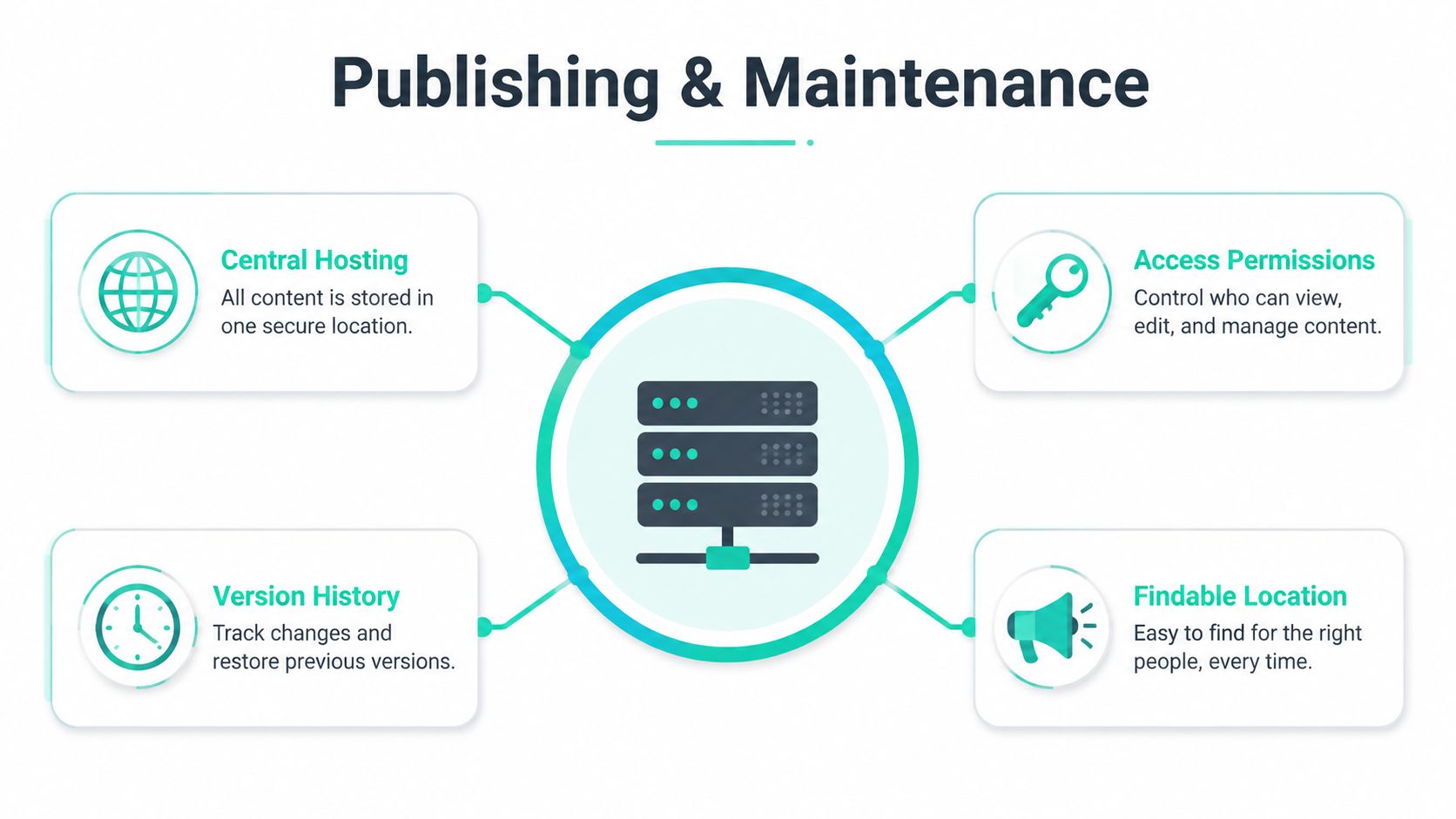
A document that lives in five places will be wrong in four of them. That's why the publishing decision matters as much as the writing. If people can't find the right version fast, they'll keep asking in chat and building shadow copies.
Put one version in one place
Host the document in a single location that the team already uses. Give it a clear title, a clean page structure, and a place where edits are controlled. Then name a reviewer and set a review rhythm so the page doesn't drift for months.
Technical documentation guidance says good docs should be correct, current, understandable, relevant, referenceable, and maintainable, and it also recommends a consistent numbering schema for headings, diagrams, and tables, plus continuous updates whenever the system changes technical documentation principles. This is why version control matters, it keeps the doc tied to the process instead of to someone's memory.
If the process changes and the page doesn't, the page becomes fiction.
For teams with lots of repeatable output, automation can help move updates across systems without recreating work by hand. The automate docs across systems article from EDocGen is a useful reference point if you're thinking about structured handoffs between tools and templates.
Keep access and discovery simple
Not everyone will search the same way. Some people look for a destination, some for a form name, some for the next action. Descriptive headings, short page titles, and plain wording make the document easier to find inside your own system. That matters more than fancy formatting.
For a Passpaw-style rule change, the goal is simple, update the checklist once, keep the same page location, and make sure staff see the new version immediately. That keeps the team from spreading out old answers like kibble on the floor. If a client asks, the same source should still be the source.
A lightweight rhythm works for small teams, a quick check when something changes, a scheduled review when the process is stable, and a clear owner who can approve updates. That's enough to keep the page alive without turning maintenance into a second job.
Testing, Maintaining, and Frequently Asked Questions
A document is only useful if real people can follow it without help. Two or three quick readers usually reveal the rough spots fast, missing steps, unclear labels, or the moment where the page assumes too much. A short usability test catches those issues before the doc becomes a shared headache.
Use a small test loop
Watch what people do, not just what they say. If they hesitate, ask where they expected to look. If they keep asking for context, the page probably needs a clearer intro or a better structure. Then revise the doc, don't debate it.
For a living workflow, maintenance matters just as much as the first draft. A monthly check, a deeper quarterly review, and an update whenever the underlying rule changes keeps the page trustworthy. That rhythm fits the same kind of operational change Passpaw handles for growing teams in scalable veterinary services for growing practices, where process upkeep has to stay practical.
A small FAQ can prevent repeat confusion
Who owns the document? The person closest to the process should own it, with a named reviewer if approval is needed.
How often should it be tested? Test it whenever the process is new, then again when the team or workflow changes.
What if the requirement changes mid-project? Record the change, note why it happened, and update the steps so the next reader sees the new rule.
Should the document record decisions, or only steps? Both. A good doc is also a decision log, so people can see what changed and why.
That last point matters. When you treat documentation as a living record instead of a static how-to, your team can hand work off without losing context. Start with one workflow this week, keep the owner clear, and write the next change down before it disappears into chat history.
Passpaw helps veterinary teams manage international pet travel health certificate workflows with clearer steps, real-time validation, and client communication that stays tied to the process. If you want a practical way to keep changing requirements, handoffs, and travel documents in one place, visit Passpaw and see how it fits into your workflow.

More articles
From regulatory changes to best practices for veterinarians and pet owners, our resources keep you ahead of the curve.