Are you a team member in a veterinary practice?
Are you a pet parent planning a trip with your furry pal?
10 Pawsitively Effective Client Onboarding Best Practices for 2026
First impressions are everything, especially when a new client trusts your practice with their furry family member's big international travel plans. A confusing, slow, or disorganized process can create stress and lead to big errors in paperwork, which could risk a pet's journey. A smooth, clear welcome isn't just a nice-to-have; it’s a key part of building trust and making sure everything goes well. The goal is to create a five-star welcome, a process so seamless it can be improved through modern AI onboarding strategies that set the stage for a long-term, positive relationship.
This article moves beyond general advice to give you a helpful list of actionable client onboarding best practices. We will explore ten specific strategies designed for veterinary practices and pet shippers handling the complex world of pet travel. From interactive checklists that give real-time updates to personalized communication plans and automated document checks, each point is designed to help you improve your process.
You will learn how to:
Structure a clear, step-by-step journey for new clients.
Automate repetitive tasks to save time and reduce human error.
Communicate proactively to keep clients informed and reassured.
Personalize the experience based on specific travel needs and destinations.
These strategies will turn your onboarding from a simple admin task into a powerful tool for client happiness and loyalty. Let's dig in and explore how to make your clients feel confident, supported, and ready for their pet's big adventure from the very first interaction.
1. Interactive Onboarding Checklists with Real-Time Progress Tracking
Navigating the details of international pet travel can feel like herding cats for both your team and your clients. One of the most effective client onboarding best practices is to replace long email chains and static PDFs with a dynamic, interactive checklist. This approach breaks down the entire pet travel process into a series of clear, simple steps, giving clients a visual roadmap and real-time updates on their progress.
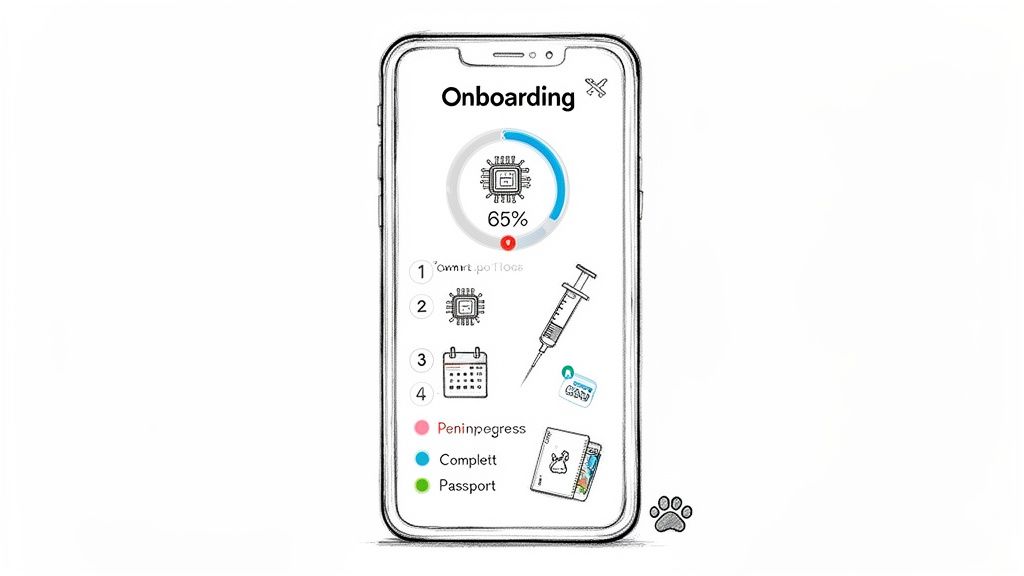
This method turns a big task into an empowering, step-by-step journey. Much like project management tools such as Asana guide users through tasks, a special checklist system makes things like microchipping, rabies titer tests, and specific vaccination schedules much clearer. Clients can see exactly what’s done, what’s next, and how far they’ve come, reducing anxiety and minimizing frantic "what-if" calls to your front desk. This clarity not only improves the client experience but also helps your team's workflow.
Putting It Into Practice
To implement this, you can use a platform like Passpaw to build and assign these checklists automatically. Here are a few tips to make them paws-itively effective:
Customize by Destination: Don't use a one-size-fits-all list. Create unique checklist templates for popular destinations (e.g., EU, UK, Japan, Australia), as each has different rules and timelines.
Embed Resources Directly: Within each task, include direct links to necessary forms, approved lab websites, or detailed "how-to" articles. For example, the "Complete USDA APHIS Form 7001" task should link directly to the downloadable PDF.
Set Automated Reminders: Link checklist due dates to the pet’s travel date. Set up automated email or SMS reminders for important deadlines, such as "30-Day Health Certificate Exam" or "Final Parasite Treatment."
Use Plain Language: Translate complex government jargon into simple, easy-to-understand terms. Instead of "Annex IV Certificate," you might say, "EU Health Certificate for Non-Commercial Travel."
2. Personalized Client Communication Plans
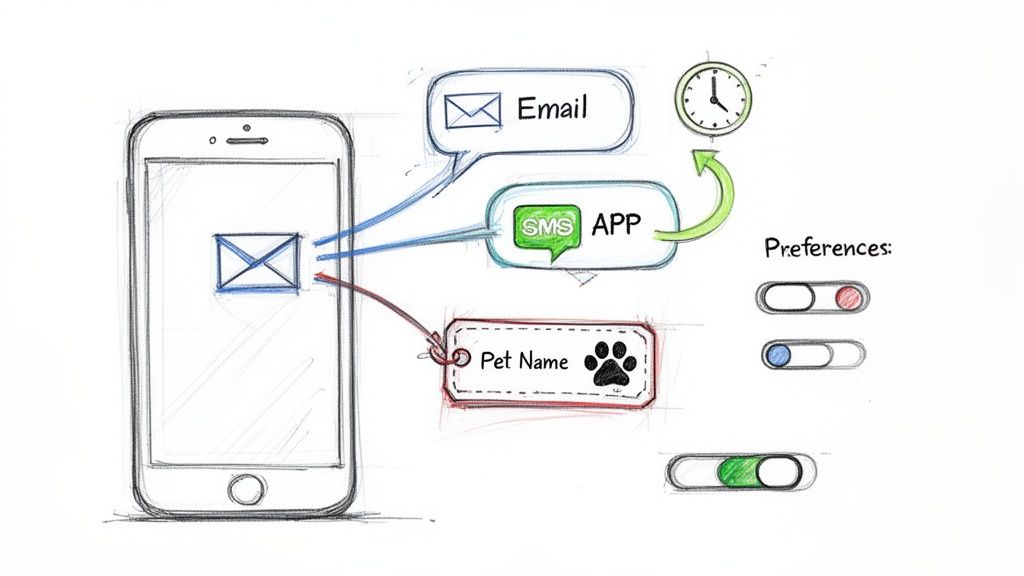
A one-size-fits-all communication strategy simply doesn't fly when managing the unique needs of pet travel clients. One of the most important client onboarding best practices is to use a personalized communication plan that delivers the right information, at the right time, through the client's favorite channel. This approach moves beyond general email blasts to a tailored conversation that anticipates needs based on the pet's specific travel timeline and destination.
This method ensures your clients feel seen, heard, and supported throughout their journey. Similar to how marketing tools personalize email campaigns to boost engagement, a customized plan for pet travel might involve sending an SMS reminder for a time-sensitive vet appointment while delivering a more detailed document status update via email. This thoughtful approach builds trust and confidence, turning a potentially stressful process into a well-managed experience and preventing important details from getting lost in a crowded inbox.
Putting It Into Practice
Using a system like Passpaw allows you to automate and customize these communications, ensuring no client or pet falls through the cracks. Here are some tips to make your communication strategy purr-fectly personalized:
Ask for Preferences Upfront: During the initial intake process, include a simple question about how clients prefer to receive updates (e.g., email, SMS, or app notifications). This small step shows you respect their time and communication style.
Use Dynamic Content: Automate your messages to include specific details like the pet’s name, breed, and travel destination. A message that reads "Hi Jane, it's time to book Fido's final health exam for his trip to London" is far more effective than a generic reminder.
Time Messages Strategically: Schedule communications to match key moments in the travel timeline. Send a proactive update when a lab result is received or a government approval is confirmed, reducing the need for clients to call and ask.
Segment Your Audience: Create different communication plans based on destination complexity or client experience. A first-time international shipper may need more frequent, detailed updates than someone who has completed the process before. Platforms with the right veterinary software features can make this easy.
3. Role-Based Onboarding Workflows
Not everyone involved in the pet travel process needs the same information or access. A one-size-fits-all approach can overwhelm pet owners with administrative details while leaving veterinary staff hunting for clinical tasks. A key client onboarding best practice is to set up role-based workflows, creating customized onboarding experiences for each user type, such as veterinarians, vet techs, practice managers, and the pet owners themselves. This ensures everyone gets exactly what they need, right when they need it.
This tailored method mirrors how software platforms provide different onboarding for different users. For pet travel, it means a veterinarian might see a dashboard focused on signing health certificates and reviewing medical records, while a practice manager sees billing information and overall progress. The pet owner, in turn, gets a simplified view focused on their specific tasks, like scheduling appointments or uploading their pet’s photo, making the experience far less intimidating and much more efficient for all.
Putting It Into Practice
Using a system like Passpaw, you can define these roles and assign specific permissions and task views from the start. Here’s how to make your role-based onboarding a howling success:
Map User Journeys: Before building anything, clearly define each role (e.g., DVM, Vet Tech, Client, Practice Manager). Outline the specific actions and information each role needs to access to do their part successfully.
Create Role-Specific Resources: Develop separate, short video tutorials or guides for each user. A vet tech’s guide should focus on document checks and data entry, while a client’s guide should explain how to track progress and upload files.
Highlight Role-Specific Value: During onboarding, immediately show each user how the system makes their specific job easier. For a vet, emphasize one-click digital signatures; for a client, highlight the real-time progress tracker that reduces their travel anxiety.
Segment Communications: Tailor automated emails and notifications based on role. A veterinarian might get a weekly summary of pending health certificates, whereas a pet owner receives reminders for upcoming vet visits or document deadlines.
4. Automated Document Collection and Validation
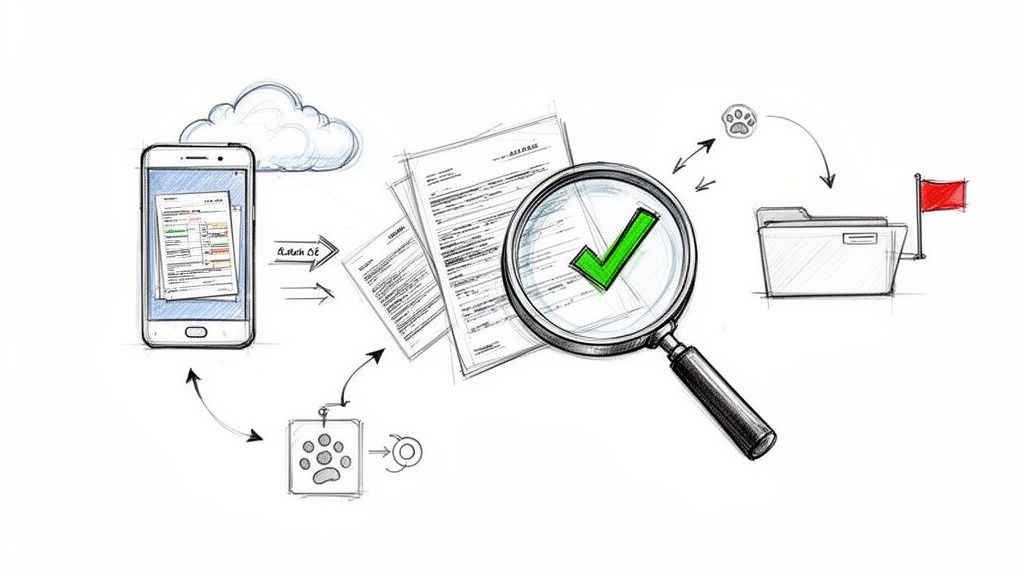
Manually chasing clients for rabies certificates, vaccination records, and signed forms can quickly turn into a time-consuming administrative nightmare. A cornerstone of modern client onboarding best practices is to use a system that automates document collection and validation. This approach streamlines the entire process by requesting the right documents at the right time and providing immediate feedback, significantly reducing manual work for your team and preventing delays.
This method ensures accuracy from the very beginning, catching common errors like expired vaccination dates or blurry photos before they become big problems. Think of how online services or banks use automated checks to verify information instantly. Applying this to pet travel means clients get clear, immediate confirmation if their uploaded document is correct or specific instructions on what needs to be fixed, preventing a last-minute scramble and building their confidence in your practice.
Putting It Into Practice
Using a platform like Passpaw can help you set up an automated document portal that guides clients through submissions without your team having to lift a paw. Here’s how to make it highly effective:
Use Conditional Logic: Configure your system to request documents based on the pet’s specific travel destination. A trip to Hawaii requires different paperwork than a move to the EU, and your system should reflect that automatically.
Provide Clear Instructions: For each required document, include a brief description and a visual example of an acceptable submission. For instance, show a sample of a correctly filled-out health certificate.
Integrate Automatic Validation: Set up rules to check for common mistakes. The system can flag a rabies certificate if the vaccination date is too recent or reject a file that isn't a PDF or JPG.
Create Helpful Error Messages: If a document is rejected, the system should provide a clear, helpful message. Instead of "Invalid File," use "This document appears to be expired. Please upload a certificate with a valid date." This helps clients fix the issue without needing to call your office.
Connect to Vet Records: Where possible, integrate with your practice’s management software to pre-fill known information or documents, like vaccination history, saving clients a step. Understanding the details of key forms will help you better guide your clients.
5. Guided Product Tours with Contextual Help
Introducing clients to a new digital platform, even one designed to simplify their lives, can sometimes feel like teaching a puppy to stay. A powerful client onboarding best practice is to use guided product tours and contextual help. This approach provides interactive, in-app walkthroughs that show users key features and workflows exactly when they need them, so you don't need long manuals or confusing training videos.
This method acts as a friendly digital guide, taking your client’s hand and showing them exactly where to click and what to do next. Instead of leaving them to figure out document uploads or appointment scheduling on their own, contextual help pops up with just-in-time advice. For instance, many popular software platforms use this strategy effectively to help users master new tools without friction. This immediate support reduces user frustration and builds confidence right from the start.
Putting It Into Practice
You can implement guided tours within a platform like Passpaw to ensure clients feel supported every step of the way. Here are a few tips to make your tours purr-fectly helpful:
Keep Tours Short and Sweet: Limit each guided tour to a maximum of 3-5 steps. Focus on a single, key action, such as "How to Upload Your Pet's Rabies Certificate" or "How to Confirm Your Appointment."
Offer an Exit: Always provide a clear "skip" or "exit tour" option. Some users prefer to explore on their own, and forcing a tutorial on them can create a negative experience.
Create Role-Specific Tours: Develop different tours for different user needs. A client preparing for international travel has different immediate needs than one simply booking a local health check. This is crucial when coordinating with various pet transport services.
Use Real Product Language: Avoid generic terms. If a button in your app is labeled "Submit Documents for Review," your tour should use that exact phrase, not "upload your files here."
6. Success Metrics and Milestone Celebrations
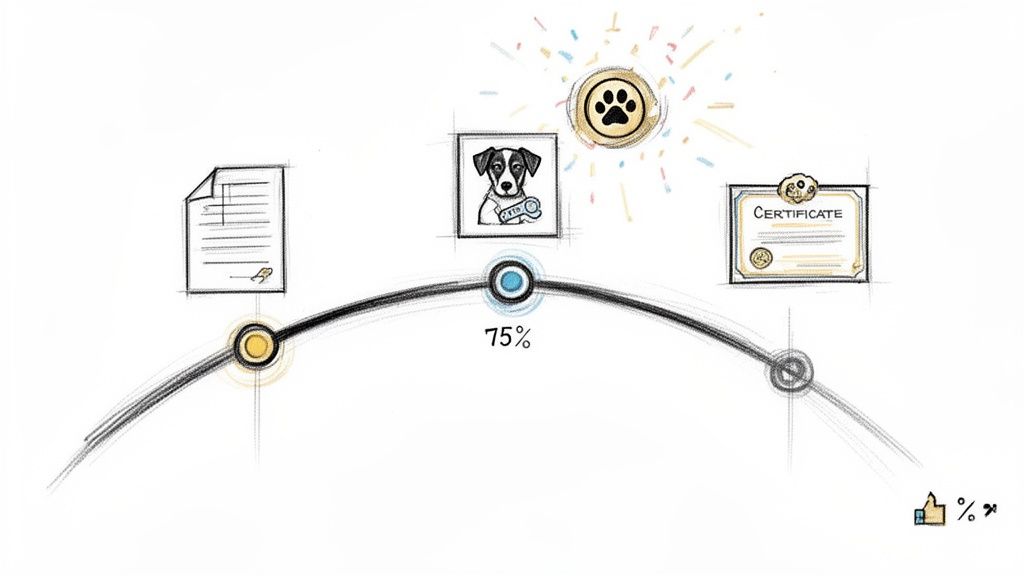
The journey of international pet relocation is a marathon, not a sprint. To keep clients engaged and motivated, one of the most effective client onboarding best practices is to include success metrics and celebrate key milestones. This approach makes the process feel more like a game, turning a long series of tasks into a rewarding experience with visible markers of progress.
This strategy borrows from the success of apps like Duolingo, which uses streak tracking and achievements to encourage daily use. By showing clients a completion percentage or celebrating when a major step like "All Pre-Travel Vet Visits Scheduled" is finished, you recognize their effort and build positive momentum. This turns potential anxiety into a sense of accomplishment, reducing client fatigue and keeping them actively involved in their pet’s journey.
Putting It Into Practice
You can build this motivational framework directly into your client communications and platform usage. Here’s how to get a round of ap-paws from your clients:
Define Meaningful Milestones: Identify key moments in the pet travel process to celebrate. Think bigger than single tasks. Good examples include "All Core Vaccinations Complete," "ISO Microchip Verified," or "Travel Crate Acclimation Started."
Use Visual Progress Indicators: Implement a progress bar or percentage tracker in the client's dashboard. Seeing the bar move from 25% to 50% after uploading all initial documents provides a powerful psychological boost.
Send Congratulatory Messages: Set up automated emails or in-app notifications to celebrate these milestones. A simple message like, "Great job! You've completed the initial document upload. You’re one step closer to [Pet’s Name]’s big adventure!" reinforces their progress.
Acknowledge the Effort: Frame your celebratory language to recognize the work involved. Instead of just saying "Task complete," try "Fantastic work navigating the import permit application! That’s a huge step forward."
7. Knowledge Base and Self-Service Documentation
Giving clients the ability to find answers on their own schedule is a key part of modern client onboarding best practices. Instead of becoming a bottleneck for common questions, a well-organized knowledge base acts as a 24/7 resource. This central, searchable library of articles, FAQs, and video tutorials gives pet owners instant access to information about everything from "What size travel crate do I need?" to "How do I fill out the health certificate?"
This approach turns your practice from a reactive call center into a proactive educational resource. Much like government websites provide detailed requirements for human travel, your knowledge base can offer the same clarity for pet travel. By providing self-service options, you reduce the volume of repeat support questions, freeing up your team to focus on complex, high-priority cases. This not only helps your operations but also builds client confidence by giving them the tools to understand the process.
Putting It Into Practice
Building a complete knowledge base doesn't have to be a huge task. You can start small and expand over time using a platform like Passpaw to host and organize your content. Here’s how to create a resource that clients will actually use:
Organize Intuitively: Structure content logically by destination, pet type (e.g., cat, dog, bird), or stage of the travel process (e.g., "Getting Started," "Pre-Travel Vet Visits," "Day of Departure").
Use Multiple Formats: Offer content for different learning styles. Add short video tutorials to written guides to show how to complete a specific form, or use screenshots from your platform showing a particular workflow.
Create Destination-Specific Guides: Develop detailed guides for popular travel destinations like the EU, UK, or Australia. These "one-stop-shop" articles should cover all requirements, from microchip standards to required parasite treatments.
Implement a Smart Search: Use a search function with auto-suggest capabilities to help users find answers quickly based on common searches like "rabies titer test" or "tapeworm treatment."
Keep It Fresh: Pet travel rules can change. Assign a team member to review and update content quarterly or immediately following any significant regulatory announcements.
Ask for Feedback: Add a simple "Was this article helpful?" button at the end of each entry. This feedback helps you identify and improve articles that aren't hitting the mark.
8. Onboarding Personalization Based on Use Case
Not all clients are the same; a solo veterinary practice has very different needs than a large pet shipping agency. A powerful client onboarding best practice is to personalize the entire experience based on the client's specific use case. This means moving beyond a one-size-fits-all approach and creating different onboarding paths that address unique needs and pain points from day one.
This strategy ensures that new clients immediately see the value of your service as it applies directly to their business. For example, a travel agency partner might want to learn about commission structures and co-branding options first, while a high-volume pet shipper will be more interested in bulk processing and team collaboration features. By tailoring the journey, you make things easier, speed up adoption, and show a deep understanding of their world, making them feel seen and supported.
Putting It Into Practice
You can implement use-case personalization by segmenting your clients early and guiding them down a relevant path. Here’s how to get this purr-fectly right:
Develop Client Personas: Create 3-5 distinct client types, such as the "Solo Vet Practice," the "Corporate Pet Relocation Specialist," or the "Boutique Pet Travel Agency." Each persona should have defined goals, challenges, and needs.
Use Qualifying Questions: During the initial sign-up or discovery call, ask targeted questions to identify which persona the client fits. Questions like "How many pet relocations do you handle per month?" or "Is your primary business veterinary services or logistics?" can quickly sort them.
Customize Content and Training: Deliver use-case-specific welcome emails, tutorials, and training sessions. Show a solo vet how to integrate your system with their existing practice software, and show a pet shipper how to manage multiple coordinators on a single dashboard.
Pre-Populate with Relevant Templates: Based on their identified use case, pre-load their account with relevant checklist templates. An agency focused on EU travel could start with templates covering the specific international pet travel requirements for that region.
9. Proactive Support and Success Management During Onboarding
Moving a client from a signed contract to a fully onboarded partner requires more than just a welcome email. One of the most impactful client onboarding best practices is to assign a dedicated success manager or support contact. This high-touch approach provides a single point of contact who proactively guides clients, anticipates problems, and ensures a smooth journey, preventing them from feeling lost in the shuffle.
This strategy turns onboarding from a reactive, problem-solving process into a proactive, success-focused partnership. Much like how consulting firms assign implementation teams to ensure project success, a dedicated contact for your high-value clients provides personalized attention. This person acts as the client’s internal advocate, answering questions, checking in at key milestones, and ensuring they feel supported and confident every step of the way, which is vital for long-term loyalty.
Putting It Into Practice
To deliver proactive support and efficient success management throughout the onboarding journey, using advanced tools can be very helpful. Many firms are now leveraging AI-powered support solutions for client success to help teams anticipate needs and respond faster. Here are a few tips to implement this purr-sonalized approach:
Segment Your Clients: Reserve this high-touch model for your most valuable or complex accounts to manage resources effectively. Not every client needs a dedicated manager, but those with complex travel plans or multiple pets will benefit immensely.
Schedule Proactive Check-ins: Don't wait for clients to report problems. Schedule brief check-in calls or emails at key points, such as one week after sign-up, after the first major milestone is completed, and one month before the travel date.
Create Onboarding Playbooks: Equip your success managers with standardized guides that outline key communication points, common challenges, and resolution steps for different travel scenarios. This ensures consistent and quality service.
Empower Your Team: Give your success managers the authority to troubleshoot issues and make decisions quickly. Nothing frustrates a client more than being told, "I have to ask my manager," for every minor issue.
10. Integration Assistance and Ecosystem Connection
For a modern veterinary practice, client onboarding best practices must include technology that plays well with others. Instead of forcing your team to juggle multiple disconnected platforms, a truly effective onboarding system should smoothly integrate with the tools you already use daily. This means connecting your client-facing pet travel portal with your core Practice Management Software (PIMS), email clients, and document storage, creating a single, unified workflow.
This ecosystem approach removes the hassle of manual data entry and switching between apps. When your pet travel tool can automatically sync client information with your PIMS or push documents to a shared drive, you save significant administrative time. This connection transforms your onboarding process from a series of separate tasks into an interconnected system, much like how platforms like Zapier or Slack allow different apps to communicate, reducing errors and letting your team focus on client care instead of data management.
Putting It Into Practice
To make your onboarding platform the central hub of your operations, focus on creating smart, time-saving connections. Here are some tips to build a powerful, integrated ecosystem:
Prioritize PIMS Integrations: Identify the most common Practice Management Software used by your clients (e.g., ezyVet, Covetrus, IDEXX). A platform like Passpaw should prioritize building direct or Zapier-enabled integrations with these key systems to simplify data synchronization.
Provide Clear Setup Guides: Create simple, step-by-step documentation or video tutorials on how to connect your onboarding platform with other software. Clear instructions remove the technical barrier for your staff.
Support Data Import/Export: Ensure you can easily import client and pet data from other systems or previous providers. This drastically reduces the friction for new clients and practices switching to your services.
Build a Partner Network: Establish relationships with complementary services, such as pet travel insurance providers or specialized couriers. Featuring them as recommended partners within your platform adds value for clients and streamlines their entire journey.
Offer Webhook Support: For more tech-savvy practices, providing webhook capabilities allows for real-time data pushes to custom applications, offering great flexibility for creating automated, custom workflows.
10-Point Client Onboarding Best-Practices Comparison
Item | Implementation Complexity | Resource Requirements | Expected Outcomes | Ideal Use Cases | Key Advantages |
|---|---|---|---|---|---|
Interactive Onboarding Checklists with Real-Time Progress Tracking | Medium — setup and destination-specific customization | Moderate — UI design, rules engine, maintenance | Higher completion rates, fewer missed requirements | Pet owners preparing travel, practices coordinating multi-step compliance | Clarifies steps, visual progress, automated reminders |
Personalized Client Communication Plans | Medium — messaging pipelines and preference capture | Moderate — multi-channel platform, templates, privacy controls | Increased engagement, reduced support requests | Time-sensitive notifications, clients with varied channel preferences | Targeted multi-channel messaging, higher responsiveness |
Role-Based Onboarding Workflows | High — multiple flows, permissions, dashboards | Significant — role mapping, content, access controls | Faster role-specific productivity, improved adoption | Platforms with distinct user types (vets, staff, owners, agencies) | Tailored experiences, reduced irrelevant info, improved security |
Automated Document Collection and Validation | High — complex conditional logic and validation rules | Significant — rules engine, integrations, compliance upkeep | Fewer document errors, faster approvals, auditable records | Compliance-heavy processes, international certificate handling | Immediate validation, error detection, reduces manual review |
Guided Product Tours with Contextual Help | Medium — in-app triggers and content creation | Moderate — content, UI overlays, analytics | Reduced learning curve, higher feature adoption, fewer support tickets | New users, feature rollouts, staff training | Just-in-time guidance, interactive learning, measurable usage |
Success Metrics and Milestone Celebrations | Low–Medium — tracking and UX for badges/notifications | Low — design assets, simple tracking, messaging | Increased motivation, reduced drop-offs, higher completion | Multi-step onboarding where motivation wanes | Positive reinforcement, visible progress, shareable achievements |
Knowledge Base and Self-Service Documentation | Medium — content strategy, categorization, search | Moderate — writers, CMS, translations, upkeep | Reduced support volume, consistent info, 24/7 availability | Frequently changing regulations, scalable support needs | Scalable self-help, searchable guides, improves discoverability |
Onboarding Personalization Based on Use Case | High — persona mapping and conditional flows | Significant — research, templates, analytics | Faster time-to-value, higher retention and adoption | Diverse client types (solo practice, shipper, travel agency) | Highly relevant onboarding, pre-configured setups, improved adoption |
Proactive Support and Success Management During Onboarding | Medium–High — processes, staffing, CRM integration | Significant — dedicated success managers, training, playbooks | Higher completion rates, reduced churn, stronger relationships | High-value accounts, complex integrations, at-risk clients | Hands-on guidance, early issue resolution, feedback-driven improvements |
Integration Assistance and Ecosystem Connection | High — APIs, SSO, data migration, partner integrations | Significant — engineering, docs, partner management | Reduced setup friction, consistent data, faster adoption | Practices with existing PMS, clients needing seamless workflows | Eliminates duplicate entry, fits existing workflows, increases stickiness |
Creating a Journey, Not Just a Process
Turning a series of admin tasks into a seamless and reassuring client experience is the ultimate goal of a world-class onboarding strategy. Throughout this guide, we've explored ten powerful client onboarding best practices that move beyond simple checklists. Instead, they focus on building a foundation of trust, clarity, and confidence from the very first interaction. By viewing onboarding as the start of a long-term relationship rather than a one-time transaction, you set the stage for client loyalty and operational excellence.
The journey from a new client inquiry to a successfully completed pet travel plan is filled with important moments. Using interactive checklists, personalized communication plans, and role-based workflows ensures that every step is clear, predictable, and tailored to the client's specific needs. This isn't just about efficiency; it's about empathy. You are showing your clients that you understand their worries and are equipped to guide them and their beloved pets through a complex process with expertise and care.
Key Takeaways for a "Pawsitive" Onboarding Experience
Recapping the core ideas, your focus should be on creating a system that is both structured and flexible. Let’s review the most critical takeaways:
Automation with a Personal Touch: Use tools to automate repetitive tasks like document collection and validation, but use the time you save to personalize communication. A pre-written template is good, but a template that automatically includes the pet’s name and specific destination country is even better.
Clarity is Kindness: Confusion is the biggest enemy of a smooth onboarding process. Use real-time progress tracking, guided tours, and a comprehensive knowledge base to empower clients. When they know what to expect and can find answers easily, their stress levels decrease dramatically.
Proactive, Not Reactive: The best support is the kind that anticipates a client's needs. Proactive check-ins, milestone celebrations, and dedicated success management turn potential problems into opportunities to show your commitment and build rapport. Don't wait for a client to get stuck; guide them before they even realize they need help.
Measure What Matters: Onboarding isn't a "set it and forget it" activity. By defining and tracking success metrics, you can find bottlenecks, improve your workflows, and continuously improve the client experience. This data-driven approach ensures your client onboarding best practices evolve and get better over time.
Your Actionable Next Steps
Mastering client onboarding is a continuous journey of improvement, not a final destination. Begin by choosing just one or two practices from this list to implement. Perhaps you can start by creating a simple automated welcome sequence or by building out three key articles for a self-service knowledge base.
Conduct a small audit of your current process. Ask yourself: Where do clients get confused most often? What single task takes up the most admin time? Answering these questions will point you toward the area where a new best practice can make the most immediate impact. Adopting these strategies will do more than just streamline your operations; it will solidify your reputation as a trusted, professional, and compassionate partner in your clients' pet travel adventures, ensuring every journey begins on the right paw.
Ready to put these client onboarding best practices into action with a platform built specifically for pet travel professionals? See how Passpaw automates document validation, centralizes communication, and creates a seamless onboarding journey for your clients. Explore our features and book a demo today at Passpaw.
More articles
From regulatory changes to best practices for veterinarians and pet owners, our resources keep you ahead of the curve.