Are you a team member in a veterinary practice?
Are you a pet parent planning a trip with your furry pal?
Build Your Pet Travel Survey Tool: A Vet's Guide
You probably know the scene. A client calls in a panic because their flight is coming up, the rabies paperwork is in one inbox, the microchip number is buried in the medical record, and someone on your team is trying to compare airline crate rules while also rooming appointments. By the time the certificate is ready, everyone feels like they just chased their tail for a week.
That’s what manual pet travel intake does to a practice. It scatters basic facts across emails, voicemails, sticky notes, and half-completed forms. The problem isn’t only speed. It’s consistency. If the first questions aren’t asked the same way every time, the rest of the case starts crooked.
A well-built pet travel survey tool fixes that at the front door. It gives clients one clear path to submit the right details, and it gives your team a cleaner starting point for travel planning, record review, and certificate prep. When the intake is solid, the rest of the workflow gets much less bark and much more bite.
Why Your Practice Needs a Pet Travel Survey Tool
Pet travel work looks profitable from the outside. Inside the clinic, it can feel like controlled chaos. The issue isn’t that teams don’t know what they’re doing. The issue is that too much of the process still depends on memory, email chains, and one staff member who “usually handles these.”
That setup breaks down fast when travel dates are tight or destination rules are unclear. A pet travel survey tool turns intake into a system instead of a scavenger hunt.
Manual intake creates avoidable errors
When clients call or email travel details one piece at a time, staff have to reconstruct the case manually. That usually leads to predictable problems:
Missing basics: departure date, destination country, airline, and species often arrive in separate messages
Repeat follow-up: front desk asks for one item, tech asks for another, doctor asks again later
Version confusion: the “latest” vaccine record may not be the file sitting in the travel folder
Deadline stress: no one sees the full timeline early enough to flag issues
A survey tool doesn’t make travel regulations simple. It does make the intake reliable.
Practical rule: If a client can submit incomplete travel information by phone or email, your team will spend the rest of the case cleaning it up.
Demand is already there
This isn’t a niche side service anymore. The global pet travel services market is projected to expand at a 5.36% CAGR through 2026, and the same market overview ties that demand to a large ownership base, noting that 45.5% of U.S. households own dogs and 32.1% own cats as of 2024 in a market with many potential travelers (pet travel services market report).
For practices, that matters in a very practical way. More pet-owning households means more clients asking whether you handle domestic and international travel paperwork. If your answer is “yes, but call us and we’ll sort it out,” you’ll create more work than necessary. If your answer is “yes, fill out this intake and we’ll review your timeline,” you’ve already improved the case.
If you’re comparing options before building anything, a good survey software comparison helps sort out which tools support logic, validation, and workflow handoff without adding more admin overhead.
Practices that want to understand the service line more broadly can also review why pet travel is a smart business strategy for veterinary practices.
A survey tool is really an operations tool
The best intake form isn’t just a client form. It’s an operations filter. It helps your team answer three questions early:
Is this case feasible on the client’s timeline?
What documents and appointments are likely needed?
Who should own the next action?
That’s why I’d treat a pet travel survey tool as core workflow infrastructure, not just a nicer questionnaire. If intake is weak, every later step costs more time.
Blueprint for Your Survey Required Data Fields
Most practices make one of two mistakes. They either build a form that’s too short to be useful, or they build one so long that clients abandon it halfway through. The sweet spot is just enough data to assess the trip, verify the pet, and launch the next tasks.
Strong survey design borrows from structured travel survey methods where standardized fields matter. That discipline matters in pet travel too. The user guide for the National Household Travel Survey methodology shows why consistent reporting fields matter, and the same verified context notes that AVMA’s 2024 sourcebook reports 45.5% dog ownership and 32.1% cat ownership, which is a practical reminder that your form should handle those primary species cleanly.
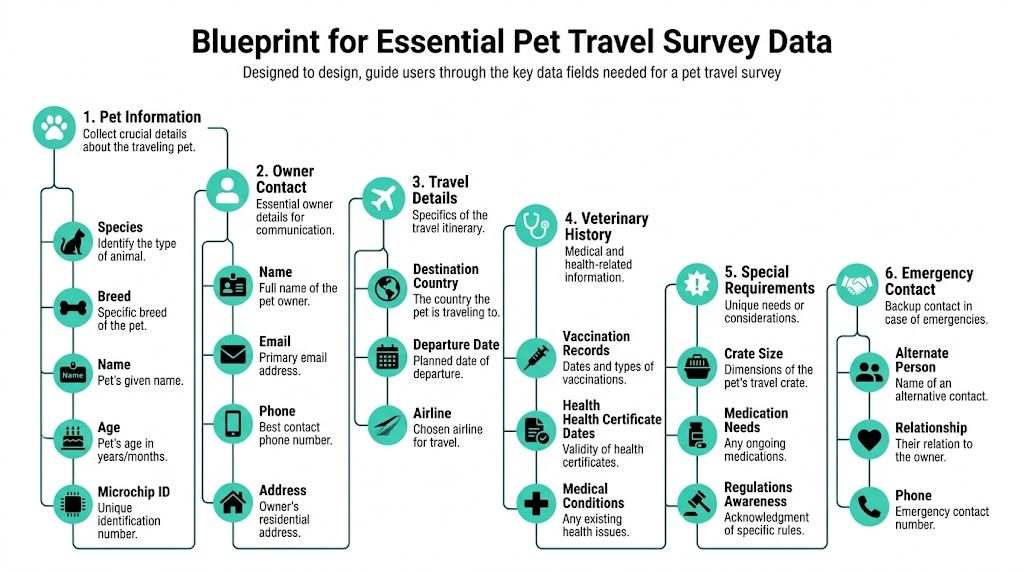
Start with the fields that determine the case
Before you ask for uploads, edge cases, or special notes, get the facts that decide whether the case can move forward.
Pet identity: species, breed, name, age or date of birth, sex, microchip ID
Owner details: full name, email, phone, home address
Trip details: destination country, departure date, return date if relevant, airline if known
Medical context: vaccine dates, prior certificates, current medical conditions, current medications
Logistics details: crate or carrier information, travel method, special handling needs
Backup contact: alternate person and phone number for time-sensitive issues
That core set gives your team enough to review timing, identify likely requirements, and spot obvious missing pieces.
Build your question bank before you build the form
This is the part many clinics skip. They jump straight into software and start clicking together fields. I’d write the question bank first, then decide what’s required, conditional, or optional.
Category | Example Question | Purpose |
|---|---|---|
Pet Information | What species is your pet? | Routes the case and supports destination-specific review |
Pet Information | What is your pet’s microchip ID? | Confirms identity against medical and travel records |
Pet Information | What is your pet’s date of birth? | Supports record matching and travel document accuracy |
Owner Contact | What is the best email for travel updates? | Keeps communication in one reliable channel |
Owner Contact | What phone number should we use for urgent questions? | Helps staff resolve same-day issues quickly |
Travel Details | What country is your pet traveling to? | Triggers destination-specific workflow review |
Travel Details | What is the planned departure date? | Sets task timing and urgency |
Travel Details | Which airline do you expect to use, if known? | Supports carrier and transit review |
Veterinary History | Please list recent vaccination dates or upload records | Helps staff review likely medical prerequisites |
Veterinary History | Has your pet had any recent illness or ongoing condition? | Flags cases needing doctor review before planning |
Special Requirements | What are your pet’s travel crate dimensions? | Helps catch carrier fit and airline issues early |
Special Requirements | Does your pet take any regular medication? | Supports planning and client guidance |
Emergency Contact | Who should we contact if we can’t reach you? | Reduces delays during time-sensitive travel prep |
For clinics that want a clearer operational view of certificate requirements, this veterinary health certificate guide is useful background reading.
Ask for information that drives a decision. If a field won’t change staff action, move it later or remove it.
Keep the first form lean
A client doesn’t need to answer every possible travel question on the first pass. Your intake should collect enough to qualify and route the case. Detailed destination-specific steps can come after review.
What works well is a two-stage approach. The first survey captures universal travel facts. The second request, sent only after staff review, fills in country-specific gaps. That keeps the first form from becoming a furry little obstacle course.
Designing a Seamless Client Intake Experience
A good intake experience feels easy to the client and controlled to the practice. A bad one feels like tax season with paw prints. The difference usually comes down to form logic, wording, and error prevention.
The user experience matters because travel already feels hard to pet owners. Survey data cited in this pet travel experience analysis found that 85% of pet owners face challenges when traveling with pets, and only 54% report being satisfied with the experience. When document coordination is a main pain point, your intake form shouldn’t add to it.
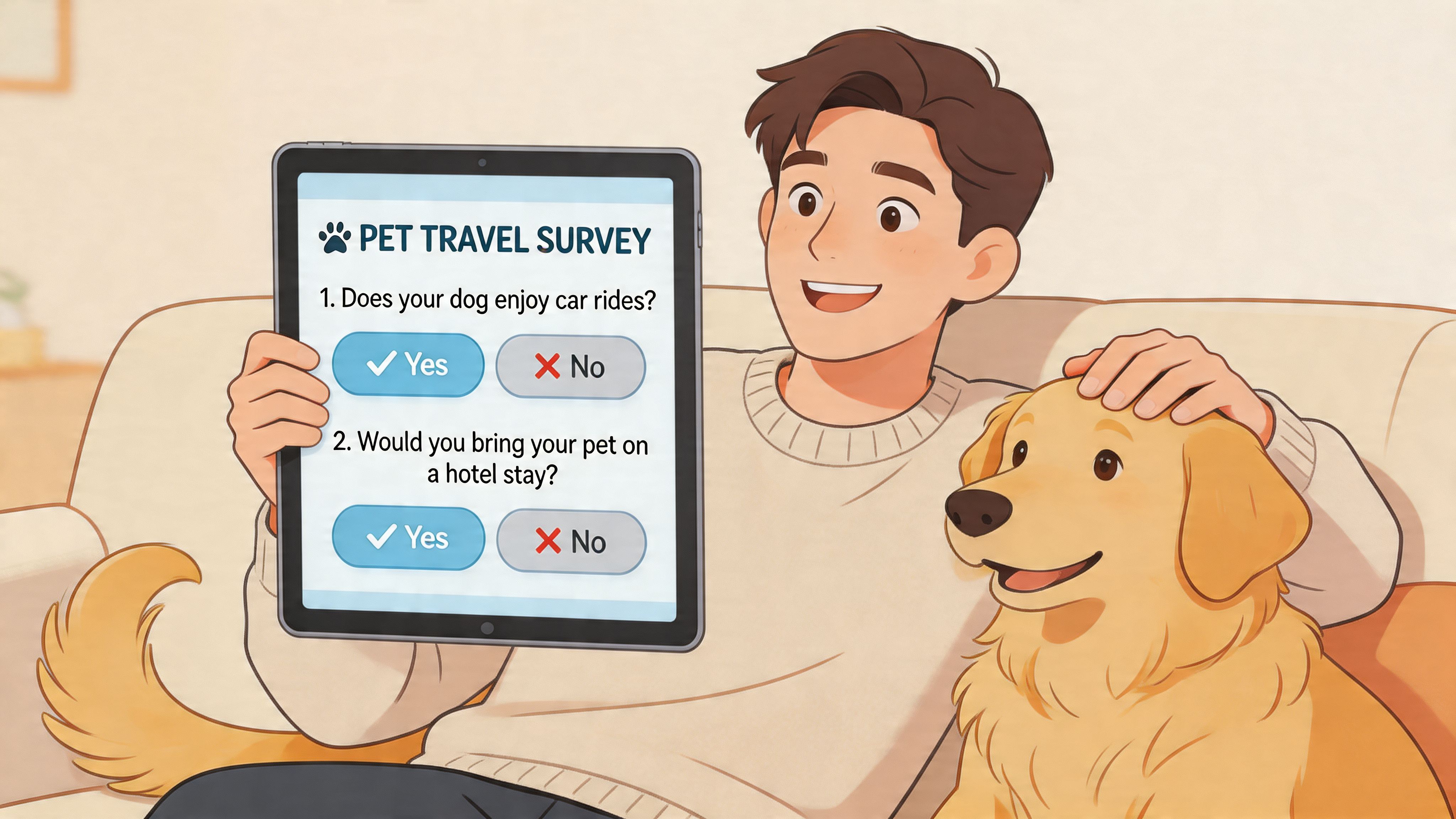
Clarity beats completeness on the first screen
Clients don’t think in clinic workflow terms. They think, “Can I bring my dog on this trip, and what do you need from me?” Your form should match that mindset.
Use plain prompts such as:
Travel first: “What country is your pet traveling to?”
Timing second: “What date do you plan to leave?”
Identity next: “What is your pet’s microchip number?”
Records after that: “Please upload any vaccine records you already have.”
That order feels natural. It also helps clients understand why each answer matters.
Client-facing rule: guide, don’t just ask.
Conditional logic cuts clutter
If every client sees every possible question, your form gets messy fast. Conditional logic keeps the experience tidy. A client traveling domestically may not need the same follow-up as a client traveling internationally. A cat owner doesn’t need breed examples meant for dogs. If the owner says they haven’t booked an airline yet, you can skip airline-specific details until later.
Good conditional logic does three jobs at once:
Reduces overwhelm
Improves answer quality
Keeps staff from sorting irrelevant responses later
A common failing of many generic forms becomes apparent. They collect a lot of data, but not in a way that feels coherent to the person filling them out.
Validation prevents the usual mistakes
Input validation is the unsung hero of a pet travel survey tool. It catches problems before they become case delays.
Use it for items like these:
Microchip fields: require a minimum format your team recognizes
Dates: don’t allow impossible travel dates or blank required date fields
Email and phone: make contact data usable on the first try
Uploads: specify accepted file types so staff aren’t opening random formats
A clean form also needs reassurance. Add short notes under harder questions. For example, under microchip ID, tell clients where they can usually find it. Under vaccine uploads, explain that clear phone photos are acceptable if your clinic can review them.
For clinics tightening intake more broadly, client onboarding best practices for veterinary teams can help align the form with the rest of the visit flow.
If a client has to stop and guess what you mean, the form isn’t finished.
Integrating Survey Data with Your Practice Workflow
A survey by itself is only half useful. The main benefit comes after the client hits submit. If the answers stay trapped in a standalone form, someone on your team still has to copy everything into the medical record, task list, and travel notes. That’s where the time drain comes back.
The strongest setup turns the survey into the first data source for the whole travel case.
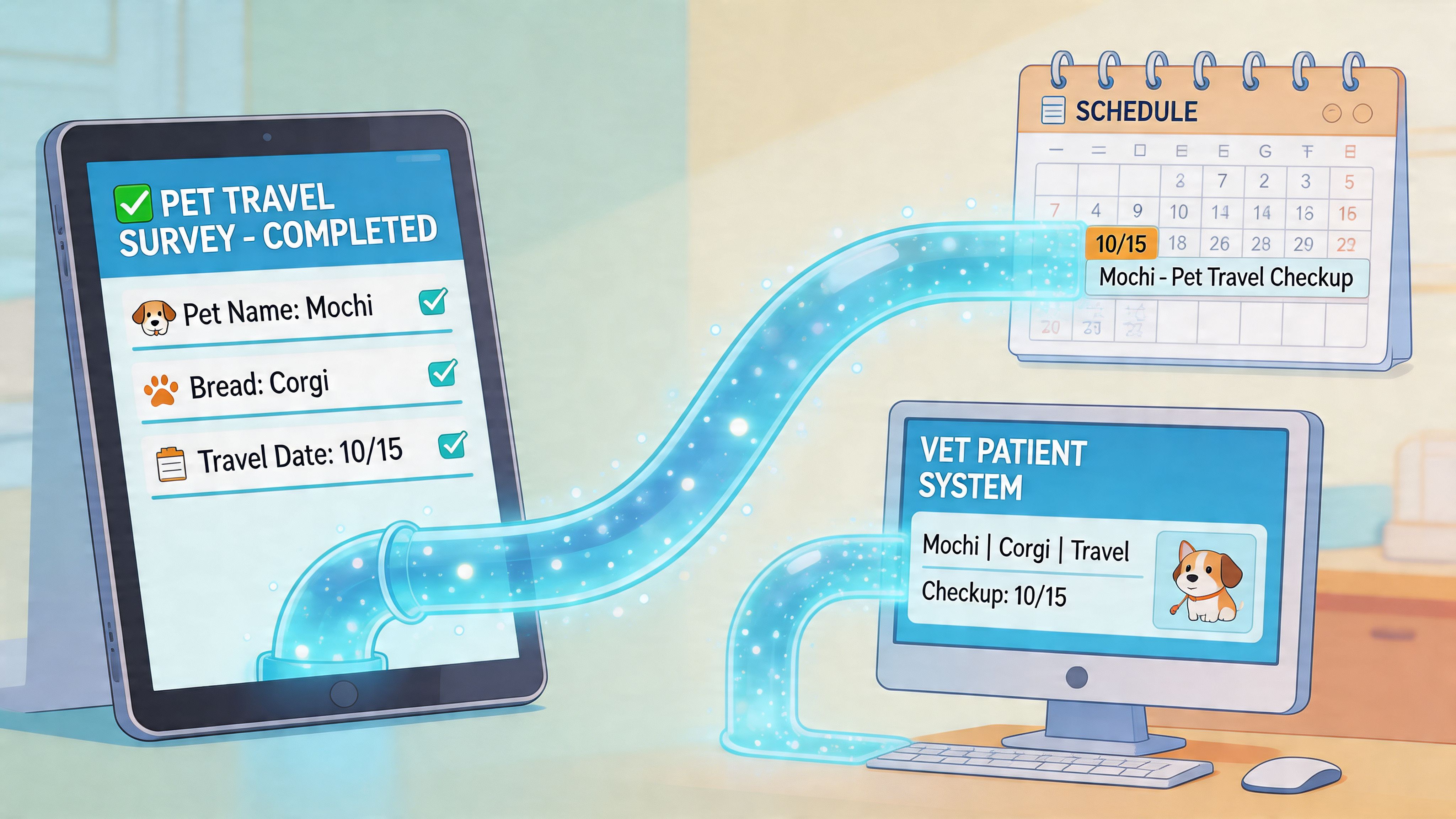
Build one source of truth
Every pet travel case should have one reliable home for key facts. In practice, that means survey answers should flow into the systems your team already uses, whether that’s your PIMS, a shared work queue, or a travel document platform.
A useful integrated workflow usually looks like this:
Submission enters a queue: staff can review new travel requests without chasing email threads
Core fields map to the patient record: pet name, owner name, microchip, destination, and travel date appear where staff need them
Tasks generate automatically: review records, contact client, schedule exam, verify travel method
Documents attach to the case: vaccine records and prior paperwork stay with the travel file
This reduces duplicate entry and cuts down on “Which version is correct?” conversations.
Turn intake answers into action
Here’s a practical example. A client submits a travel survey for a dog going abroad. The form includes the departure date, airline, uploaded vaccine history, and crate dimensions. Instead of assigning someone to manually rebuild that case, the system can do the first layer of sorting.
That handoff can trigger:
A staff review task for vaccine and ID check
A scheduling prompt for the required exam window
A note for the doctor if medical history needs review
A carrier or airline check if the client entered crate details
That’s where a pet travel survey tool stops being “just a form” and becomes workflow plumbing.
The best integration removes copy-and-paste work. It doesn’t create a prettier place to do copy-and-paste work.
Don’t over-integrate on day one
Practices sometimes try to connect everything at once. That can backfire. Start with the fields that save the most staff time and reduce the biggest risks of mismatch.
I’d prioritize these integrations first:
Patient matching: owner, pet name, species, microchip
Scheduling: travel date and internal review urgency
Document collection: uploads tied to the case
Staff assignment: route travel cases to the right person or queue
Once that works reliably, add deeper automations.
If you’re deciding where the survey should plug into your current stack, this overview of common veterinary software platforms is a solid place to compare workflow fit.
Automating Travel Deadlines and Client Communication
Pet travel work gets stressful when everyone relies on memory. A survey tool becomes much more useful when it starts the timeline automatically. The travel date collected at intake should drive the next steps, the reminders, and the staff workload.
That matters because regulations don’t sit still. USDA pet travel guidance emphasizes planning early, and it highlights a real gap in many tools: they don’t handle frequent regulatory changes and proactive communication well enough (USDA pet travel guidance).
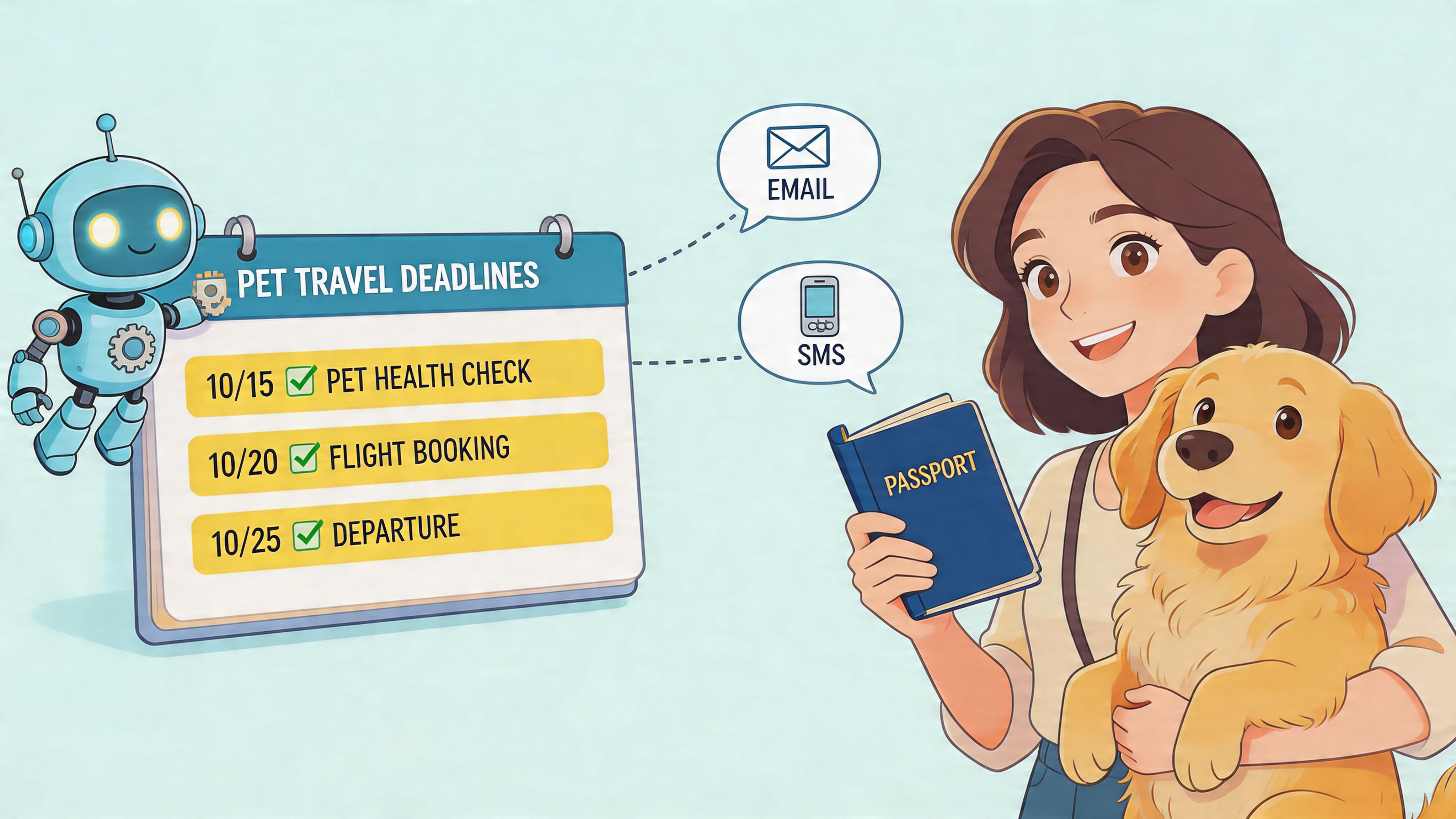
A timeline should begin the moment the form is submitted
Here’s what good automation feels like in practice.
A client submits the survey with a departure date. Your system immediately places the case into a travel queue and sends a confirmation email that sets expectations. Staff get a prompt to review the submission, check whether the records look complete, and decide whether the timeline appears workable.
A little later, the client receives the next message. Not a generic “we got your form,” but a useful update. It can ask for missing uploads, direct them to schedule a visit, or explain that the team is reviewing destination requirements.
That sequence matters. Clients stay calmer when they know what happens next.
Internal reminders should be role-based
One reason travel cases bog down is that reminders go to everyone or to no one. Better automation assigns actions by role.
Front desk reminders: contact client, confirm appointment timing, request missing records
Technician reminders: review vaccine history, microchip details, carrier information
Doctor reminders: approve travel readiness, sign off on medical portions, flag concerns
Admin follow-up: verify final document packet and outbound communication
This keeps the process from turning into a clinic-wide game of “I thought someone else had that.”
Good automation doesn’t replace judgment. It protects judgment from getting buried under repetitive admin work.
Build alerts for change, not just milestones
A simple deadline reminder is helpful. A change alert is better. If a destination rule shifts mid-process, the team needs a way to update the case and notify the client without restarting from scratch.
That’s why I’d build communication around three trigger types:
Date-based triggers, tied to departure and appointment windows
Status-based triggers, tied to missing information or completed review
Change-based triggers, tied to updated travel requirements or staff review notes
Clients remember the practices that keep them informed before a problem blows up. In travel medicine, that’s often the difference between a manageable adjustment and a last-minute scramble.
Securing Data and Iterating for Success
Once your survey is live, the work shifts from building to maintaining. Two things matter most here: treating client data carefully and improving the process based on what your team sees.
Pet travel forms often contain contact details, travel plans, uploaded records, and technical transport information. That deserves more than casual handling.
Handle intake data like clinic data
Keep the basics tight and boring. Boring is good for data handling.
Limit access: only staff who work on travel cases should see travel intake data
Store files consistently: don’t let records live across personal inboxes, desktops, and text threads
Use trusted tools: if you’re comparing form platforms, a guide to choosing a GDPR compliant survey tool can help you ask better questions about security controls and data stewardship
Review retention practices: decide where survey data belongs once the case is complete
Clients may never ask how your intake data is managed. They notice when your team handles their information in an organized, confident way.
Improve the form based on real friction
Iteration should come from headaches your team can name. If staff keep correcting the same field, rewrite it. If clients regularly miss a key upload, move that request or explain it better. If airline carrier issues keep surfacing late, ask about them sooner.
That last point matters a lot. Verified pet travel data indicates that over 50% of pet travel mishaps are linked to improper carrier use and airline restrictions, and the same source connects better data collection to improving a low 28% very satisfied travel experience level (pet travel statistics on carrier issues and satisfaction).
A few practical review habits help:
Ask staff monthly: Where did this form create extra work?
Track correction patterns: Which fields get fixed most often after submission?
Listen for client confusion: Which questions prompt calls or email replies?
Update small pieces often: field labels, help text, required settings, and logic rules
A pet travel survey tool is never finished. It either gets clearer over time or it slowly becomes another source of admin mess.
The best version is the one your front desk trusts, your techs don’t fight with, and your clients can complete without needing a rescue mission.
If your practice wants a simpler way to manage international pet travel intake, document prep, and client communication, Passpaw is built for exactly that workflow. It helps veterinary teams keep travel cases organized, reduce manual errors, and stay on top of changing requirements without turning every certificate into a custom admin project.

More articles
From regulatory changes to best practices for veterinarians and pet owners, our resources keep you ahead of the curve.