Are you a team member in a veterinary practice?
Are you a pet parent planning a trip with your furry pal?
10 Customer Communication Management Tools for Vets
A client calls the veterinary practice because their dog's international travel date is getting close. The health certificate still needs information, one document doesn't match the pet's microchip record, and the owner wants to know whether the final paperwork will arrive before departure. Meanwhile, the team is switching between email, SMS, calendar reminders, shared folders, internal notes, and shipping tasks.
That's where customer communication management tools can help, but not all of them solve the same problem. A help desk can organize conversations, while a CRM can preserve client history. A programmable contact center can connect channels, but it may still leave staff responsible for building the pet-travel workflow around it. A purpose-built platform may handle the handoffs more directly, especially when deadlines and document accuracy matter.
This list compares practical fit, not just feature counts. Each tool is assessed against veterinary and pet-travel work, including intake, reminders, document collection, team collaboration, client updates, and final delivery. For broader guidance on keeping client messages organized, see this client communication guide.
1. Passpaw
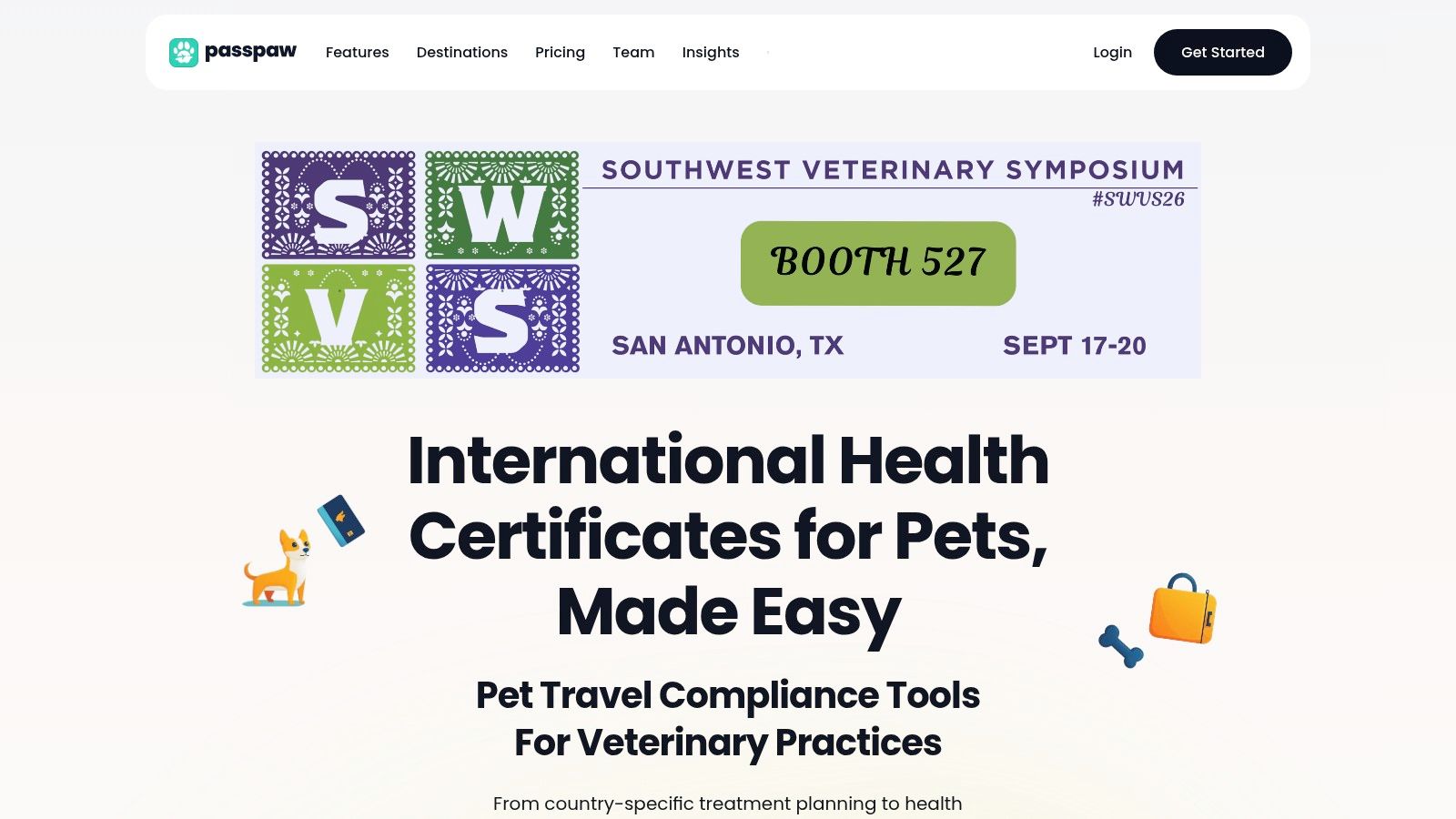
Passpaw is the most specialized option on this list for international pet-travel applications. It connects destination rules, travel dates, pet information, documents, and submission steps in one workflow for veterinary teams and pet owners.
A new application can collect trip and pet details, build a prioritized task list, request missing documents, and alert staff when action is required. Real-time document validation helps the team identify mismatches before they delay the case. Passpaw also supports health certificate form auto-fill, USDA submission packet assembly, and shipping-label generation, including overnight shipping with Saturday delivery when wet-seal requirements make timing especially sensitive.
Why it fits the full handoff
The client stays involved from initial intake through final endorsement. Owners can update itineraries, and the platform adjusts timelines and requirements as those details change. Veterinary staff can review applications across devices, reducing dependence on one inbox or a local folder.
Practical rule: If communication problems come from changing travel requirements, a general inbox may organize messages without organizing the work itself.
Passpaw places communication inside the compliance workflow. A reminder can point to a missing document, a destination-specific task, or a deadline calculated from the pet's travel date. That connection helps practices coordinate the owner, veterinarian, shipper, and submission process without recreating the same status information across separate tools.
The trade-off is evaluation friction. Pricing isn't published publicly, so practices must request a quote before comparing total cost. Coverage also depends on accurate, current country rules. Unusual embassy or consulate exceptions may still require manual verification and human review. Passpaw offers a free travel planner, a “Get Started Free” path for veterinary practices, demos, support, FAQs, and a direct Passpaw website. Test a real case before adopting it across the practice.
Pros
End-to-end workflow: Connects client intake, task sequencing, document requests, validation, form completion, and submission preparation.
Deadline control: Prioritizes tasks using destination rules, pet information, and travel dates.
Client visibility: Gives owners cloud access to applications and lets them update itineraries.
Final logistics: Generates shipping labels and supports overnight or Saturday delivery workflows for wet seals.
Veterinary focus: Built for pet-travel compliance rather than general customer service.
Cons
Quote-based pricing: Small practices cannot assess the full cost without contacting Passpaw.
Human oversight remains important: Recent or unusual regulatory exceptions may require staff verification.
2. Zendesk Suite
Zendesk Suite is a strong choice when a practice wants a mature customer service workspace rather than a dedicated pet-travel engine. It brings email, messaging, voice, social channels, ticketing, a knowledge base, customer portal, analytics, and AI-supported routing into one environment.
For a veterinary team, a client's travel request could become a ticket with the pet's details, departure date, assigned owner, internal notes, and status history. Staff could route questions to the right queue, create macros for common document requests, and publish articles explaining preparation steps. A portal could also give clients a place to review guidance without sending another email.
The platform's advantage is its administrative depth. Zendesk offers skills-based and omnichannel routing, IVR, AI agents, Admin Copilot, analytics, and a large app marketplace through its Zendesk pricing and plan information. That ecosystem can help a growing practice connect scheduling, CRM, telephony, and reporting tools.
Where Zendesk stops short
Zendesk won't automatically understand every destination-specific certificate rule or assemble a USDA submission packet unless the practice builds or integrates that capability. Staff may still need to create custom fields for travel dates, document types, microchip details, and endorsement status. Without careful configuration, the system can become a well-organized record of conversations while work continues in spreadsheets.
Pros
Omnichannel support: Keeps email, messaging, voice, and social interactions in one agent workspace.
Strong administration: Offers mature routing, permissions, analytics, and workflow controls.
Portal capability: Gives clients access to self-service information and case updates.
Broad ecosystem: Marketplace apps can extend the platform into other practice systems.
Cons
Rising cost: Seats, AI, and add-ons can make the total cost grow quickly.
Higher-tier limits: Some advanced automation and governance features require more expensive plans.
Custom workflow effort: Pet-travel rules and document validation need configuration or integration.
Zendesk fits practices that already operate a general service desk or support a wide client base. It's less attractive when international pet travel is the main workflow and the team wants the system to provide the process logic.
3. Intercom with Fin AI Agent
Intercom is built around messaging, shared conversations, proactive engagement, and AI-assisted support. It can suit a pet-travel agency or larger veterinary group that wants clients to ask questions through a modern messenger, email, WhatsApp, or SMS while staff manage the conversation in a shared inbox.
A travel coordinator could use Intercom to welcome a new client, collect basic trip details, point the owner to a help-center article, and escalate a complex question to a human. Fin AI Agent can answer routine questions from approved content, while proactive tools such as surveys, tours, and outbound posts can support education and follow-up.
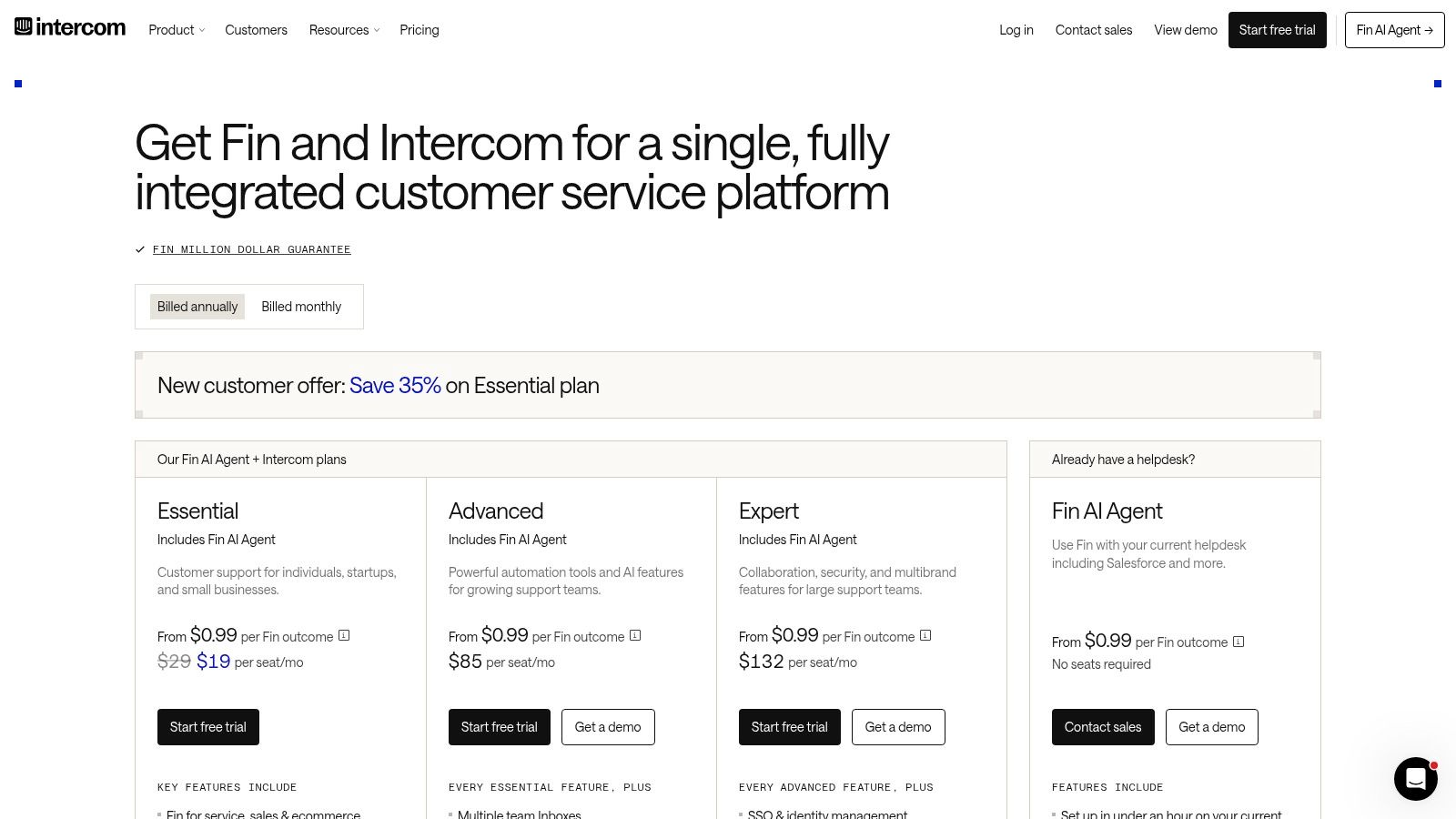
The interface is a major strength. It's quick to understand, and its AI pricing is tied to successful outcomes rather than only agent seats. However, channel usage and add-ons can complicate budgeting. SMS, WhatsApp, phone features, Copilot, and Pro capabilities may sit outside the core package, and enterprise service features require higher tiers. Review the current Intercom pricing structure before assuming the headline plan covers every channel you need.
The veterinary use case
Intercom works well for questions such as, “What documents do I need for my cat's trip?” It's less suited to deciding which documents apply to a specific destination, validating every uploaded file, or changing a task sequence when an itinerary changes. Those steps need structured workflow logic and reliable source data.
For communication design, the client communication best-practices resource is useful alongside the platform. The practical point is simple. Use Intercom to improve access to answers and conversations, but don't treat an AI agent as the final reviewer for a high-risk travel case.
Pros
Modern messaging: Strong shared inbox and proactive client engagement.
AI automation: Fin AI Agent can handle suitable routine questions.
Flexible channels: Supports email, messenger, WhatsApp, and SMS.
Fast adoption: Teams can start communicating without a heavy service-desk rollout.
Cons
Add-on complexity: Channel usage and advanced capabilities may cost extra.
Limited compliance workflow: Destination rules and document validation require additional systems.
Higher-tier enterprise features: Advanced service operations aren't aimed at the smallest practices.
4. HubSpot Service Hub
HubSpot Service Hub makes the most sense when the practice already uses HubSpot CRM, Marketing Hub, or Sales Hub. Its core benefit is a shared customer record across marketing, sales, and service. A pet-travel inquiry can move from an initial lead to a booked service, then into a support or document-collection workflow without forcing staff to rebuild the client history.
The platform includes ticketing, a shared inbox, a knowledge base, customer portal, automation, reporting, surveys, SLAs, and AI credits on paid plans. For a practice offering travel consultations, this can support the full relationship around the service. Marketing can promote the offering, front-desk staff can qualify the request, and the veterinary team can manage follow-up from the same broader database.
That unified view is valuable when communication problems come from handoffs between departments. A client shouldn't need to repeat the pet's name, destination, or travel date every time the conversation moves from reception to a technician.
The integration question
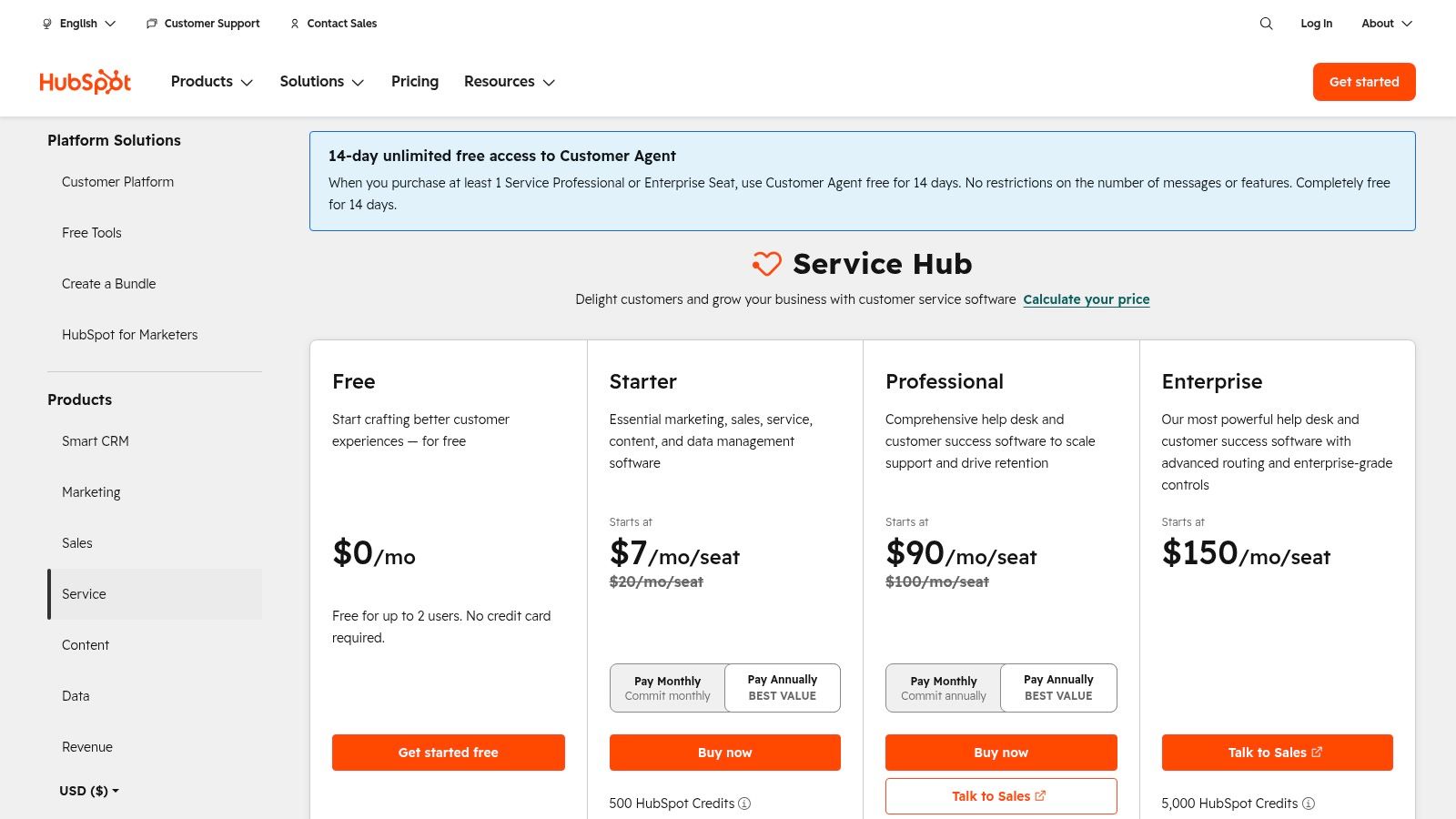
HubSpot's weakness is that its value depends on how much of the wider stack a practice adopts. Seat rules, plan limits, add-ons, and AI credits can make the setup harder to price. The platform may also encourage teams to build a broad CRM program when the immediate need is a focused travel workflow. Check the current HubSpot Service Hub plans before designing the process.
A practice can improve the handoff by defining clear ticket stages, required fields, and ownership rules before turning on automation. The guidance in this veterinary client communication resource reinforces the need to keep updates clear and timely, especially when clients are waiting on documents.
Pros
Single client record: Marketing, sales, and service teams can share context.
Flexible automation: Supports ticket routing, follow-up, surveys, and reporting.
Good for growth: Useful when pet travel is one service within a broader client lifecycle.
Cross-team visibility: Makes ownership and handoffs easier to track.
Cons
Complex packaging: Seats, limits, and credits can be difficult to model.
Stack dependency: Best return comes when the practice commits to more HubSpot products.
Custom build required: It won't natively replace a destination-specific travel compliance workflow.
5. Salesforce Service Cloud with Agentforce for Service
Salesforce Service Cloud is designed for organizations with complex service operations, extensive governance, and a need for deep CRM customization. A multi-location veterinary group, pet-travel company, or regulated organization could use it to manage cases across brands, regions, teams, and communication channels.
Its case-management model can capture every interaction around a pet's trip. Digital channels, self-service portals, reporting, knowledge, and Agentforce options support both client-facing service and internal operations. A large organization could create different queues for intake, veterinary review, document corrections, submission, and final delivery.
Salesforce is powerful because it can model complicated relationships. One account might contain several pets, multiple trips, a referring practice, a travel agency, and a shipper. The system can connect those records and apply permissions across teams. It also has a broad partner network for custom implementation.
A serious platform for serious complexity
The trade-off is implementation weight. Salesforce generally demands more administration, configuration, training, and integration work than SMB-focused customer communication management tools. A practice that only handles occasional pet-travel applications may spend more effort maintaining the system than managing the cases.
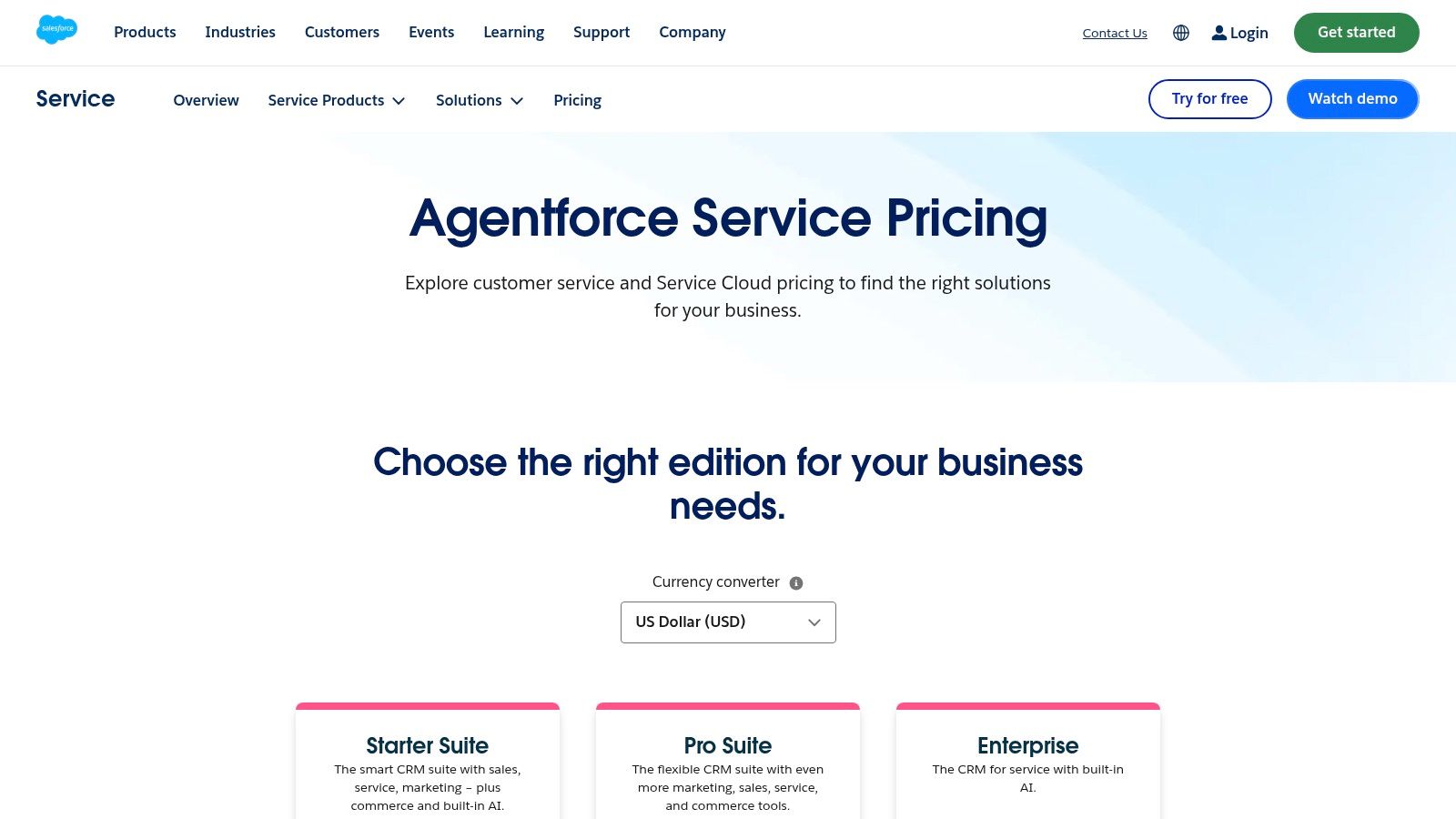
Use Salesforce Service Cloud pricing information to compare editions and add-ons, then map the result against the specific workflow. The platform can manage the records and communications, but a team may still need a specialized integration for travel-document validation and country-rule logic.
For teams considering a larger documentation program, this documentation tools guide can help frame the difference between storing documents and managing the work that makes them usable.
Pros
Enterprise scale: Handles complex, multi-brand, and multi-region operations.
Deep customization: Supports detailed case structures, permissions, and governance.
Strong CRM connection: Links service activity to broader customer records.
Partner ecosystem: Specialized implementation help is widely available.
Cons
High total cost: Licensing, partners, and ongoing administration can add up.
Heavy implementation: Smaller practices may struggle with the setup burden.
Workflow gap: Travel-specific rules and document checks still need custom work.
6. Freshdesk by Freshworks
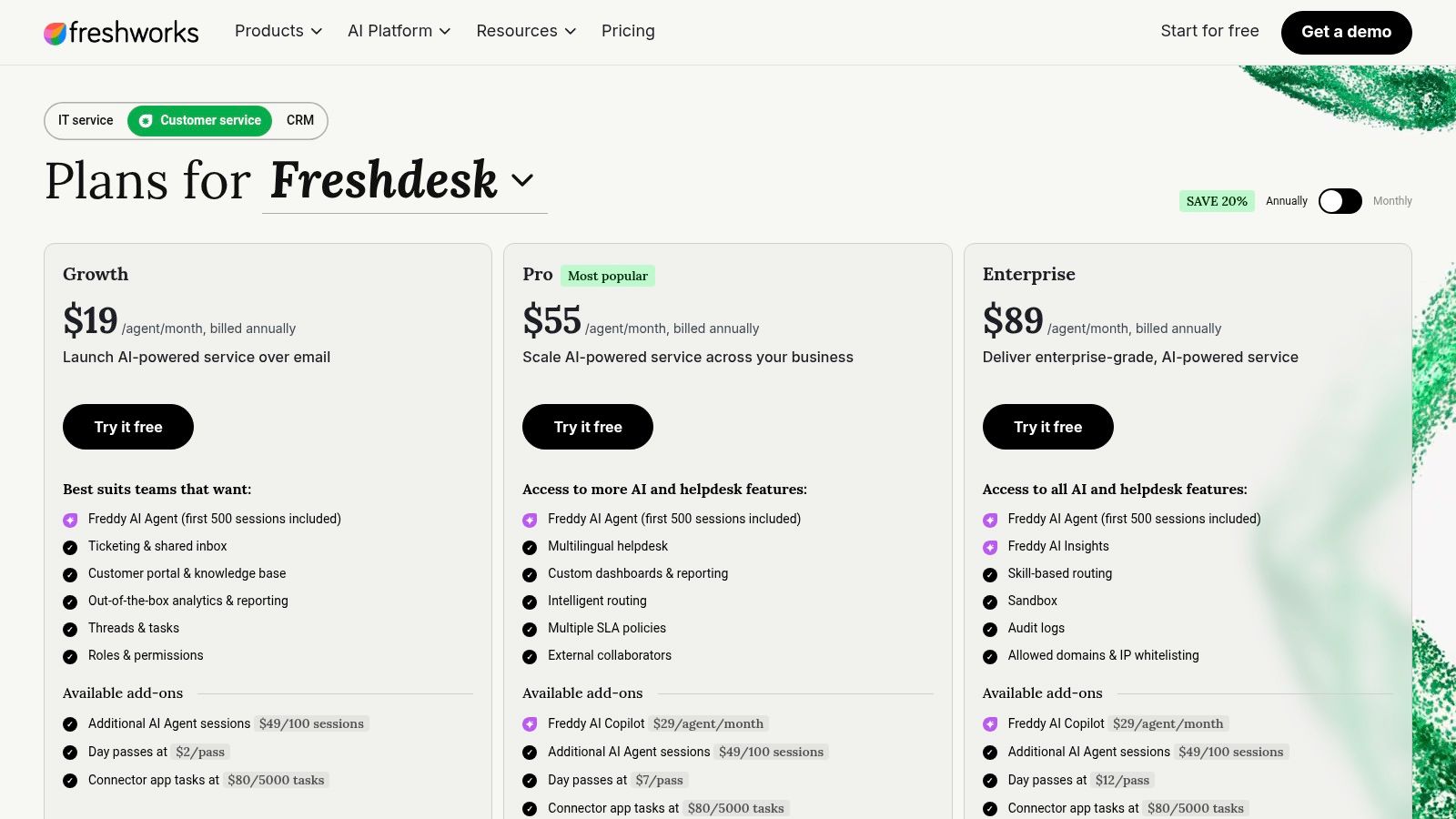
Freshdesk is a practical help desk for small and mid-sized teams that need ticketing, shared inboxes, a customer portal, knowledge-base content, automation, and service-level controls. It's easier to position than an enterprise platform, and its plan structure supports gradual expansion.
For a veterinary practice, Freshdesk can turn each travel application into a ticket. A rule can assign cases based on destination or status, while a saved response can request a rabies certificate, microchip record, or missing itinerary detail. The portal can give clients a central place to submit questions and review help content.
Freshdesk also supports omnichannel communication through web, email, and chat, with Freddy AI Agent and Copilot options. Day passes and collaborator support can help when part-time staff, seasonal workers, or outside partners need occasional access. Review the current Freshdesk pricing carefully, especially if the practice expects high message volume or wants advanced reporting.
Where it earns its place
Freshdesk is strongest when the main bottleneck is case organization. It can stop requests from disappearing in personal inboxes, make ownership visible, and give managers a clearer view of unresolved work. It won't automatically know which destination rules apply or whether a submitted document matches a pet's records.
Advanced reporting and routing are gated to higher plans, while AI sessions and add-ons require monitoring. The platform can become a sensible operational layer, but staff must define the fields, statuses, and escalation rules before automation helps.
Pairing the help desk with a clear client onboarding process can reduce confusion at intake. The platform is a good fit for structured support, not a replacement for specialist compliance software.
Pros
Accessible setup: Suitable for practices that need a service desk without enterprise overhead.
Ticket control: Assigns, tracks, and escalates client requests.
Portal and knowledge base: Supports self-service and centralized guidance.
Flexible staffing: Day passes and collaborator options can help seasonal teams.
Cons
Plan gates: Advanced routing and reporting may require Pro or Enterprise.
Usage monitoring: AI sessions and add-ons can affect the budget.
No native travel logic: Destination-specific validation must come from another system.
7. Twilio Flex
Twilio Flex is for teams that want to build their own communication experience. It can bring voice, SMS, WhatsApp, and web chat into a programmable contact center, and developers can embed the experience inside an existing client or staff portal.
That flexibility can be valuable for a pet-travel agency with a custom application system. A developer could connect travel records to message triggers, route urgent cases to a specialist, and give coordinators a custom interface rather than a generic help desk. The organization can choose named-user, active-user-hour, or user-plus-usage pricing models. Check the Twilio Flex pricing options and model channel usage before committing.
The platform's main strength is control. A practice can decide what happens when a client uploads a document, changes a departure date, or replies to an SMS reminder. It can also connect communication events to internal tasks and external services.
A programmable channel is not a finished workflow. Someone still has to design, test, monitor, and maintain the rules.
Twilio Flex requires developer resources and implementation effort. CPaaS usage costs also need careful modeling because the total bill depends on how the organization uses channels. A small practice without technical support may find that a ready-made workflow platform delivers value faster.
Pros
Channel breadth: Supports voice, SMS, WhatsApp, and web chat.
Custom interfaces: Can be embedded into internal or client-facing applications.
Workflow control: Developers can connect messages to custom case logic.
Scalable foundation: Suitable for organizations building a proprietary communication layer.
Cons
Developer dependency: Configuration and maintenance aren't simple administrative tasks.
Usage-based complexity: Channel volume affects total cost.
No out-of-the-box compliance process: Travel rules and document checks must be built or integrated.
8. Front
Front keeps the familiar feel of email while adding shared inboxes, assignments, comments, automation, SLAs, analytics, and collaboration. That makes it a natural fit for veterinary teams where reception staff, technicians, veterinarians, travel coordinators, and shippers need to work in the same conversation.
A coordinator can assign a client thread to a colleague, ask an internal question without exposing it to the owner, and use shared drafts to prepare a clear update. The team can keep the history attached to the conversation rather than forwarding messages between private inboxes. Front supports email, SMS, and social channels, with WhatsApp available as an add-on.
The platform is especially useful for cross-functional handoffs. Suppose a client asks whether a corrected document has been sent. The front-desk team can see the thread, the travel coordinator can confirm the shipping status, and the veterinarian can review the content without making the client repeat the story.
The limitation for document-heavy cases
Front doesn't provide the same native travel workflow as Passpaw. Voice generally relies on integrations, some channels cost extra, and lower tiers offer more basic knowledge-base capabilities. Its Front pricing page also lists AI add-ons such as Autopilot, Copilot, Smart QA, and CSAT with per-conversation pricing, so usage needs review.

Pros
Low learning curve: Works well for email-centric teams.
Thread collaboration: Comments, shared drafts, and guest access keep context together.
Workflow support: Macros, automation, SLAs, and analytics improve follow-up.
Cross-team fit: Useful when several roles share responsibility for one client.
Cons
Limited native voice: Voice usually requires integrations.
Channel add-ons: Some communication channels cost extra.
Basic knowledge features: Lower tiers may not suit content-heavy client education.
Manual compliance work: Staff still need to manage document logic and validation.
9. Help Scout
Help Scout is a clean, approachable option for smaller veterinary practices that need shared inboxes without a large administration project. It supports multiple inboxes, live chat, SMS, social channels, a knowledge base called Docs, workflows, SLAs, and integrations with systems such as Salesforce, HubSpot, and Jira.
A practice could create separate inboxes for general client questions and pet-travel applications. Workflows can tag an application, assign it to a coordinator, send a prepared request for missing information, and remind staff to follow up. The knowledge base can answer routine questions about travel preparation, timing, and document handling.
Help Scout's simplicity is both its advantage and its boundary. It's easy for a small team to adopt, but it may not offer the deep routing, reporting, or case structure needed by a complex multi-location operation. Some advanced routing, SSO, and HIPAA capabilities are limited to the Pro tier. AI Inbox Assist and AI Answers are available as add-ons, with AI Answers priced per resolution, so teams should watch usage as volume grows.
Good for communication, not rule interpretation
Help Scout can make client updates warmer and more consistent. It can't independently determine whether a document is valid for a particular destination or adjust every deadline after an itinerary change.
A free plan is available, and the Help Scout pricing page explains the current options. For a small practice, the platform can be a sensible starting point if the biggest issue is scattered email. For a specialist pet-travel service, it may need to sit beside a purpose-built workflow tool.
Pros
Quick implementation: Small teams can get started with limited administration.
Friendly interface: Familiar inbox design reduces training friction.
Useful coverage: Includes chat, SMS, social channels, Docs, and workflows.
Flexible entry point: A free plan can support early evaluation.
Cons
Plan restrictions: Advanced routing, SSO, and HIPAA options are limited to Pro.
AI cost exposure: Per-resolution pricing can affect larger workloads.
Light workflow depth: Specialized travel compliance still needs another system.
10. Kustomer by Meta
Kustomer is an omnichannel customer experience platform built around a unified customer timeline. It brings email, chat, voice, SMS, and WhatsApp into a single view, with business rules, workflows, multilingual support, agent assistants, and native Meta-channel support.
That timeline can help when a client moves between channels. An owner might ask a question by WhatsApp, upload a document through another channel, and then call about delivery. The agent can see the conversation history instead of opening separate records and asking for the same details again.
For a pet-travel organization, Kustomer could support intake, client updates, escalation, and final delivery communications. Its workflow tools can assign conversations and trigger actions, while voice and WhatsApp support help teams meet clients where they already communicate.
Best for omnichannel history
Kustomer's strength is communication context, not veterinary compliance logic. Staff still need a reliable way to identify required documents, validate information, track travel deadlines, and manage unusual cases. A custom integration may connect those records, but that adds implementation work.
Pricing is quote-based and the product is positioned toward enterprise customers. The Kustomer pricing page should be part of a wider assessment that includes implementation, channel usage, administration, and integration support.
Pros
Unified timeline: Reduces context switching across channels.
Native Meta channels: Useful for teams that rely on WhatsApp.
Workflow support: Business rules and automation can improve routing.
Enterprise orientation: Better suited to larger communication operations.
Cons
Quote-based pricing: Evaluation requires a sales conversation.
Implementation learning curve: More demanding than SMB-focused tools.
Specialist gap: Destination rules and document validation need custom support.
Top 10 Customer Communication Management Tools Comparison
Product | Core features ✨ | UX/Quality ★ | Price/Value 💰 | Target audience 👥 | USP ✨ |
|---|---|---|---|---|---|
Passpaw 🏆 | Automated travel workflows; real-time doc validation; form auto-fill; shipping labels | ★★★★☆ streamlined vet workflows | 💰 Quote-based; free trial & travel planner | 👥 Veterinarians, pet shippers, pet owners | 🏆 Tailored pet-travel automation, reduces errors & staff time |
Zendesk Suite | Omnichannel ticketing; AI triage; KB & analytics | ★★★★☆ robust admin & ecosystem | 💰 Tiered plans; costs scale with seats/add‑ons | 👥 Support teams, SMB → Enterprise | Large app marketplace & quick ramp |
Intercom (Fin AI) | In-product chat; AI agent (Fin); proactive campaigns | ★★★★☆ modern, in-app engagement | 💰 Outcome-based AI + add-ons | 👥 Product teams, SaaS, in-app support | Outcome-priced AI; strong proactive tools ✨ |
HubSpot Service Hub | Ticketing, KB, automation; AI credits | ★★★★☆ unified CRM + service view | 💰 Tiered; best ROI when using HubSpot stack | 👥 Teams using HubSpot, marketing & sales-aligned | Native CRM integration for lifecycle visibility |
Salesforce Service Cloud | Case mgmt; digital channels; deep customization | ★★★★☆ enterprise-grade, secure | 💰 Quote-based; high TCO | 👥 Large, regulated or multi-brand orgs | Scales for complex governance & customization |
Freshdesk (Freshworks) | Ticketing, portal, automation; Freddy AI | ★★★★☆ SMB-friendly, simple | 💰 Competitive seat pricing; modular add-ons | 👥 SMB → mid-market support teams | Strong value for SMBs; day-pass model ✨ |
Twilio Flex | Programmable voice/SMS/WhatsApp/web chat APIs | ★★★☆☆ highly flexible, developer-heavy | 💰 Usage + user pricing; variable modeling | 👥 Dev teams, custom contact centers | Max programmability and embedability |
Front | Shared inbox; automation; analytics; SSO | ★★★★☆ email-like, collaborative UX | 💰 Tiered seats; channel add-ons | 👥 Cross-functional teams, clinics & ops | Threaded collaboration in email-style interface |
Help Scout | Multi-inbox, live chat, Docs, workflows | ★★★★☆ lightweight, quick to implement | 💰 Transparent seat pricing; free tier | 👥 Small to mid-size teams | Simple UX, low admin overhead; free tier |
Kustomer (Meta) | Unified customer timeline; workflows; native WhatsApp/voice | ★★★★☆ omnichannel single-timeline | 💰 Quote-based; enterprise focus | 👥 Enterprise CX teams, Meta-heavy channels | 360° conversation timeline & native Meta channels |
Choose the Workflow That Fits Your Practice
Start with the communication problem creating the most follow-up. If staff lose time chasing missing forms, checking whether clients have supplied the right documents, and recalculating deadlines after itinerary changes, a shared inbox alone may not solve the bottleneck. If the problem is unanswered email, unclear ownership, or disconnected SMS conversations, a general service platform may be enough.
Next, compare the client experience. Do owners need a portal where they can submit documents, review application status, update travel details, and receive deadline reminders? Or do they mainly need fast answers from email, SMS, chat, or WhatsApp? A portal and structured intake process matter more when the practice manages document-heavy applications. A shared inbox matters more when most cases are questions and follow-up messages.
Then assess the team's working style. Zendesk Suite, Freshdesk, Front, and Help Scout can organize conversations and handoffs without requiring the practice to build a full communication system. Intercom is a strong option for proactive messaging and AI-supported answers. HubSpot Service Hub fits teams that want service connected to marketing and sales records. Salesforce Service Cloud suits organizations with complex governance, multiple locations, or significant customization needs. Twilio Flex makes sense when developers need to create a communication layer. Kustomer is compelling when a unified omnichannel timeline is the priority.
Pricing structure deserves a close look. Quote-based tools can make early comparison harder, while seat-based plans, AI credits, per-resolution charges, channel fees, usage billing, and add-ons can change the cost as adoption grows. Ask each vendor to model the workflow you'll run, including seasonal support, part-time users, SMS or WhatsApp traffic, integrations, and client portal access.
Compliance also needs a careful, practical review. UK PECR covers marketing by phone, fax, email, text, and other electronic messages. Where consent is required, the ICO says it should be knowingly and freely given, clear, specific, and demonstrated through positive action such as ticking a box or clicking an icon. UK electronic mail marketing generally requires specific consent, with a limited soft opt-in exception for existing customers who bought or negotiated to buy a similar product or service, provided a simple opt-out was offered at collection and in every message. Review the ICO guidance on electronic and telephone marketing and the ICO electronic mail marketing guidance with your own advisers.
For US SMS marketing, current guidance treats the TCPA as applying to text messages and says businesses should honor opt-out requests made by any reasonable method, not only “STOP,” with processing expected within 10 business days. It also says consent should be obtained separately for each sender entity. Read the TCPA SMS compliance guidance and confirm how the chosen platform records consent, sender identity, opt-outs, and message history.
The market's direction supports taking this decision seriously. One study valued the global CCM market at USD 2.07 billion in 2023 and projected USD 4.80 billion by 2030, a 13.2% CAGR, with North America leading revenue in 2023 and Asia Pacific projected to grow fastest at 15.0% CAGR from 2024 to 2030. It also identified BFSI as the leading end-use segment with 17.8% of global revenue. See the Fortune Business Insights CCM market analysis. A separate estimate placed the market at USD 1.96 billion in 2025 and USD 3.33 billion by 2030, with software representing 58.20% of revenue in 2024 and cloud deployment projected to grow at a 13.10% CAGR through 2030. The Mordor Intelligence market report explains that shift toward cloud-based systems.
CRM-style communication tooling is already common in larger organizations. Freshworks-referenced 2024 data reports that 73% of businesses use CRM software, while 91% of companies with 10 or more employees use a CRM system. Adoption reaches 94% in technology, 71% among small businesses, and 65% of businesses adopt CRM within their first five years, according to the Salesmate CRM statistics reference. For veterinary practices, that means centralized history, multi-user access, mobile availability, and workflow automation increasingly look like baseline expectations rather than luxury features.
For international pet travel, Passpaw is the most workflow-specific option because it connects intake, deadline prioritization, document collection, validation, form preparation, submission packets, client updates, and final delivery in one process. The broader platforms may be better when the practice needs general service operations across many types of client requests.
Before committing, run one real client journey from intake to final document delivery. Include a changed itinerary, a missing document, a team handoff, a client status question, and a final shipping step. Keep human review in place for unusual travel cases, even when automation handles the routine work. A thoughtful test will reveal whether the tool removes the bottleneck or gives the bottleneck a nicer inbox. For broader support operations, the customer support playbook from Double My Leads offers another useful perspective on organizing client responses.
Passpaw helps veterinary practices manage international pet-travel applications with client intake, deadline reminders, document requests, real-time validation, task prioritization, and final delivery support in one cloud workflow. If your team is ready to replace scattered messages and manual follow-up with a clearer pet-travel process, visit Passpaw and explore the free travel planner or request a demo.

More articles
From regulatory changes to best practices for veterinarians and pet owners, our resources keep you ahead of the curve.