Are you a team member in a veterinary practice?
Are you a pet parent planning a trip with your furry pal?
9 Client Communication Best Practices for Pet Travel
A client has booked a trip, but the questions keep piling up. Which documents does their pet need? Has the application started? Is a health certificate still valid if the departure date changes? The practice may have the answers, yet unclear handoffs can leave the owner checking email repeatedly, calling for updates, and worrying that an important step has been missed.
Clear client communication makes the pet travel document journey easier to manage for everyone. It gives the practice a reliable way to collect details, track responsibilities, explain deadlines, and respond when requirements change. It also gives pet owners a calmer experience, especially when several documents, appointments, and approvals must line up before departure.
The strongest client communication best practices work as one connected workflow. They begin with an honest conversation about the trip, continue through document collection and status updates, and end with follow-up after the pet arrives.
Clients should always know what's needed, what has happened, and what they need to do next.
1. Set Clear Expectations Early
The first conversation shapes the entire relationship. Before collecting documents or scheduling a visit, explain how the pet travel process will work, what information the client must provide, which deadlines matter, and how your team will share updates.
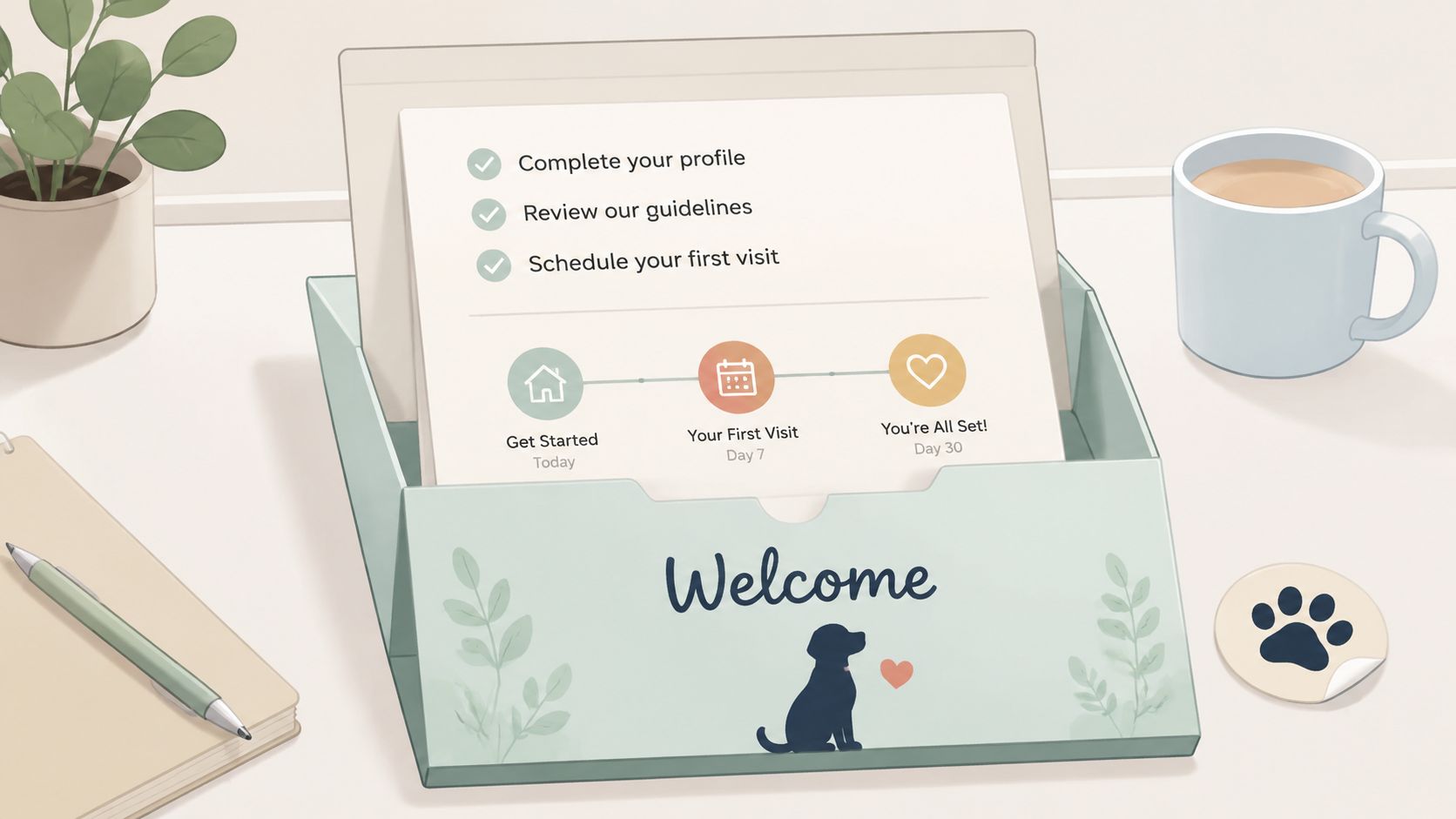
A veterinary clinic using Passpaw might send an onboarding message that introduces the journey from travel details to document review and veterinary action. A pet travel agency might provide a destination-specific requirement sheet before the owner begins an application. These simple steps prevent the client from treating the process as a single appointment when it involves several connected tasks.
Written expectations also reduce back-and-forth. A welcome email or packet should explain:
Required information: Ask for the destination, travel date, ownership details, pet information, and itinerary.
Client responsibilities: State which forms, records, and confirmations the owner must provide.
Practice responsibilities: Explain what the veterinary team will review, prepare, or submit.
Important dates: Record appointment windows, document deadlines, and the client's target departure date.
Communication plan: Tell clients where updates will arrive and how quickly they can expect a response.
A visual timeline can make the sequence easier to understand than several paragraphs of policy language. Use plain labels such as “Tell us about your trip,” “Upload records,” “Book the visit,” and “Review the final documents.”
For more guidance on building a consistent first experience, practices can use these client onboarding best practices. A clear start keeps later conversations from going off-leash.
2. Listen and Ask Clarifying Questions
A form can collect facts, but a conversation often reveals the details that change how a case should be handled. Start by asking the owner to describe the trip in their own words. “Tell me about your travel plans” invites more useful information than a series of yes-or-no questions.
The veterinary team should clarify the destination country, transit points, travel date, airline expectations, and whether the pet will visit more than one country. Ask about the pet's health needs, temperament, recent travel history, and any concerns the owner has about flying or handling. A pet travel agency may need to ask different questions from a clinic, but both should look beyond the first answer.
Confirm the details before work begins
Take notes during calls and consultations, then repeat the important points back to the client. For example: “I have your departure date recorded, and you'll be changing planes in another country. Is that correct?” This gives the owner a chance to correct an assumption before it affects document preparation.
Good listening also includes noticing uncertainty. If a client says they “think” a record is current, don't treat that as confirmed. Mark it as something to verify and tell the owner exactly how you'll resolve it.
Ask questions in a calm order:
Trip details: Where is the pet going, and what route will it take?
Timing: When does the owner need the documents ready?
Pet needs: Does the pet have medication, anxiety, mobility, or handling concerns?
Client concerns: What part of the process feels unclear or stressful?
Next action: What information or document will the owner provide next?
Teams can strengthen this habit by investing in resources to improve your team's communication skills. Better questions at the start often mean fewer corrections later.
3. Create Simple, Easy-to-Follow Documentation
A client preparing a pet for travel may have to track records, appointments, reviews, and deadlines at the same time. If every requirement appears with equal emphasis, the owner can miss the action needed today. Documentation should make the journey visible from the first consultation through post-travel follow-up, with each task shown in a clear sequence.
Start with the action. “Upload your vaccination record” is easier to follow than “The vaccination record must be submitted for review.” Use numbered steps for complex work, identify the owner or team member responsible, and place the next deadline near the top. Passpaw's guidance on how to document processes clearly can help teams structure these instructions.
Build one working record rather than scattering updates across old messages. A dashboard can show required documents, due dates, review status, questions awaiting an answer, and changes to destination requirements. After travel, add a short follow-up task for confirming completion and recording any issue that should shape the next case.
Design for quick decisions
A destination guide might group information into four stages: prepare, submit, review, and follow up. Under each stage, list the relevant records, appointment, deadline, and owner. A downloadable checklist helps clients prepare at home. Icons or light color coding can distinguish “needed,” “received,” “being reviewed,” and “action required,” but accessibility matters, so meaning must not depend on color alone.
Write status updates in a consistent format:
Current state: State what the team received or reviewed.
Outstanding item: Name the missing, unclear, or changed detail.
Next step: Say who acts, by when, and what follows.
Test the guide with a client who has not seen the process. Watch where they pause and record the questions they ask. Those moments show whether a term, deadline, or handoff needs rewriting.
Good documentation does not hide the furry complications. It gives everyone a shared record and makes the next action obvious.
4. Use Multiple Communication Channels
Email works well for detailed instructions, document copies, and a written record. It isn't always the best channel for a deadline approaching soon or a short confirmation that needs quick attention. Strong communication matches the channel to the task instead of sending every message through the same pipeline.
One global survey found email was the preferred customer contact channel for 40% of customers, ahead of phone at 23%, SMS at 22%, chat at 8%, website forms at 5%, and social media at 2%. For a pet travel workflow, that supports email as a broad-reach default, while SMS or chat can handle time-sensitive prompts and status changes. The survey report provides the full channel breakdown.
Ask for the client's preference during onboarding, then record it where the whole team can see it. A client may want detailed email summaries, text reminders for appointments, and phone calls for complicated changes. Another may prefer a portal for uploads and status information.
Keep the message consistent across channels
A practice using Passpaw could send the document list by email, a reminder by SMS, and an in-app notification when a document moves into review. A pet shipper might send a detailed email summary followed by a short text when the paperwork is ready for the next stage. Each message should point back to the same current information.
Set expectations for each channel. Tell clients which channel is monitored for urgent issues, when the team usually replies, and when a phone call is more appropriate than a long message thread. Use veterinary email lists to support organized email communication, but don't let email become a substitute for thoughtful channel choices.
5. Respond Promptly and Professionally
A client messages about an expiring vaccination record while the team is preparing another pet's travel file. The first reply does not need to solve everything. It should confirm receipt, identify who is handling the question, and state the next step.
Research summarized by Jeff Toister found that nearly one-third of customers expected an email reply within one hour or less, and replying within an hour met the expectations of 88% of surveyed consumers. The email response research summarized by Jeff Toister explains the response-time context. The practical lesson is simple: silence can feel like a service failure while staff work behind the scenes.
Some customers define “immediate” as 10 minutes or less, and many expect live-chat replies within minutes. A veterinary team does not need to promise instant answers. Set a response standard that fits staffing, departure deadlines, and the complexity of document questions, then publish it during onboarding.
Use holding replies well
An automated confirmation can state that a document arrived, identify the review stage, and give the expected update window. For a complex question, a personal holding reply keeps the file moving:
“We've received your question and are checking the travel details. We'll update you after the team confirms the next step.”
Prioritize messages connected to departure dates, expiring records, missing documents, or requirement changes. If the question needs veterinary or regulatory review, say that clearly rather than guessing. Teams can use time to lead benchmarks explained to review response habits, then adjust internal targets around the pet travel timeline.
Professional speed means acknowledging the message, recording the promised follow-up, and replying accurately about what is known. Short, honest updates keep the document journey on track.
6. Provide Proactive Status Updates
A pet travel file can stall while an owner assumes everything is fine. Prevent that uncertainty by linking each update to a clear stage, deadline, or decision. The owner should know what has been completed, what the team is checking, and what action comes next.
For example, a Passpaw notification might confirm that a document was validated or that the veterinary team needs another item. A clinic can update the owner at key points in the application, while a pet travel agency might show completed, pending, and review items in a client portal. Choose a schedule that matches the workflow and departure date. The goal is to provide useful news before the owner has to chase it.
Use status labels that answer practical questions:
Received: “We have your vaccination record and travel details.”
Under review: “The team is checking the submitted information.”
Action needed: “Please upload the missing ownership record.”
Ready for the next step: “Your documents are ready for the scheduled veterinary visit.”
Change detected: “We're reviewing a new requirement that may affect the current plan.”
Each message should include the next checkpoint when one is known. If a requirement is still being confirmed, state that plainly and explain when the owner will hear from the team again. A short holding update is more useful than an optimistic guess.
Add the pet's name and relevant travel details only after checking the record. Incorrect personalization can create confusion, particularly in sensitive or high-stakes messages. The 2025 customer communications research from Keypoint Intelligence also reinforces the importance of accurate, consistent customer information.
Keep the client-facing status aligned with the team's internal record. A shared dashboard can connect phone, email, and portal conversations, reducing contradictory answers. Brief, specific updates keep the paperwork moving, and in pet travel, uneventful progress is good news.
7. Personalize Your Communication
A pet travel application reflects an owner's plans and an animal they know well. Use the client's name, the pet's name, destination, and verified travel details when they help the owner understand the next step. Personal details should clarify the process, not decorate a generic message.
Start the first consultation by recording what matters to this specific journey: the route, pet type, departure timing, health concerns, and the owner's preferred way to receive information. A client traveling through several countries may need a different explanation from someone flying directly to one destination. An older pet may prompt a phone conversation about the sequence, while another owner may prefer written instructions they can review later.
Personalization should continue through the document journey. For each contact, update the record with four practical points:
Concern: What is the owner worried about, such as flying, timing, or a missing record?
Decision: What did the client agree to provide, confirm, or schedule?
Preference: Should the next update arrive by email, phone, text, or portal?
Uncertainty: Which detail still needs confirmation before anyone treats the plan as settled?
Use these notes to shape the next message. If a vaccination record is still being checked, explain that specific status rather than sending a broad application update. If a requirement changes during preparation, tailor the request to the pet's route and deadline, then record the owner's response. After travel, ask whether the documents and instructions worked as expected, and capture any lesson for the next case.
Accurate notes also prevent personalization from becoming risky. Confirm names, destinations, and dates before including them, especially in messages about appointments or deadlines. Practices can review this veterinary client communication guidance when refining a client-centered workflow.
A warm greeting helps, but the action must remain easy to find. Good personalization makes the paperwork feel manageable, one paw-print-sized step at a time.
8. Be Transparent About Challenges and Changes
Requirements can change. Documents can be incomplete, information can conflict, and a review can uncover an issue that affects the planned sequence. Clients usually handle difficult news better when the practice shares it early, explains it plainly, and offers a realistic path forward.
If a country changes a health requirement, tell the owner what changed and how it affects the pet's travel plan. If a document is rejected, explain which part needs correction rather than forwarding a bare rejection notice. If a deadline is at risk, state the concern without promising an outcome the team can't control.
A useful challenge update follows this structure:
What happened: State the issue in one clear sentence.
Why it matters: Explain which appointment, document, or deadline may be affected.
What you're doing: Describe the action the practice is taking.
What the client must do: Give one specific request, if there is one.
What happens next: Provide the next review point or decision window.
Available options: Explain practical alternatives where they exist.
“We found an issue with the submitted record. We're checking the correction needed now, and we'll contact you with the next step before asking you to resubmit anything.”
Don't bury the problem in a long email. Put the main issue and action near the top, then add supporting detail below. Avoid blame, defensiveness, and vague reassurance. “We're working on it” is less helpful than “We're verifying the record and will tell you whether a new upload or appointment is needed.”
When requirements shift, update both the client and the internal record. That keeps the whole team aligned and helps prevent a message based on an outdated version of the case.
9. Create a Feedback Loop and Follow Up
The journey doesn't end when the documents are ready or the pet boards the plane. A post-travel check-in shows that the relationship matters beyond the immediate transaction, and it gives the practice useful information about where clients still struggle.
A veterinary clinic might contact the owner after travel to ask whether the instructions were clear and whether any part of the process caused confusion. A pet travel agency could check in about a week after the trip and ask how the journey went. A Passpaw user might invite a satisfied client to leave a review that helps other pet owners find the service.
Keep the request short and specific. Ask about the parts your team can improve:
Clarity: Which instruction was easiest or hardest to understand?
Timing: Did the updates arrive when the client needed them?
Channels: Was the chosen communication method convenient?
Effort: Where did the owner have to repeat information?
Confidence: What would have made the process feel calmer?
Make feedback easy to provide. Offer a short survey, a reply-by-email option, or a brief phone conversation for clients who prefer speaking. Tools and ideas for small business AI resources may help teams organize feedback workflows, but the important part is acting on what clients tell you.
Share changes when feedback leads to a process improvement. If owners repeatedly say a destination guide is confusing, revise it and let future clients benefit from the update. A good follow-up doesn't just ask for praise. It helps the next pet travel case go more smoothly.
9-Point Client Communication Comparison
Practice | 🔄 Implementation complexity | ⚡ Resource requirements | ⭐ Expected outcomes | 📊 Ideal use cases | 💡 Key advantages / Tips |
|---|---|---|---|---|---|
Set Clear Expectations Early | 🔄 Low, one-time upfront setup | ⚡ Low, onboarding docs, templates | ⭐ High, fewer misunderstandings & delays | New clients; complex destination requirements | Provide a welcome packet, use visual timelines, document deadlines |
Listen and Ask Clarifying Questions | 🔄 Moderate, longer consults, training needed | ⚡ Moderate, staff time and soft-skills training | ⭐ High, fewer errors; stronger relationships | Complex itineraries; special-needs pets | Use open-ended questions, take notes, repeat back to confirm |
Create Simple, Easy-to-Follow Documentation | 🔄 Moderate, content design and testing | ⚡ Moderate, templates, visuals, maintenance | ⭐ High, reduces questions and noncompliance | All clients; frequently changing rules | Plain language, checklists, test with real users |
Use Multiple Communication Channels | 🔄 Moderate, requires platform coordination | ⚡ High, integrations & ongoing management | ⭐ High, increased engagement; fewer missed messages | Time-sensitive updates; diverse client preferences | Ask channel preference, use automation to sync messages |
Respond Promptly and Professionally | 🔄 Moderate, define SLAs and escalation paths | ⚡ High, staffing and response tools | ⭐ High, builds confidence; prevents last‑minute issues | Near-deadline cases; high-touch clients | Publish response-times, send immediate acknowledgments |
Provide Proactive Status Updates | 🔄 Moderate, schedule + automation setup | ⚡ Moderate, notification systems & templates | ⭐ High, reduces client anxiety and inbound queries | Long application processes; milestone-driven flows | Automate updates, include next steps and personalization |
Personalize Your Communication | 🔄 Moderate, CRM notes & tailored messaging | ⚡ Moderate, data capture and staff time | ⭐ High, greater loyalty and better client experience | Repeat clients; pets with special needs | Use names, reference history, tailor recommendations |
Be Transparent About Challenges and Changes | 🔄 Low, policy + clear messaging templates | ⚡ Low, timely notifications and options | ⭐ High, preserves trust and prevents escalation | When delays, rejections, or requirement changes occur | Communicate immediately, explain options, give realistic timelines |
Create a Feedback Loop and Follow Up | 🔄 Low, post-service workflows and surveys | ⚡ Low, short surveys, follow-up automation | ⭐ Moderate, insights, testimonials, repeat business | Post-travel reviews; service improvement initiatives | Keep surveys short, act on feedback, request reviews/referrals |
Keep Every Client in the Loop
The nine practices work best as a repeatable journey, not a collection of isolated tips. Start by clarifying the trip, the destination, the timing, and each person's responsibilities. Record the plan in writing, use documentation that makes the next action obvious, and ask the client which channels they prefer for detailed information, reminders, and urgent changes.
From there, build a simple communication rhythm. Acknowledge new messages and uploads, even when a complete answer will take longer. Share meaningful status updates before the client has to chase them. When something changes, explain what happened, what your team is doing, and what the owner should do next. That approach protects trust without making strong promises about a legal or regulatory outcome.
Channel choice deserves special care. A customer patience study cited by Nextiva found that 54% of respondents left after eight minutes on hold, while 75% either always preferred or at least wanted a scheduled callback instead of waiting. The same study reported expectations of about 60 seconds for web chat replies, five minutes for SMS or ticket responses, and 30 minutes for email responses. The Nextiva customer patience study illustrates why a callback promise or short text can be more useful than asking an owner to remain on hold.
Urgency also changes channel preferences. A 2020 global consumer study found email was preferred for business contact by 83% of respondents, compared with 39% for text, while urgent communication preferences were 41% for text and 16% for email. Text was therefore about 2.5 times more preferred for urgent messages in that study, as detailed in the Twilio consumer engagement study. Use that kind of evidence as a prompt to design your own channel rules, not as a reason to message every client everywhere.
Start small. Create one shared pet travel checklist, one welcome template, one status-update format, and one challenge message template. Then review the workflow with the team and adjust the points where clients repeat questions or staff search for information. Tools such as Passpaw can support a more connected way to track documents, tasks, and client updates when manual email threads and phone notes become difficult to manage.
A well-informed client is a strong sign that the process is on track. A less frazzled pet is an even better one.
Passpaw helps veterinary practices and pet service providers organize international health certificate tasks, collect client information, request documents, and share progress updates in one connected workflow. Visit Passpaw to see how it can support clearer client communication from the first travel consultation through post-travel follow-up.

More articles
From regulatory changes to best practices for veterinarians and pet owners, our resources keep you ahead of the curve.