Are you a team member in a veterinary practice?
Are you a pet parent planning a trip with your furry pal?
USDA Shipping Label: A Vet & Owner Guide for Pet Travel
You’ve finished the exam, checked the microchip, confirmed the destination rules, and reviewed the health certificate one last time. Then the process stalls on a detail that looks small on paper but causes real trouble in practice: the usda shipping label for returning endorsed documents.
That last step trips up smart people all the time. I’ve seen owners book flights before the return label was usable, and I’ve seen clinic staff lose a full day because someone uploaded a screenshot instead of the original courier file. The good news is that this part is very fixable once you know what the USDA expects.
Most delays aren’t about medicine. They’re about format, tracking, addresses, and packaging. Get those right, and the document return usually moves much more smoothly. Get them wrong, and your pet’s paperwork can end up chasing its own tail.
Your Pet's Ticket Home Endorsed Documents
Your pet’s travel packet isn’t really done until the endorsed documents are back in your hands. That’s why the return shipping label matters so much. It’s the handoff that turns approved paperwork into travel-ready paperwork.
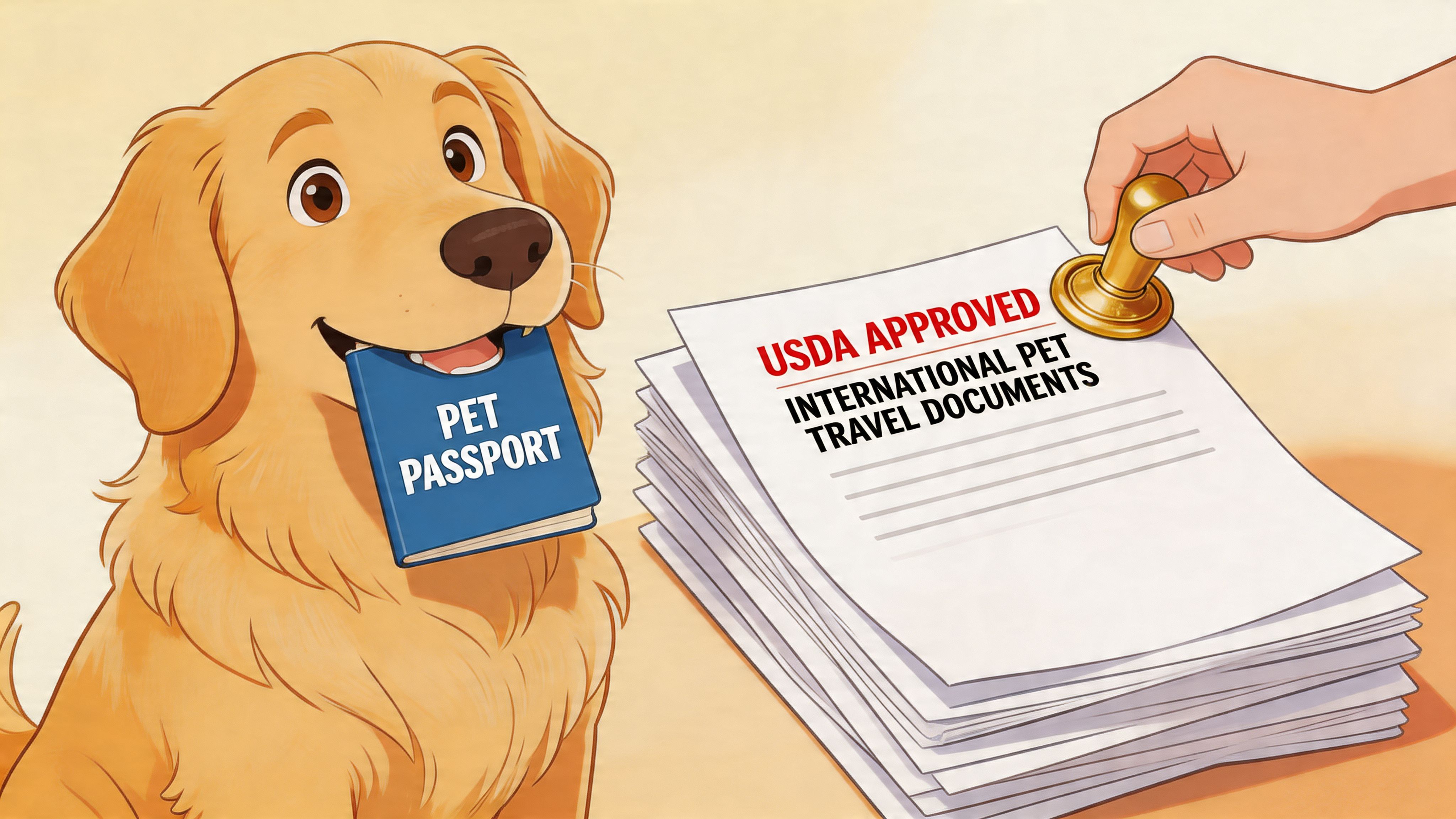
Pet travel is only getting busier. With a projected 15% increase in pet travel post-2025 global tourism rebound, the efficiency of document processing is more critical than ever; label errors are a primary cause of preventable delays (USDA VEHCS FAQ.pdf)).
Why this final step causes so many problems
Owners usually focus on vaccines, timing, and destination rules. Clinic teams often focus on certificate accuracy. Both are important, but the return label is where a lot of otherwise solid files get stuck.
Common reasons include:
The label wasn't prepaid. If it requires payment later, it can be rejected.
The file was altered. A screenshot, scan, or resized image often causes trouble.
The wrong address appears on the label. This is one of the easiest mistakes to make.
Tracking wasn’t included. If no one can follow the package, no one can manage the timeline well.
Keep treating the return label like part of the medical record. It isn’t an afterthought. It’s part of the travel chain.
If you’re still working through endorsement timing, this guide to getting a USDA-endorsed pet health certificate is a useful companion to the label step.
The practical mindset that works
The smoothest clinics don’t “wing it” on labels. They use the same approach every time. One staff member creates it, another checks the address fields, and no one edits the original courier file. That simple routine avoids a lot of barking up the wrong tree.
Gathering Your Label Information
Before you open FedEx or UPS, gather the details you’ll need. Most return-label mistakes start before the label is even created.
Three pieces of information to confirm first
Start with these:
Your return destination
This might be your clinic, the pet owner’s home, or a shipper’s office. Pick one place that can reliably receive overnight documents.Your submission path
Are you mailing the packet physically, or submitting through VEHCS? The workflow changes depending on that choice.Your non-USDA sender details
For the return label, the USDA office should not appear as the sender on the label. Use a non-USDA address instead.
That last point causes a surprising amount of confusion. Staff members naturally assume the USDA office should be in the “From” field because that office is sending the documents back. In practice, that’s not how you should build the return label for this process.
What to have ready on your desk
I like a simple prep checklist before anyone starts typing:
Pet and owner name: Match it to the certificate file name.
Return phone number: Use a number that someone answers.
Courier account access: Don’t wait until the last minute to reset a password.
Preferred delivery location: Front desk, mailroom, concierge, or home porch matters.
Travel date: This keeps everyone honest about urgency.
Practical rule: If the person creating the label has to guess at any field, stop and confirm it before purchase.
For clinics handling several outbound certificates in a week, a shared spreadsheet helps. If your team already tracks travel clients in Google Sheets, tools covered in this roundup of the best mail merge for Google Sheets can also help standardize address blocks and reduce manual copy-paste mistakes.
One document that helps avoid mix-ups
Keep the core certificate details close at hand too, especially if you’re working from APHIS Form 7001. This overview of the APHIS 7001 health certificate is a helpful refresher if your file includes that form.
A little prep here saves a lot of scrambling later. It’s not glamorous, but it keeps the label from becoming the part that knocks the whole trip off schedule.
Creating a Compliant Return Shipping Label
This is the part where precision matters most. The USDA shipping label needs to be usable as-is, not “close enough.”
The format rules that matter
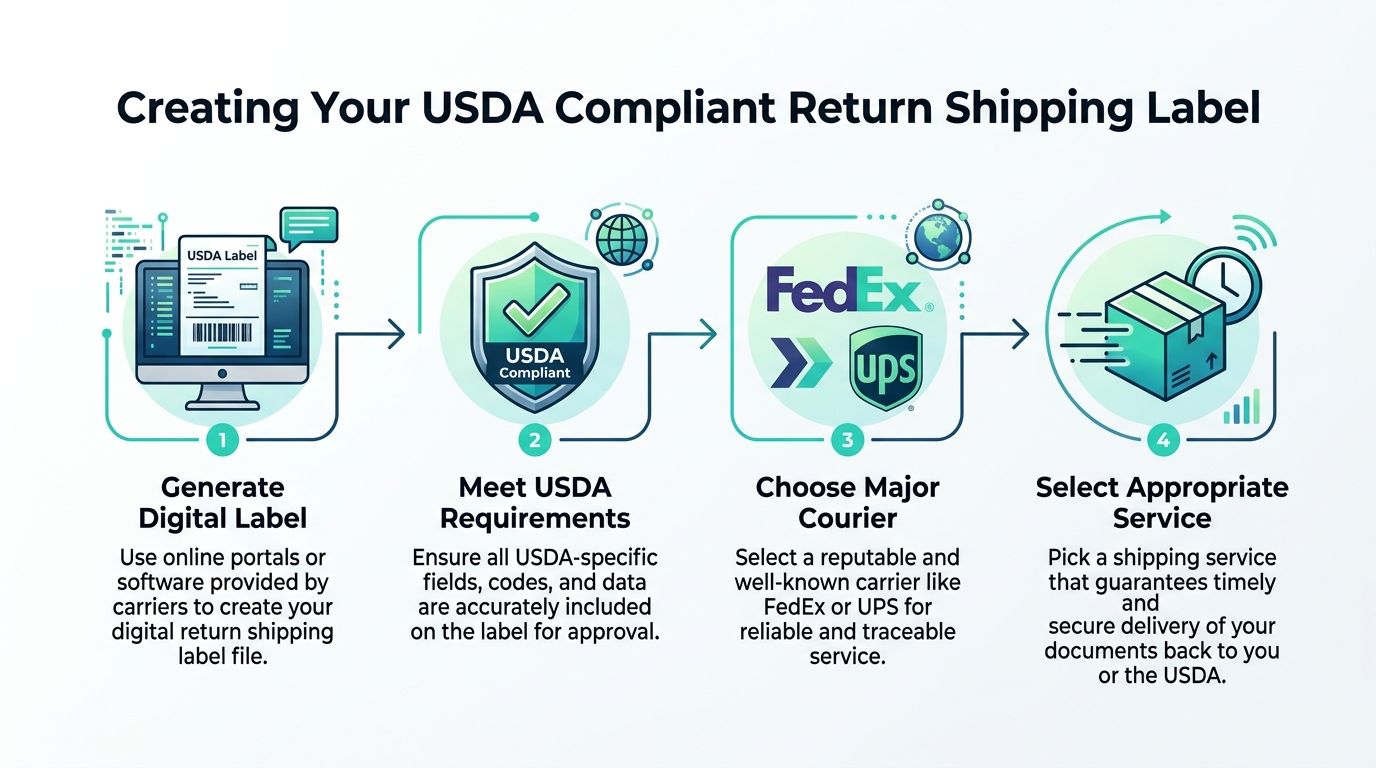
For VEHCS submissions, the pre-paid return shipping label must be a .gif, .jpg, or .pdf file directly from the courier; altered or resized files are a common cause of rejection, which can delay endorsements by 3-7 days (USDA VEHCS return label instructions).
That single rule explains a lot of failed uploads. Staff members often think they’re helping by cropping white space, combining files, scanning a printed copy, or saving a screenshot from their phone. Don’t. Download the original file from the courier and upload that file directly.
A clean step-by-step process
Here’s the process I’d use in any clinic:
Open the courier portal
Use a major courier such as FedEx or UPS.Choose a prepaid service with tracking
Don’t assume tracking is automatic. Confirm it appears in the purchase flow.Enter a non-USDA address
The return label should use your clinic, the owner, or another non-USDA address rather than listing USDA on the label.Download the original label file
Save the file exactly as generated.Rename it for internal use
Something simple works well, likesmith-bella-return-label.pdf. Rename the file name if you want, but don’t edit the file content.Upload the original file
If you’re in VEHCS, upload the courier-generated file directly.
What works and what doesn’t
A fast comparison helps:
Action | Works well | Causes problems |
|---|---|---|
File source | Original download from courier | Screenshot, phone photo, scan |
Format | .gif, .jpg, or .pdf | Anything outside those formats |
Label payment | Fully prepaid | Payment required later |
Address setup | Non-USDA return setup | USDA listed on the return label |
Delivery visibility | Tracking included | No tracking or weak tracking |
Small choices that save time
There are a few habits that make this easier in real life:
Use desktop creation, not mobile. Mobile apps make it easier to screenshot by accident.
Save before uploading. Don’t rely on browser downloads you can’t find later.
Keep one label per pet file. Shared labels across cases create confusion fast.
Add internal naming discipline. Staff should know which label belongs to which certificate without opening five files.
If a label needed “just a quick edit,” it usually needs to be regenerated instead.
For clinics that still print and physically include backup materials, good print quality helps readability. A practical reference on Shipping Labels Printing can help if your office printer tends to turn barcodes into modern art.
One tool-based option
Some practices prefer to centralize certificate tasks rather than juggle email threads, courier tabs, and checklists. Passpaw is one option that helps clinics manage pet travel document workflows, including USDA endorsement-related steps and shipping label handling, alongside travel deadlines and client communication.
The main point is consistency. The clinics that get this right don’t rely on memory. They use the same exact method every time.
Fetching the Right Courier Service
The USDA doesn’t pick your courier for you, but your choice still affects speed, visibility, and stress level. For a USDA shipping label, the safest path is the one that gives you prepaid service and clear tracking from the start.
What to prioritize
USDA guidelines explicitly state that they will reject labels that are not pre-paid or that require a credit card for use, making it essential to select a fully paid service with tracking from a major courier.
That means the “cheaper for now” option can become the more expensive option later if it creates a delay, a reissue, or a missed departure window.
Courier Service Comparison for USDA Labels
Feature | FedEx | UPS | Recommendation |
|---|---|---|---|
Tracking availability | Commonly used for tracked return labels | Commonly used for tracked return labels | Choose the option with clear tracking from purchase to delivery |
Prepaid label options | Yes, when purchased correctly | Yes, when purchased correctly | Confirm it is fully prepaid before saving the label |
Overnight services | Available | Available | Prefer overnight when travel timing is tight |
Ground services | Available, but slower | Available, but slower | Avoid ground when the return date matters |
Clinic familiarity | Many clinics already use it | Many clinics already use it | Use the courier your staff knows how to troubleshoot fast |
There’s no universal winner between FedEx and UPS. The better choice is the one your team can create correctly, track confidently, and receive reliably.
A practical decision filter
Ask these questions before you buy:
Can I see tracking immediately after purchase?
Is it fully paid now, with no credit card needed later?
Will this service move fast enough for the travel date?
Can someone at the destination receive it without delay?
If you’re also comparing full-service transport options for pets, this overview of pet courier services can help separate document return shipping from the animal’s actual travel logistics.
The most reliable choice is rarely the fanciest one. It’s the one your team can execute without second-guessing.
Packaging and Attaching Your Documents
A good label can still fail if the packet is packed poorly. The USDA shipping label for return delivery needs to be easy for staff to find and easy for them to use.
The basic packing method
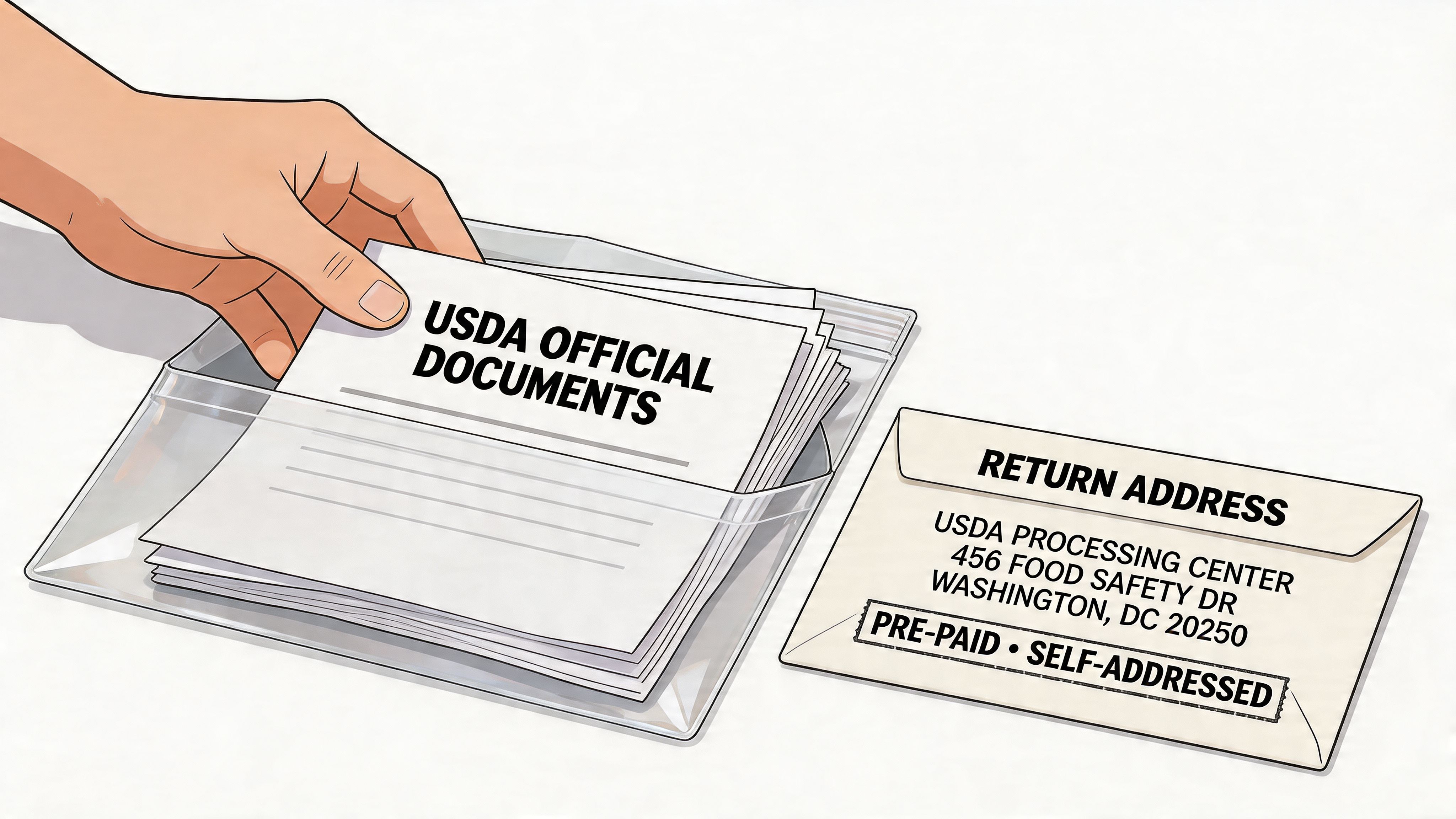
If you’re mailing documents to the endorsement office, place the signed certificate and supporting paperwork in a durable envelope. Include the printed prepaid return label inside the outgoing package. Do not stick that return label on the outside of the package going to the USDA.
That sounds obvious once you’ve done it a few times. It’s less obvious when a busy staff member is trying to move three travel packets before lunch.
Why visibility still matters
The old rule still fits the modern workflow. The 1913 Gould Amendment was a key law that mandated shipping labels be placed on the outside of packaging for visibility, a principle that continues to inform modern best practices for ensuring safe and traceable transit (history of food label rules).
For this pet travel use case, the practical takeaway is simple. The label used for the active shipment must be visible on the package that’s currently moving. The return label belongs inside, ready for the return trip.
Put the return label where USDA staff can find it quickly, but don’t make it the label that routes your outbound packet.
Packing choices that help
These are the small details that make life easier for everyone handling the file:
Use a waterproof or sturdy envelope: Thin paper envelopes tear at the seams.
Keep the return label flat: Fold it neatly if needed, but don’t crumple the barcode area.
Separate originals from extras: Don’t bury the signed document under unrelated printouts.
Include a return envelope if your clinic prefers: Some teams tuck in a ready-to-use courier pak for the trip back.
A short internal checklist also helps. If your clinic is tightening travel workflows overall, these document management best practices are worth applying to endorsement packets too.
My preferred packing order
When staff ask for a simple standard, this is the order I recommend:
Signed certificate and required attachments
Payment or office-required forms, if applicable
Printed prepaid return label
Optional return envelope or pak
Final exterior shipping label for the outbound trip
That order keeps the important pieces visible without turning the packet into a paper lasagna.
Common Label Woes and How to Fix Them
Even careful teams hit snags. The key is fixing the right problem instead of guessing.
In a related USDA APHIS label-review context, sketch submissions for labels are returned for issues like non-contrasting colors or unapproved claims in roughly 25-40% of cases, highlighting the importance of compliant formatting (USDA APHIS labeling guidance). Pet travel return labels are a different workflow, but the lesson is the same: formatting errors matter.
My label was rejected in VEHCS
Most of the time, this comes back to file handling.
Try this:
Generate a fresh label from the courier
Download the original file again
Upload the unedited .gif, .jpg, or .pdf
Check that the label is fully prepaid and trackable
If someone scanned the label after printing it, start over with a new original digital file. That’s usually faster than trying to rescue a bad upload.
My mailed packet wasn’t accepted as expected
Look at the label assumptions first.
Check for:
USDA appearing on the return label
No tracking on the selected service
A label that wasn’t fully prepaid
A return label attached to the outside of the wrong package
When one of these happens, the fastest fix is usually to generate a corrected label and send it promptly to the office handling the file using their accepted communication method.
The tracking number isn’t moving
Pause before panicking. Courier scans don’t always appear instantly.
A simple response plan works best:
First, confirm the number itself is correct
Then, wait for the carrier’s initial scan window
After that, contact the courier
If needed, confirm pickup status with the endorsement office
A quiet tracking page doesn’t always mean a lost packet. It often means the first scan hasn’t posted yet.
Most USDA shipping label problems are fixable. The trick is not to improvise. Go back to the original rules on payment, format, tracking, address setup, and packaging. That’s usually where the answer is hiding.
If your clinic handles pet travel regularly, Passpaw can help organize certificate tasks, travel deadlines, and endorsement-related document steps in one place so fewer details slip through the cracks when timing gets tight.
More articles
From regulatory changes to best practices for veterinarians and pet owners, our resources keep you ahead of the curve.