Are you a team member in a veterinary practice?
Are you a pet parent planning a trip with your furry pal?
10 Pawsitively Essential Document Management Best Practices for 2026
Welcome to the world of international pet travel, where excitement and adventure meet a mountain of paperwork. For veterinary practices and pet travel agencies, managing health certificates, vaccination records, and destination-specific forms can feel like herding cats. A single misplaced document or an overlooked deadline can cause stressful delays, disrupting travel plans for pet owners and their furry family members.
But it doesn't have to be a 'ruff' process. Implementing strong document management isn't just about keeping tidy digital files; it’s about creating a reliable, efficient, and stress-free experience for your clients and your team. A streamlined system helps with accuracy, security, and reduces the administrative burden tied to complex travel rules. By improving how you handle information, you can focus less on chasing papers and more on providing excellent care. To further dive into setting up an efficient workflow, exploring great resources on document management best practices is highly recommended.
This guide is designed to help you tame the paperwork beast once and for all. We will walk you through 10 essential strategies made for the unique challenges of pet travel. From centralizing documents and automating workflows to checking rules and securing sensitive data, each practice is a step toward a smoother operation. Let's get your paperwork purr-fectly organized and make every pet's journey a seamless one from start to finish.
1. Centralized Document Repository with Version Control
One of the most important document management best practices is creating a single source of truth for all your critical files. A centralized document repository is one digital spot where all pet travel documents, health certificates, and other records are stored. When you add version control, this system not only organizes files but also tracks every change, making sure your team always works with the most current information. This gets rid of the frantic search for the latest rabies certificate or the risk of using an old import permit, preventing costly and stressful travel delays.
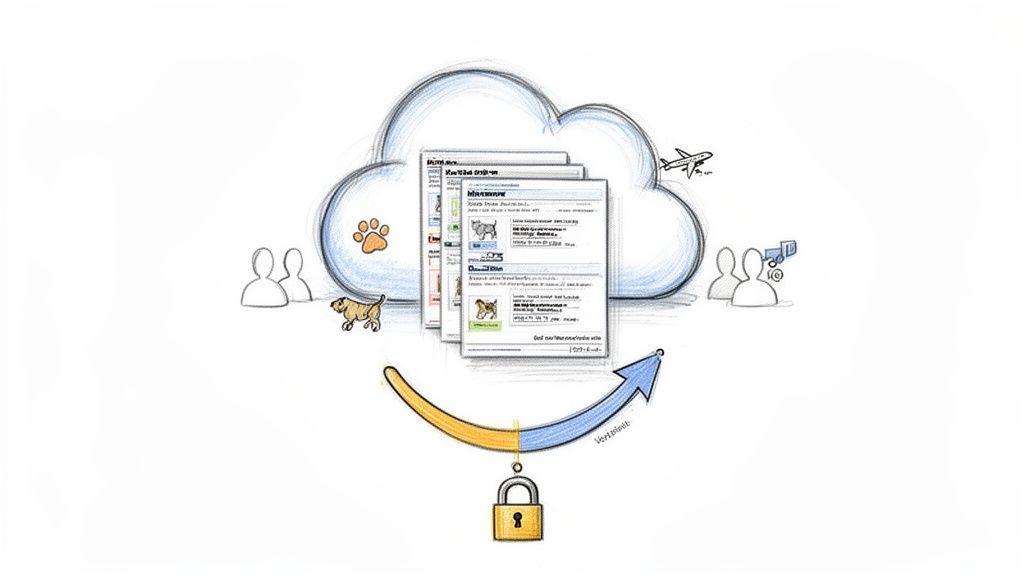
This approach is crucial in the fast-moving world of pet travel, where rules can change overnight. Having a single, reliable hub means you can confidently access, update, and share documents, knowing you have a complete history of all changes. It’s the difference between a smooth, organized process and a chaotic paper chase that leaves everyone stressed out.
Why This Is a Must-Have
For veterinary practices managing multiple pet travel cases, a centralized system prevents information from getting lost in different emails or local computer drives. It ensures that any team member can step in and immediately understand the status of a pet’s travel plans. Version control provides a clear trail, showing who made what change and when, which is very helpful for quality control.
How to Implement It
Choose the Right Platform: Select a system that fits your practice's needs. This could be a specialized pet travel platform like Passpaw, which offers a central dashboard for health certificates, or a veterinary practice management system (PIMS). Even a well-organized cloud storage service (e.g., Google Drive, Microsoft 365) with strict rules can work.
Establish Naming Conventions: Create a clear and consistent file naming system. A good format might be
[PetName]_[OwnerLastName]_[Destination]_[DocumentType]_[Date-YYYYMMDD].pdf.Use Metadata Tagging: Use tags for quick searching. Add keywords like the pet’s microchip ID, travel date, destination country, or airline. This allows you to filter and find specific documents in seconds.
Train Your Team: Proper training is key. Make sure every team member understands how to save, name, and find documents according to the set rules.
2. Automated Workflow and Task Prioritization
Beyond simply storing files, one of the most helpful document management best practices is using smart automation. An automated workflow system automatically organizes and prioritizes tasks based on pet travel dates, deadlines, and what needs to be done first. This ensures that critical steps, like USDA endorsements or specific vaccinations, are completed in the correct order. This helps prevent last-minute scrambles and makes sure nothing falls through the cracks. It turns a complex, multi-step process into a guided, manageable checklist.
This process-driven approach is a game-changer for practices handling many pet travel cases at once. Instead of manually tracking every deadline for every pet, the system alerts your team to what needs to be done next. This could be a parasite treatment due in three days or a health certificate that needs to be issued within a 10-day window. It’s like having a helpful assistant who never misses a beat, reducing administrative work and the risk of human error.
Why This Is a Must-Have
For a busy veterinary team, manual tracking can lead to missed deadlines and stressed-out clients. Automated workflows ensure that every pet's travel plan stays on track, even when your clinic is busy. This system creates a standard, repeatable process, which is essential for maintaining high-quality service. It also frees up your staff to focus on patient care instead of paperwork, making for a happier and more efficient team. To further optimize your clinic's efficiency, see how streamlined scheduling works with these workflows in our guide to veterinary appointment scheduling software.
How to Implement It
Map Your Process: Start by outlining the common steps for pet travel to popular destinations. Identify key milestones, deadlines, and dependencies for each route (e.g., EU, Japan, Australia).
Utilize a Platform: Use systems with built-in automation. Specialized software like Passpaw automatically creates task lists based on travel dates, while some PIMS may offer similar workflow tools. For more advanced, custom automation, you can explore tools like Power Automate to connect different applications and trigger actions.
Set Up Smart Alerts: Set up notifications for upcoming deadlines. For example, create an alert 14 days before travel to confirm all initial requirements are met and another at the 72-hour mark for final checks.
Create Destination Templates: Build workflow templates for different countries. Each template should include the specific sequence of required exams, treatments, and forms, which can be instantly applied to a new pet travel case.
3. Real-Time Document Validation and Compliance Checking
Navigating the maze of international pet travel rules can be a big task. A real-time document validation system acts as your expert co-pilot, automatically checking health certificates and travel forms against the most current requirements for specific countries. This proactive approach flags potential errors, missing information, or details that don't meet the rules before they become a problem, ensuring every document is pitch-purrfect for submission.
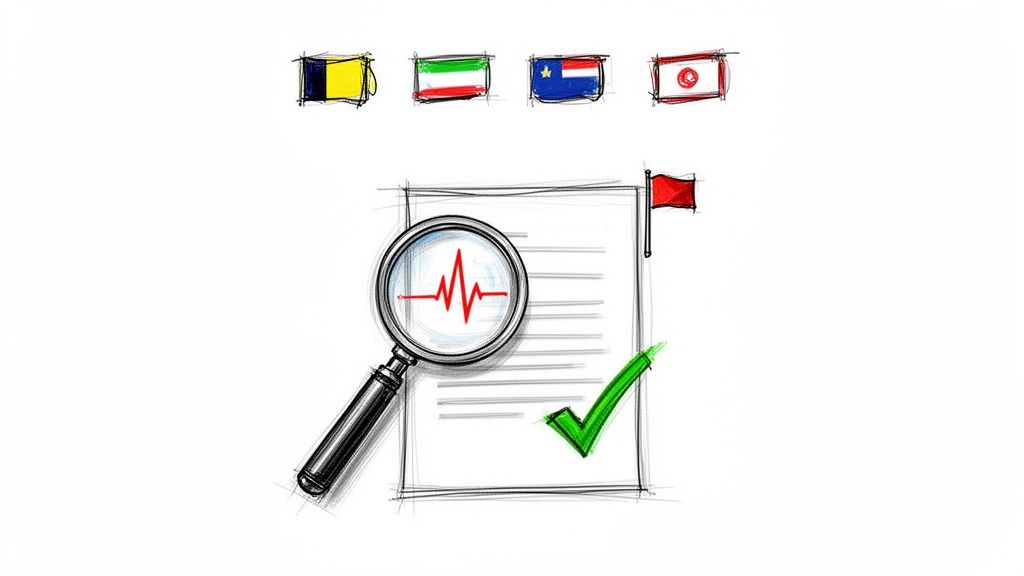
This goes beyond simple organization; it's about adding accuracy directly into your workflow. Instead of manually checking dense rule websites, the system does the heavy lifting. This greatly reduces the risk of human error, which can lead to heartbreaking quarantine situations or a pet being denied entry.
Why This Is a Must-Have
For practices handling international pet travel, following the rules is a strict requirement that changes often. An automated validation system adds a layer of smart checking to your document management best practices. It protects your practice’s reputation and gives pet owners peace of mind, knowing their pet's journey is built on accurate, verified paperwork. This is a critical part of modern practice compliance solutions.
How to Implement It
Leverage Specialized Software: Use platforms designed for this purpose. For example, Passpaw includes real-time validation to check documents against a large database of country-specific rules.
Create Internal Checklists: If a fully automated system isn't an option, create digital checklists for each destination country. These should be treated as living documents and updated the moment a rule change is announced.
Schedule Regular Reviews: Set aside time each month to review the requirements for your most common travel destinations. Subscribe to USDA APHIS updates and newsletters from foreign ministries of agriculture.
Establish a Two-Step Process: Combine automated checks with a final manual review. The system can catch common errors like incorrect dates or missing vaccine details, while a trained team member can verify other details and ensure everything looks correct.
4. Metadata Tagging and Intelligent Search Capabilities
A clear file name is a great start, but to really improve your document searching, you need to think beyond the title. This is where metadata tagging comes in. Metadata is basically data about your data—descriptive labels like pet name, owner name, destination country, certificate type, or expiration date. Using this systematic approach allows for powerful, smart search functions, turning your document storage into a highly searchable database. Instead of digging through folders, you can instantly find every document related to "all travel to Japan in the next 30 days."
This is one of the most helpful document management best practices for a busy veterinary practice. When you're managing hundreds of active pet travel cases, being able to find the exact health certificate or rabies titer test result in seconds isn't just a convenience; it's a huge operational advantage. It prevents delays, reduces administrative work, and ensures you can answer client questions with lightning-fast accuracy. This system acts as a digital librarian for your practice, making sure no document is ever lost.
Why This Is a Must-Have
For practices juggling numerous pet travel timelines, metadata is the key to proactive management. You can run searches for all health certificates expiring within a certain timeframe, identify all documents for a specific airline, or pull up every file associated with a single microchip ID. This ability is very useful for checks, quality control, and making sure no critical deadlines are missed, helping you keep every pet’s journey on the right track.
How to Implement It
Create a Metadata Schema: Before you start, define a standard set of tags. Decide which fields are essential for your practice, such as
Pet_ID,Destination_Country,Travel_Date,Airline, andDocument_Type.Use Controlled Vocabularies: For key fields, use predefined lists to ensure consistency. For example, use official two-letter country codes (e.g., JP for Japan, GB for Great Britain) instead of allowing people to type in whatever they want.
Leverage Capable Platforms: Use systems built for this purpose. Document management software like SharePoint and Box have strong metadata features. Specialized platforms like Passpaw automatically organize documents by pet, travel date, and destination, taking the manual work out of tagging.
Train Your Team on Tagging: Make sure everyone understands the importance of applying metadata consistently. A tag is only useful if it's applied correctly every single time.
5. Role-Based Access Control and Secure Permission Management
Not everyone involved in a pet’s travel journey needs access to every single document. Setting up role-based access control (RBAC) is a critical security practice that makes sure sensitive information is only seen by those who absolutely need it. This system assigns permissions based on a user's role, such as veterinarian, technician, practice manager, or an external partner like a pet shipper. This protects private pet health data and owner details while still allowing for smooth teamwork.
This security-first approach is essential in the world of pet travel, where documents containing sensitive information are shared among multiple parties. By controlling who can view, edit, and share files, you prevent accidental data breaches, unauthorized changes to critical health certificates, and help maintain privacy. It’s about giving each person the right key to the right door, without handing over the master key to the whole building.
Why This Is a Must-Have
For a busy veterinary practice, managing access prevents a "too many cooks in the kitchen" scenario where an accidental deletion or incorrect edit could mess up a pet's travel plans. It provides a clear line of responsibility, ensuring that only qualified individuals, like the accredited veterinarian, can finalize and sign official documents. For external partners, like pet owners or transport companies, this system allows you to share specific documents without exposing your entire practice's records.
How to Implement It
Define Practice Roles Clearly: Map out the specific roles within your pet travel workflow. For example, a
Veterinary Technicianmight have permission to upload lab results, while only theAccredited Veterinariancan digitally sign the final health certificate.Apply the Principle of Least Privilege: Give users the minimum level of access needed to do their jobs. A front-desk staff member may only need view-only access to a travel itinerary, not editing rights for a rabies certificate.
Use Time-Limited Access for Partners: When sharing documents with pet owners or shippers, give them temporary access that automatically expires after the travel date. This prevents long-term access to sensitive information.
Conduct Regular Audits: At least quarterly, review who has access to what. Remove permissions for former employees or partners immediately to keep your system secure.
6. Automated Client Communication and Document Sharing
Managing pet travel involves juggling countless documents and deadlines, and keeping clients informed is just as critical as getting the paperwork right. Automated client communication and document sharing creates a system that proactively updates pet owners and partners on document status, required actions, and key milestones. This approach turns a reactive, time-consuming process of manual emails and phone calls into an efficient, clear, and documented communication workflow.
This system is essential for managing client expectations and reducing anxiety during the complex pet travel process. Instead of wondering if their pet’s health certificate is ready or when the next vaccination is due, clients receive timely, clear updates. This proactive communication builds trust and frees up your team from constantly answering the same questions, allowing them to focus on important tasks. It's about keeping everyone in the loop without drowning in follow-ups.
Why This Is a Must-Have
For a busy practice, manual communication is a major bottleneck that can lead to human error. Forgetting to send an important reminder can lead to missed deadlines and big travel disruptions. An automated system ensures every client receives the right information at the right time, creating a consistent and professional experience. It also provides a clear, documented trail of all communications, which is helpful for accountability.
How to Implement It
Select a Capable Platform: Use a system designed for this purpose. A specialized platform like Passpaw has built-in client communication features, while many PIMS offer patient portals with messaging. You can also connect with customer communication tools like Twilio or SendGrid.
Develop Clear Message Templates: Create pre-written templates for common situations like document approval, upcoming deadlines, or requests for information. Make sure the language is clear, simple, and tells the client exactly what they need to do next.
Set Up Automated Triggers: Send reminders at key milestones, such as 60, 30, and 7 days before the travel date. Trigger automated messages when a document’s status changes (e.g., from “Pending Review” to “Approved”).
Provide an Easy Contact Method: While automation is great, make sure clients have a simple way to ask questions. Include a clear contact email, phone number, or portal message link in every communication.
Refine Your Onboarding Process: A smooth communication strategy starts from day one. Perfecting how you bring clients into your system is key for long-term success. You can explore client onboarding best practices to create a seamless initial experience.
7. Template-Based Document Generation and Standardization
Manually creating complex travel documents for every pet is a recipe for inconsistency and human error. A much more reliable approach is using pre-built templates for common documents like health certificates, vaccination records, and import permits. This method ensures every document follows specific international standards, looks professional, and contains all the necessary information, every single time. It's one of the most effective document management best practices for streamlining a complex process.
This standardization is a game-changer for pet travel, where a single missing field or incorrect date can derail an entire journey. Templates act as a digital checklist, guiding your team through the documentation process to make sure nothing gets missed. Instead of starting from scratch and risking costly mistakes, your team can generate accurate, compliant paperwork in a fraction of the time, letting them focus on the pet, not the paperwork.
Why This Is a Must-Have
For a busy veterinary practice, consistency is key to efficiency. Templates reduce the mental load on your team, minimize the risk of errors that could lead to a pet being denied entry, and speed up the entire documentation workflow. Whether you're preparing a health certificate for the USDA or filling out paperwork for the EU, a standardized template ensures you're always submitting the right information in the right format.
How to Implement It
Prioritize and Build: Start by developing templates for the top 10-15 most common destination countries your practice handles. This covers most of your cases and delivers the biggest immediate impact.
Create "Smart" Templates: Use platforms or software that allow for conditional fields. For example, selecting "Japan" as the destination could automatically add specific rabies titer test fields to the template, while selecting "Hawaii" would prompt for different requirements.
Embed Mandatory Fields: Design your templates with required fields that cannot be left blank. This simple step prevents the most common errors, like a missing microchip number or an incomplete vaccination date.
Version Control Your Templates: Include a version number and "last updated" date in the footer of every template (e.g.,
Template_EU_HC_v1.2_Updated_2023-10-15). This ensures everyone is using the most current version.Schedule Regular Reviews: Pet travel rules change. Set a quarterly reminder to review all active templates against the latest country-specific requirements to keep them accurate.
8. Integration with Veterinary Practice Management Systems and External Data Sources
Manually transferring pet information from your main management system to a separate document platform is a recipe for errors and wasted time. A powerful document management best practice is to connect your systems. This links your document workflows with your existing veterinary practice management software (VMS) and external data sources, like regulatory databases and airline requirement lists. This creates a connected system where information flows automatically, getting rid of duplicate data entry and making sure every health certificate is filled with the most accurate, up-to-date patient data.
This integration is the key to transforming your document process from a series of manual tasks into a streamlined, automated workflow. It ensures that critical details like microchip numbers, vaccination dates, and patient vitals are pulled directly from the source of truth—your VMS. This not only saves countless hours but also dramatically reduces the risk of a tiny typo causing a major travel "cat-astrophe."
Why This Is a Must-Have
For any busy practice, integration is a game-changer. It bridges the gap between patient care and administrative work, ensuring consistency across all records. When your document system can automatically pull the latest USDA regulations or a specific airline’s pet policies, you can prepare travel documents with confidence, knowing you’re meeting the most current requirements. It removes the guesswork and the frantic last-minute searches for updates.
How to Implement It
Prioritize Core Integrations: Start by connecting your document management platform with your VMS. Systems like Passpaw are designed to integrate with leading practice management software, making this a great first step. To explore your options further, you can learn more about veterinary practice management software and how these integrations work.
Map Data Fields Carefully: Before activating an integration, map the matching data fields between the systems. Make sure that
[Pet_Birthdate]in your VMS correctly fills the[Date_of_Birth]field in your document template.Establish Data Sync Schedules: Decide how often data needs to be updated. For most pet travel documentation, a real-time or daily sync is ideal to capture any recent changes to a pet's health record.
Test Thoroughly: Run multiple test cases before going live. Create documents for mock pets with various health histories to ensure all data transfers accurately and that the integration handles different situations correctly.
9. Compliance Audit Trails and Document Lifecycle Management
In the highly regulated world of pet travel, simply having the right document isn't enough; you must be able to prove its entire journey. A compliance audit trail provides a complete, unchangeable history of a document from its creation to its final storage. This lifecycle management is one of the most critical document management best practices for protecting your practice and showing that you followed the rules. It’s the digital paper trail that shows every touchpoint, from the first draft of a health certificate to its final, signed approval.
This level of tracking is essential when dealing with international import requirements. An unchangeable audit trail provides clear proof that your team followed all necessary procedures, reviewed critical information, and got proper authorizations at the right time. It transforms a document from a simple file into a verifiable record, offering peace of mind.
Why This Is a Must-Have
For veterinary practices, a solid audit trail is your safety net. If a destination country's authorities ever question the validity or timeline of a health certificate, the audit log provides strong evidence of the process. It shows who accessed the file, what changes were made, and when key approvals, like a USDA APHIS endorsement, were logged. This protects both the pet owner from devastating travel disruptions and your practice from potential issues.
How to Implement It
Define Document Lifecycles: Map out the stages each critical document goes through, such as
Draft->Veterinarian Review->Client Approval->Submitted for Endorsement->Finalized->Archived.Leverage System Features: Use a platform with built-in audit capabilities. Specialized systems like Passpaw or robust PIMS often include features that automatically log every action taken on a document, creating a hands-off audit trail.
Implement Digital Signatures: Use legally recognized digital signatures for key approval points. This creates a time-stamped, verifiable record of authorization that is much more secure than a simple scanned signature.
Establish Retention Policies: Set clear, automated rules for how long documents are kept based on destination country and USDA requirements. For example, automatically archive all records for a specific trip five years after the travel date, rather than deleting them without a plan.
Regularly Review Audit Logs: Periodically check the audit trails for anything unusual. This proactive review can help you identify training needs or potential security issues before they become major problems.
10. Mobile Access and Offline Document Capability
In the fast-paced world of pet travel, access to documents isn't always limited to an office desk. A crucial best practice is making sure you can access, review, and even update critical pet health certificates and travel forms from any mobile device. When combined with offline capability, this system allows veterinarians on field visits, pet shippers in transit, and traveling owners to manage documents even in areas with spotty or no internet connection, preventing last-minute panics at the airport or border.
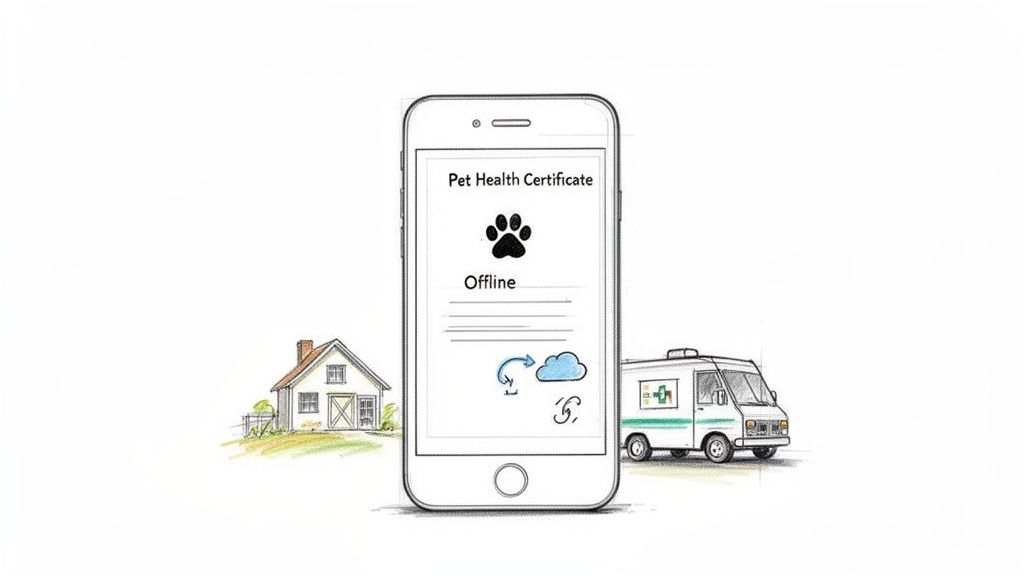
This mobile-first approach means that whether you're at a client's home for a final health check or coordinating a pet's pickup from an airport cargo area, the necessary paperwork is always at your fingertips. It turns your smartphone or tablet into a powerful, portable tool, ensuring the travel process never hits a snag due to a simple lack of access. This is a game-changer for providing on-the-go service without missing a beat.
Why This Is a Must-Have
For mobile vets or large animal practitioners, this capability is not a luxury; it's a necessity. It allows them to complete and verify documents on-site, saving valuable time. For pet shippers and owners, having offline access to a pet's rabies certificate or import permit provides immense peace of mind during travel, especially in remote or international locations. It ensures that a lack of Wi-Fi doesn't ground the entire operation.
How to Implement It
Select Mobile-Friendly Platforms: Choose a document management system that offers good mobile apps, such as Google Drive, Dropbox, or Microsoft OneDrive. Specialized platforms like Passpaw are often designed with mobile access as a core feature.
Prioritize Offline Documents: Identify which documents are most critical for on-the-go access (e.g., active health certificates, vaccination records, import permits) and mark them for offline availability within your chosen app.
Enforce Mobile Security: Secure mobile devices with strong authentication methods like biometrics or passcodes. Make sure the app you use encrypts documents both when they're being sent and when they're stored on the device.
Establish Sync Protocols: Train your team on how and when to sync offline changes. A good system will save any updates made offline and automatically sync them once connectivity is restored, flagging any potential conflicts for review.
Test on Multiple Devices: Before full implementation, test the mobile and offline functionality across various devices and operating systems (iOS, Android) to ensure a smooth, consistent user experience for everyone on your team.
Top 10 Document Management Best Practices Comparison
Item | 🔄 Implementation complexity | ⚡ Resource requirements | 📊 Expected outcomes | ⭐ Key advantages | 💡 Ideal use cases |
|---|---|---|---|---|---|
Centralized Document Repository with Version Control | Medium — initial setup, training, governance | Moderate — cloud storage, access controls, backups | Single source of truth; faster retrieval; full audit trail | Prevents outdated docs; improves collaboration; auditability | Practices managing many travel documents and frequent regulation changes |
Automated Workflow and Task Prioritization | High — rules engine and conditional logic | Moderate — automation platform, accurate input data | Fewer missed deadlines; streamlined task flow | Ensures correct sequencing; reduces manual errors | High-volume travel cases with strict timelines |
Real-Time Document Validation and Compliance Checking | High — regulatory integrations and rule maintenance | High — regulatory DBs, frequent updates, QA | Lower rejection rates; higher first-time approval | Catches errors early; destination-specific compliance | International travel with complex, varying rules |
Metadata Tagging and Intelligent Search Capabilities | Medium — metadata schema design and discipline | Low–Moderate — tagging tools, search/indexing | Much faster document retrieval; better reporting | Efficient search; enables analytics and saved queries | Large practices with many active cases and reporting needs |
Role-Based Access Control and Secure Permission Management | Medium — role modelling and policy setup | Moderate — access controls, encryption, audit logs | Controlled sharing; reduced unauthorized access | Strong data protection; accountability via logs | Practices handling sensitive pet/owner data or regulatory scrutiny |
Automated Client Communication and Document Sharing | Medium — template design and channel integrations | Low–Moderate — email/SMS gateways, portal | Improved client transparency; fewer support calls | Consistent messaging; documented communication trail | Practices needing proactive owner notifications and multilingual support |
Template-Based Document Generation and Standardization | Low–Medium — template creation and maintenance | Low — template library, update process | Faster document creation; consistent outputs | Reduces errors; saves staff time | Repetitive document types (health certs, vaccination records) |
Integration with VMS and External Data Sources | High — API development and field mapping | High — developer resources, ongoing maintenance | Eliminates duplicate entry; improves data accuracy | Real-time sync; enables downstream automation | Practices using practice management systems and external regs/airlines |
Compliance Audit Trails and Document Lifecycle Management | High — immutable logs, signature workflows | High — secure storage, logging, retention policies | Audit-ready records; legal and regulatory protection | Demonstrates compliance; simplifies inspections | Regulated environments requiring long-term retention and traceability |
Mobile Access and Offline Document Capability | High — mobile apps, offline sync, security | Moderate–High — cross-platform dev, sync infrastructure | Anywhere access; field validation and signatures | Flexibility; offline viewing/annotation | Field veterinarians, traveling owners, shippers needing on-the-go access |
Your Next Step Towards First-Class Compliance
Navigating the complex world of pet travel documentation can often feel like herding cats. From scattered health certificates to an endless back-and-forth of emails, the potential for error is high, and the administrative work is significant. The journey we've just taken through the top ten document management best practices is designed to provide a clear, actionable roadmap to transform that chaos into streamlined, stress-free work.
By moving beyond manual processes and adopting a structured approach, you're not just organizing files; you're greatly improving the quality and reliability of your service. Each practice we've covered, from creating a centralized document repository to implementing automated client communication, serves a critical purpose. Together, they form a powerful system that minimizes risk, saves valuable time, and ensures every pet’s travel preparations are handled with the highest standard of care.
From Theory to Action: Key Takeaways
The transition from your current workflow to a fully optimized system is a journey, not a sprint. While the list of best practices might seem long, the key is to start small and build momentum. Let's recap the core principles that will deliver the most immediate and significant impact on your practice:
Centralize and Standardize: The single most effective change you can make is to stop juggling documents across email, local folders, and cloud drives. A single, centralized hub (Practice #1) combined with standardized templates (Practice #7) eliminates confusion and establishes a consistent, professional foundation for all your pet travel documentation.
Automate to Accelerate: Manual data entry and follow-ups are time sinks that can lead to human error. By using automated workflows (Practice #2), document validation (Practice #3), and client communications (Practice #6), you can reclaim hours in your day and let technology handle the repetitive, detail-oriented tasks. This frees up your team to focus on what truly matters: patient care and client relationships.
Secure and Control: Pet travel documents contain sensitive client and patient information. Implementing role-based access controls (Practice #5) and maintaining complete audit trails (Practice #9) are no longer optional. These security-focused document management best practices are essential for protecting data, maintaining client trust, and ensuring you are always prepared for a review.
The True Value of a Modernized Workflow
Adopting these strategies does more than just tidy up your digital filing cabinet. It directly impacts your bottom line, your team’s morale, and your clients' experience. When a pet owner trusts you with their beloved companion’s journey, they are looking for confidence and peace of mind. A seamless, transparent, and efficient documentation process provides exactly that.
Imagine a world where you no longer have to manually check rabies vaccination dates against destination requirements or chase down a missing signature. Think of the relief in knowing that every document version is tracked and that a complete, auditable history is created automatically. This isn't a futuristic ideal; it's the real result of implementing modern document management best practices. You're not just improving a workflow; you're building a more resilient, efficient, and reputable practice that stands out in a competitive market. Ultimately, investing in a smarter system is an investment in providing a "pawsitively" perfect start to every pet's journey.
Ready to leave the paperwork headaches behind and implement these best practices with a single, intuitive platform? See how Passpaw brings together automated validation, centralized document management, and streamlined client communication to make pet travel compliance simple and secure. Discover a smarter way to manage pet travel at Passpaw.
More articles
From regulatory changes to best practices for veterinarians and pet owners, our resources keep you ahead of the curve.